Edit a sharing operation
Guide utilisateur
User guide
Gebruikershandleiding
Benutzerhandbuch
1 Open the sharing operations
Navigation
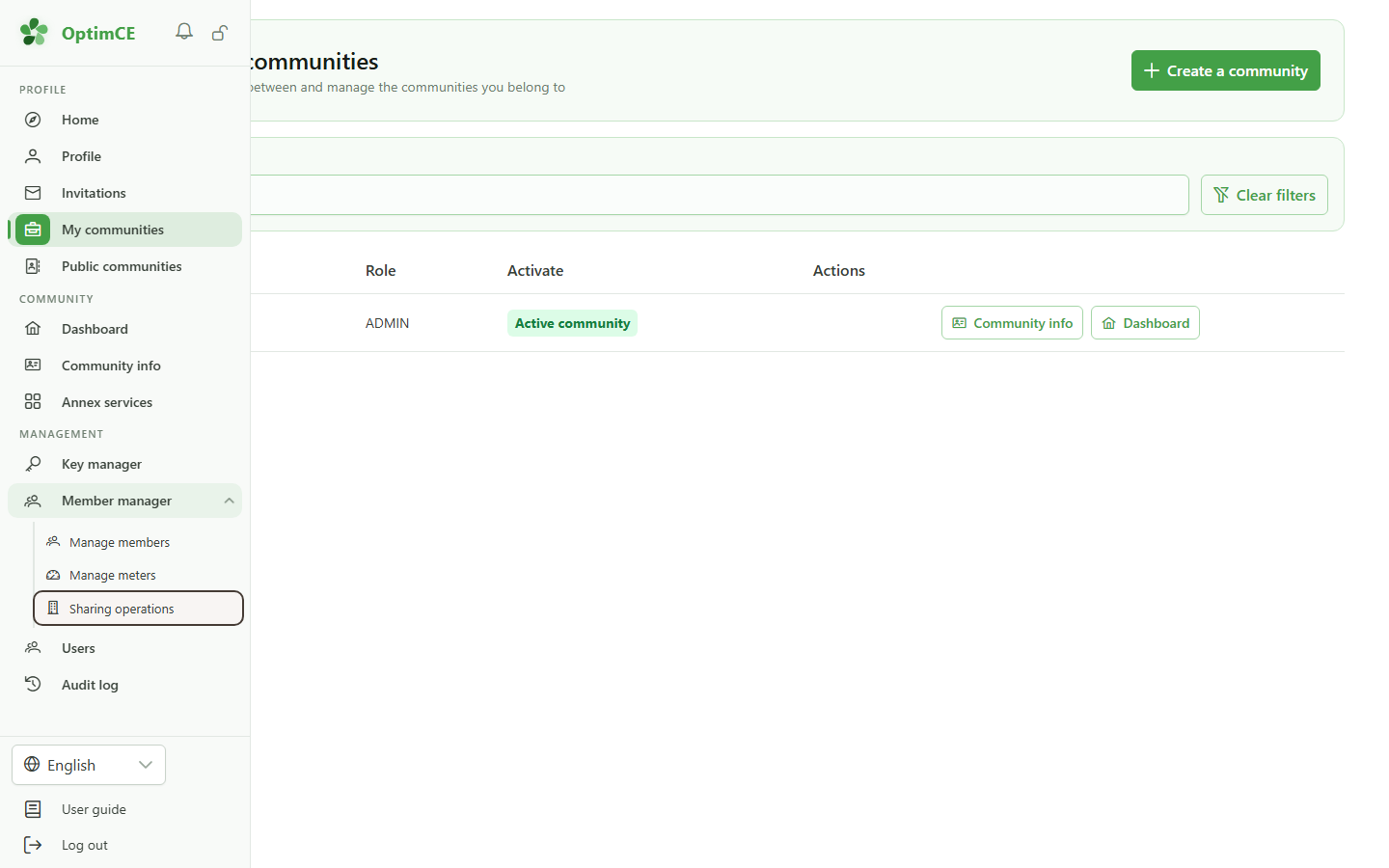
In the "Management" section, open "Members" then click "Sharing operations".
2 Open the sharing operation
Navigation
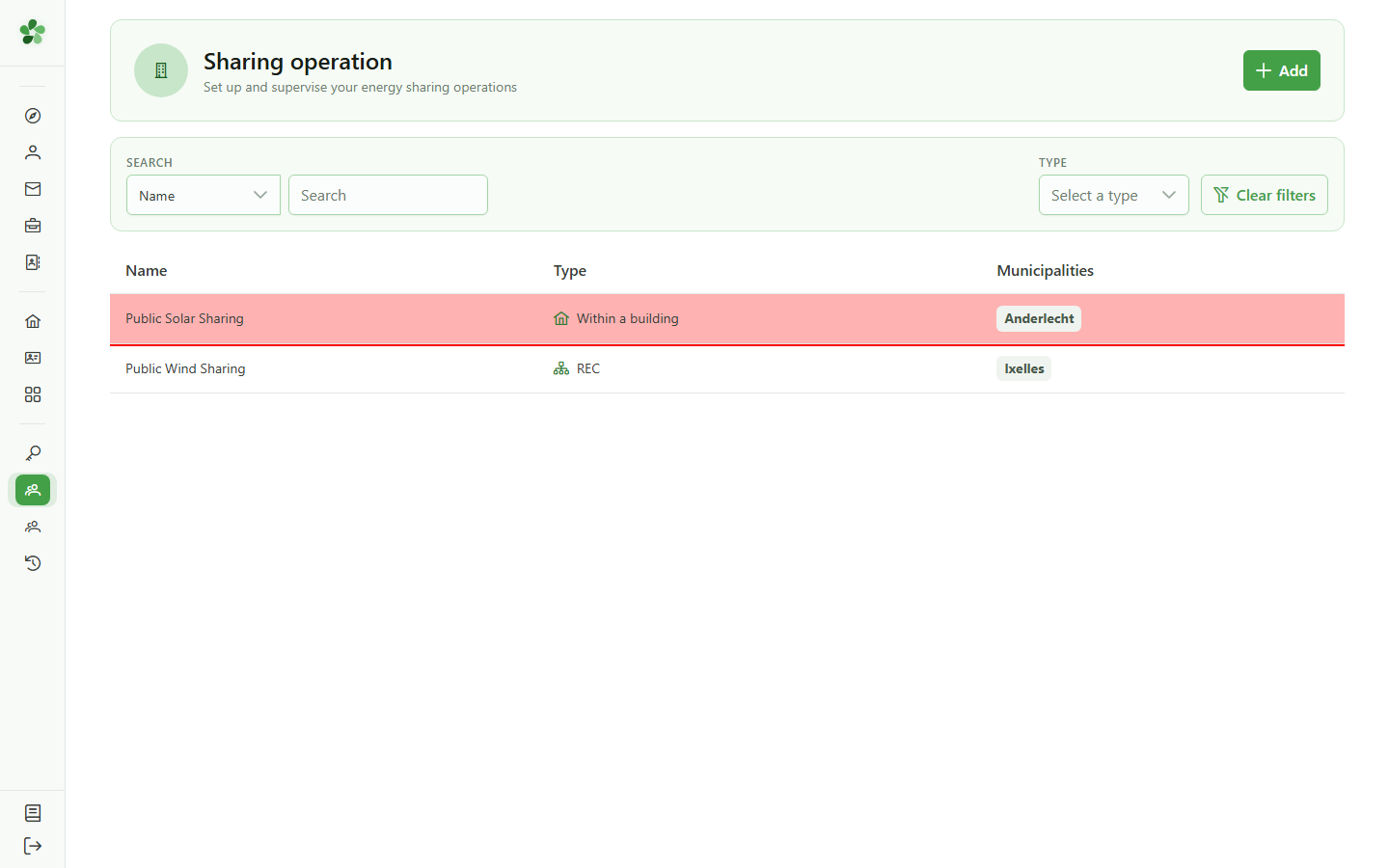
Click the row of the sharing operation you want to edit to open its page.
3 Operation detail
Editing an operation
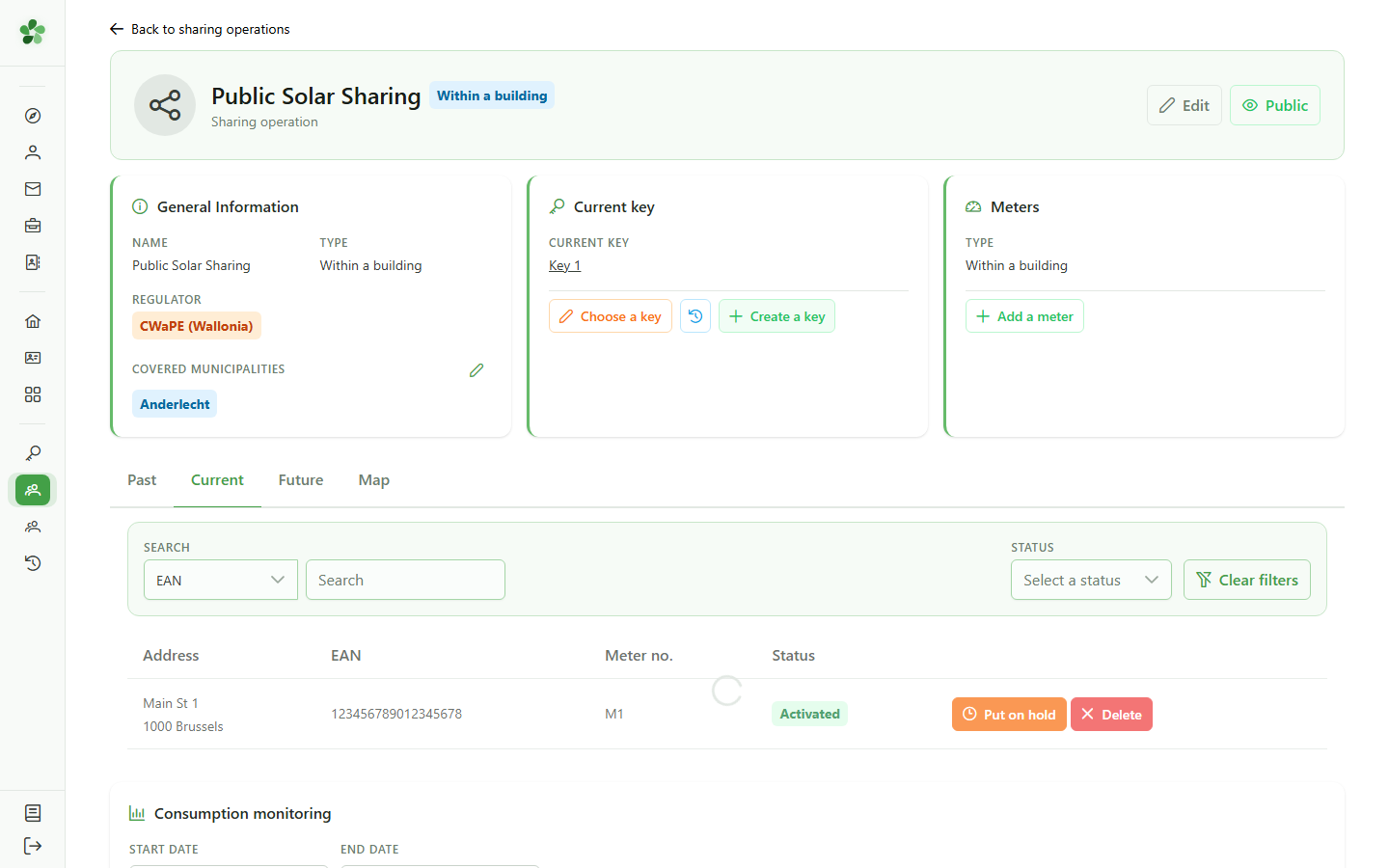
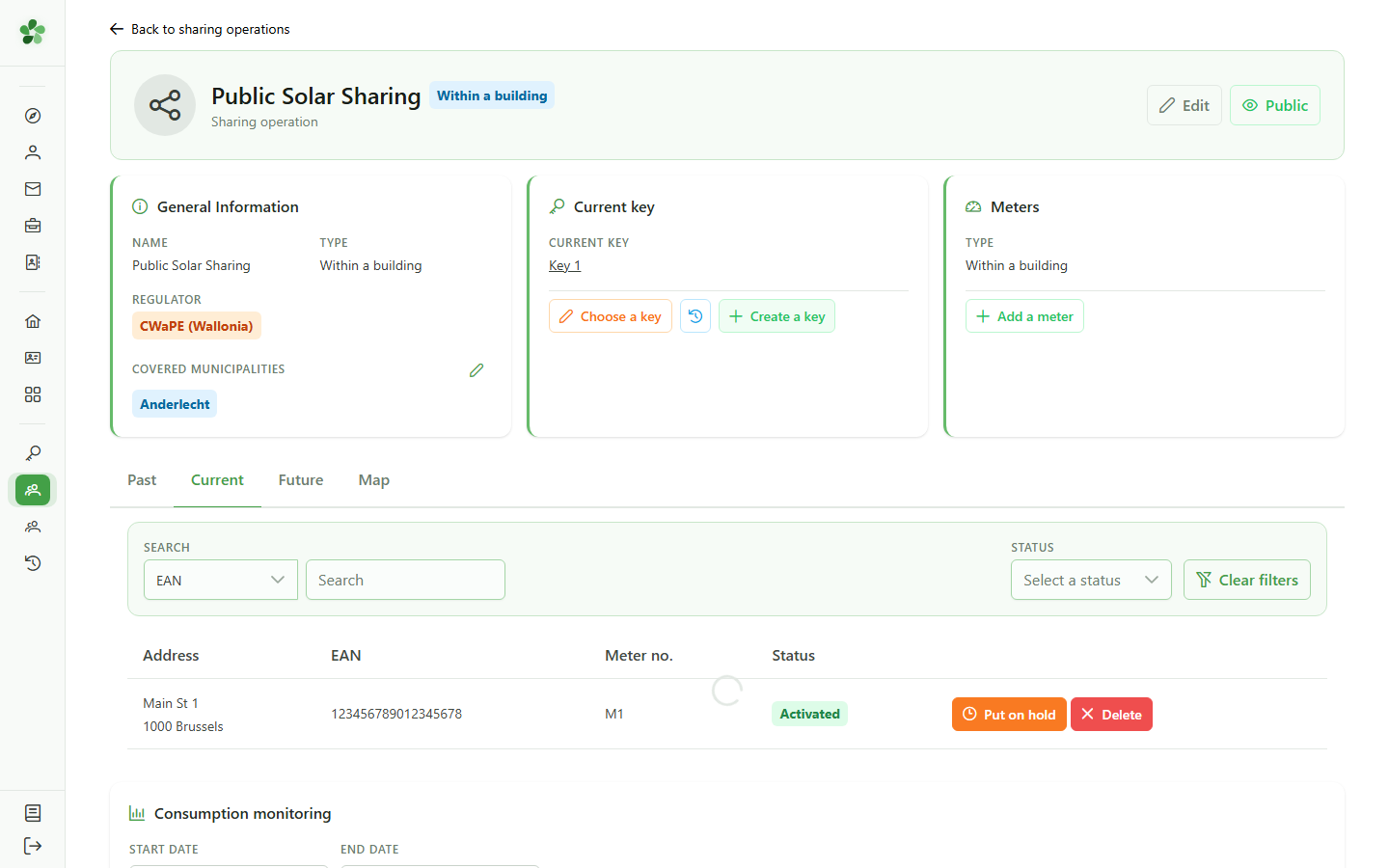
The operation page shows its name, type, meters and covered municipalities. The pencils let you edit this information.
4 Open the edit form
Editing
Click "Edit" in the header — the form opens, pre-filled with the operation's current details.
5 Rename the operation
Editing an operation
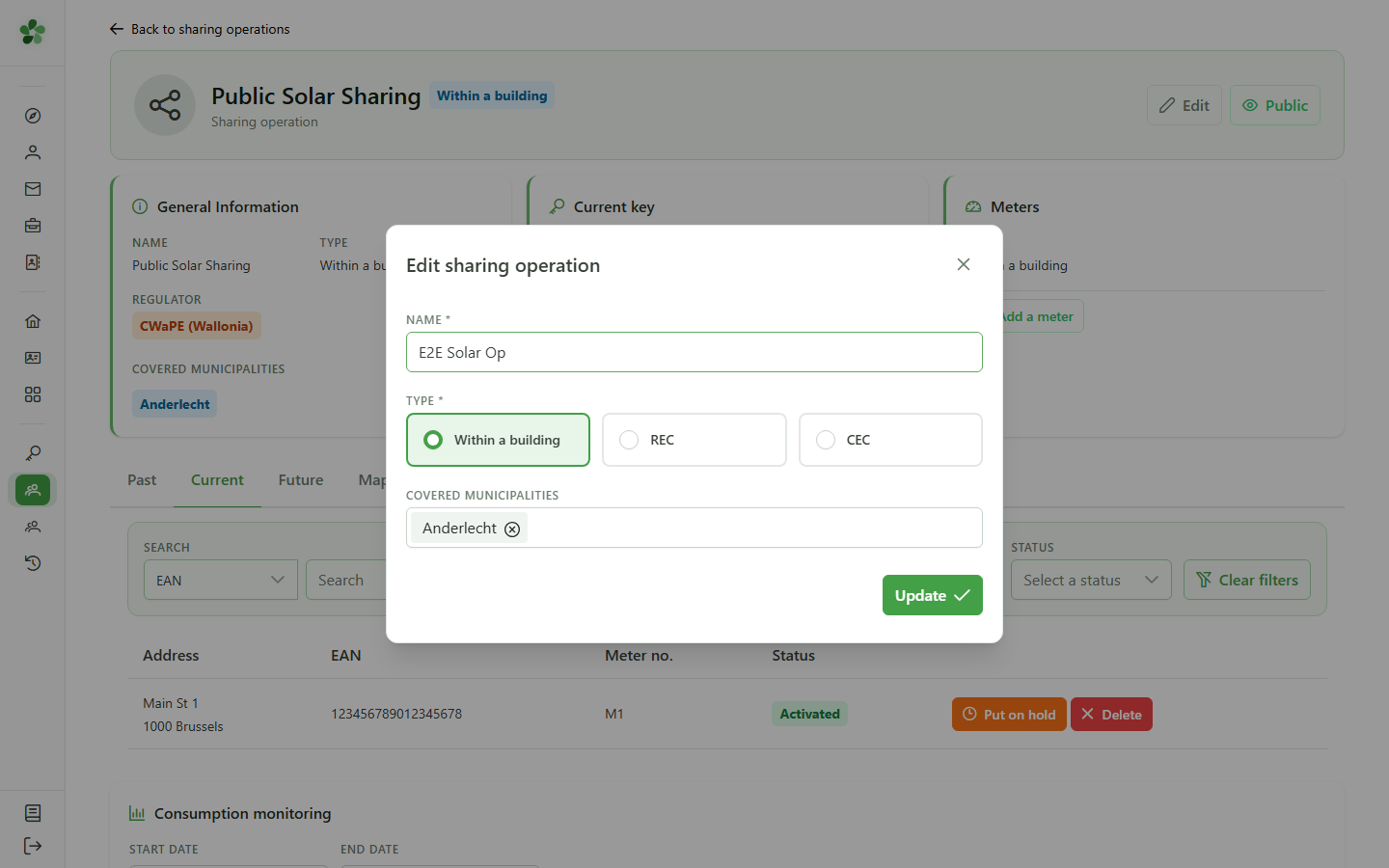
Change the operation's name. You can also adjust its type and municipalities here.
6 Name updated
Confirmation
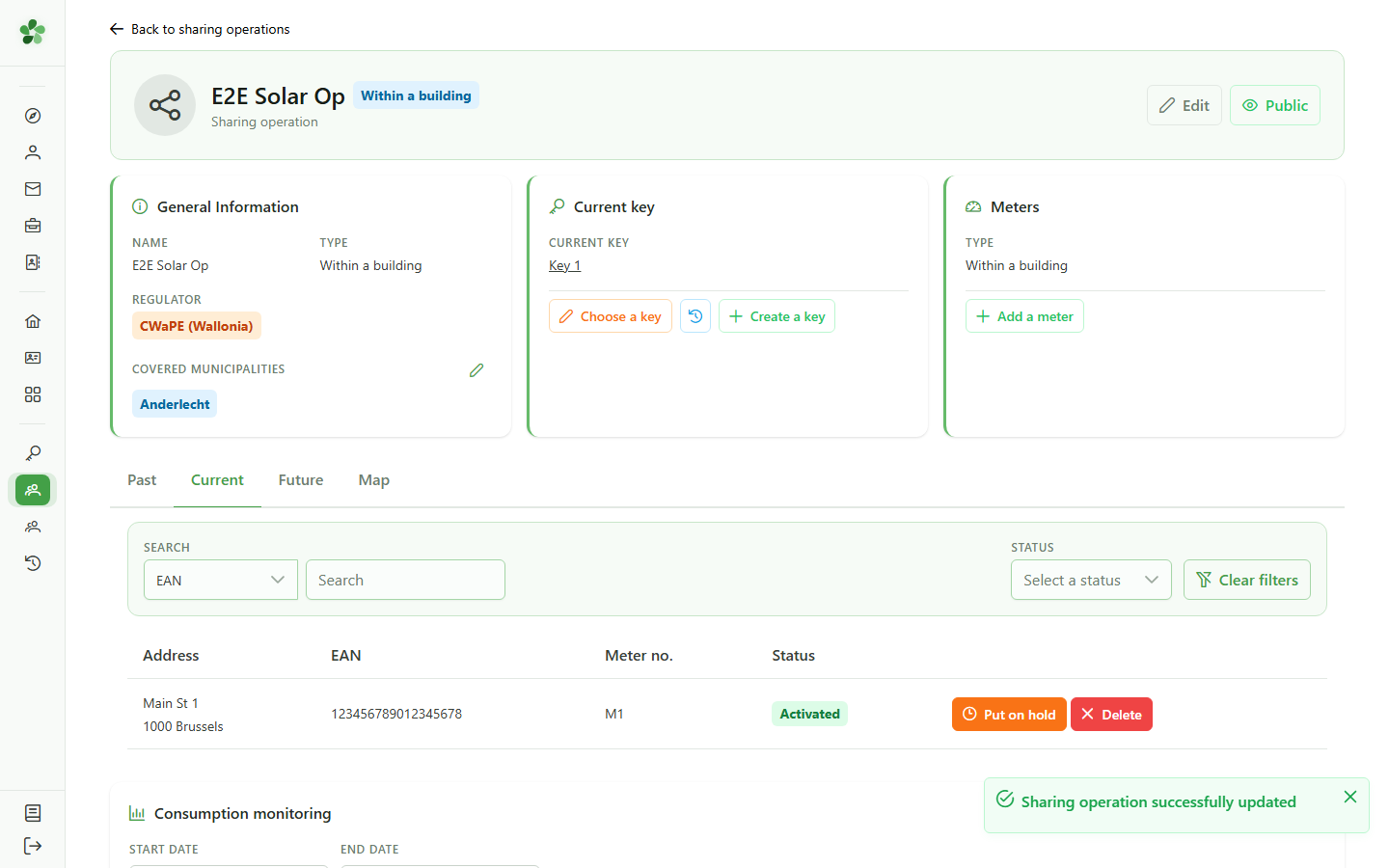
Back on the page, the operation carries its new name.
7 Edit the municipalities
Covered municipalities
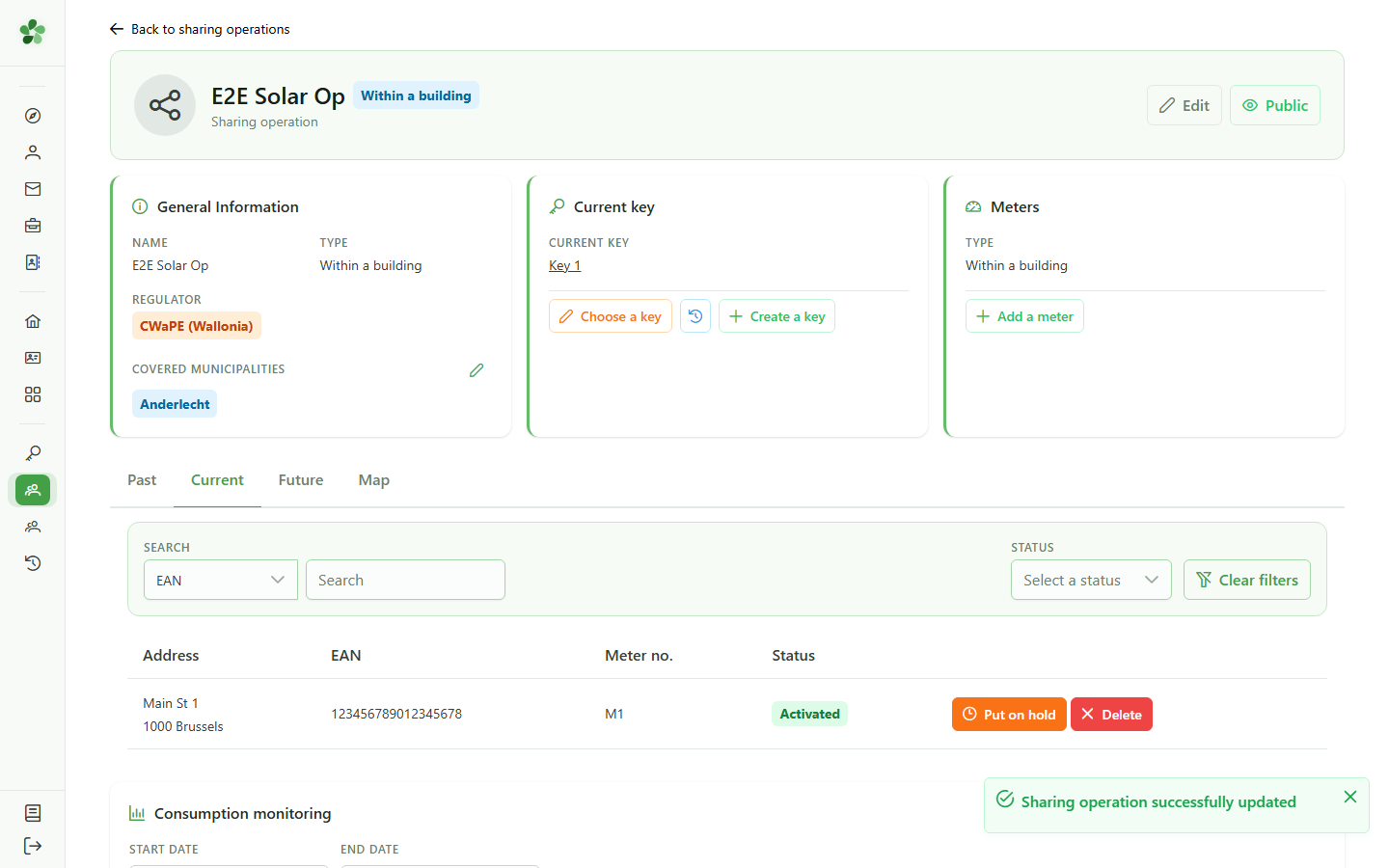
The pencil next to the municipalities opens the editor for the operation's covered municipalities.
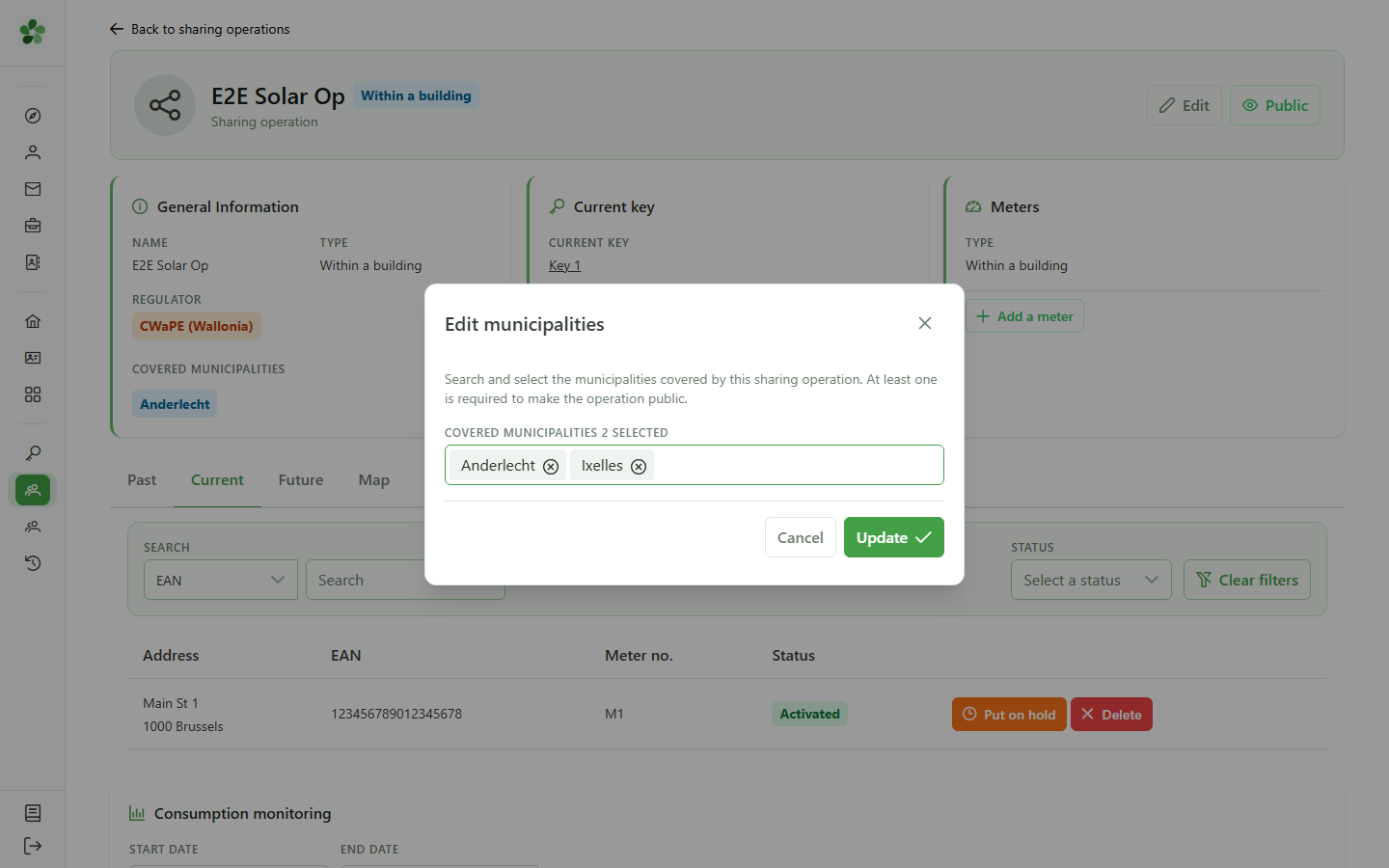
8 Add a municipality
Covered municipalities
Type a municipality and pick it from the suggestions to add it to the operation's scope.
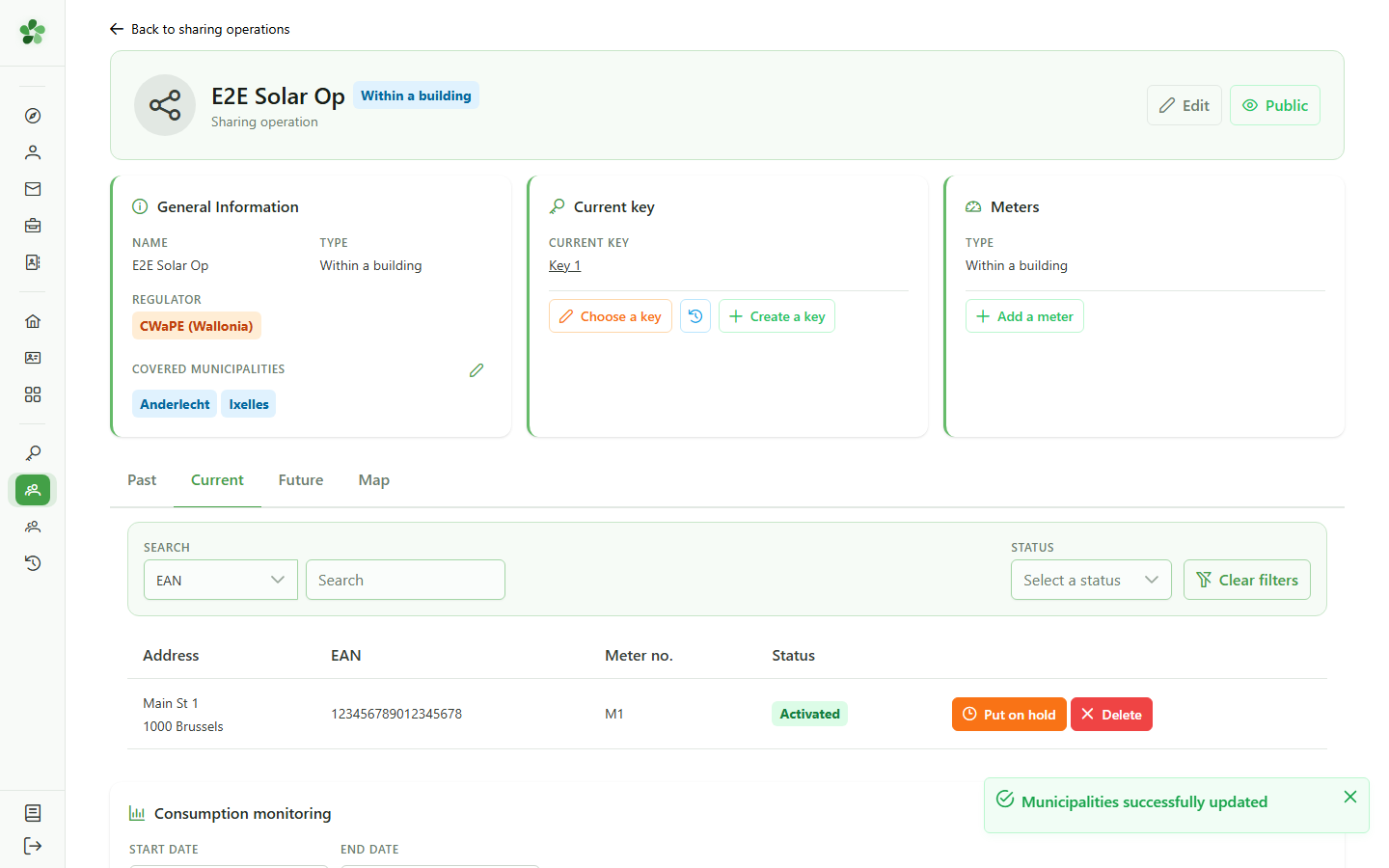
9 Municipality added
Confirmation
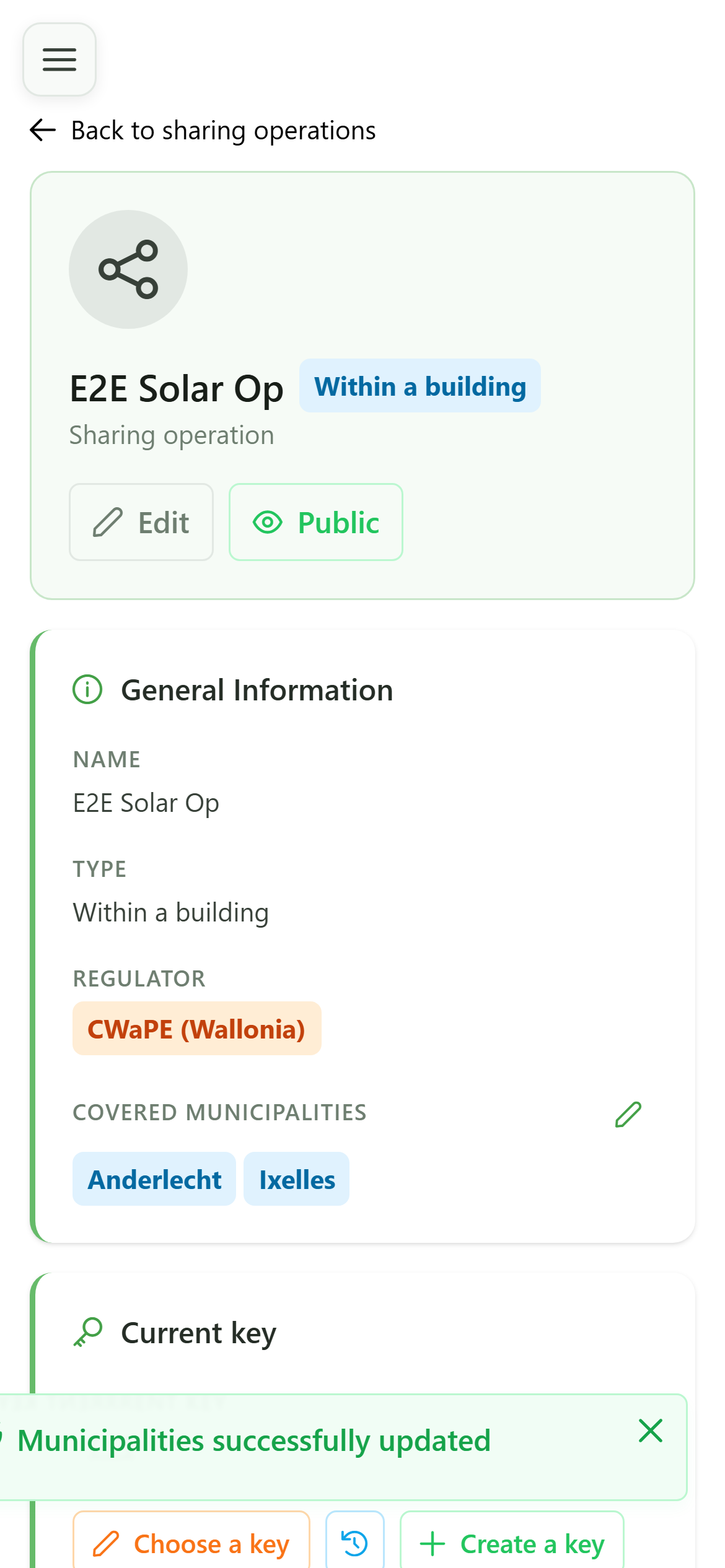
The municipality "Ixelles" now appears among the operation's covered municipalities.
Edit a sharing operation
Guide utilisateur
User guide
Gebruikershandleiding
Benutzerhandbuch
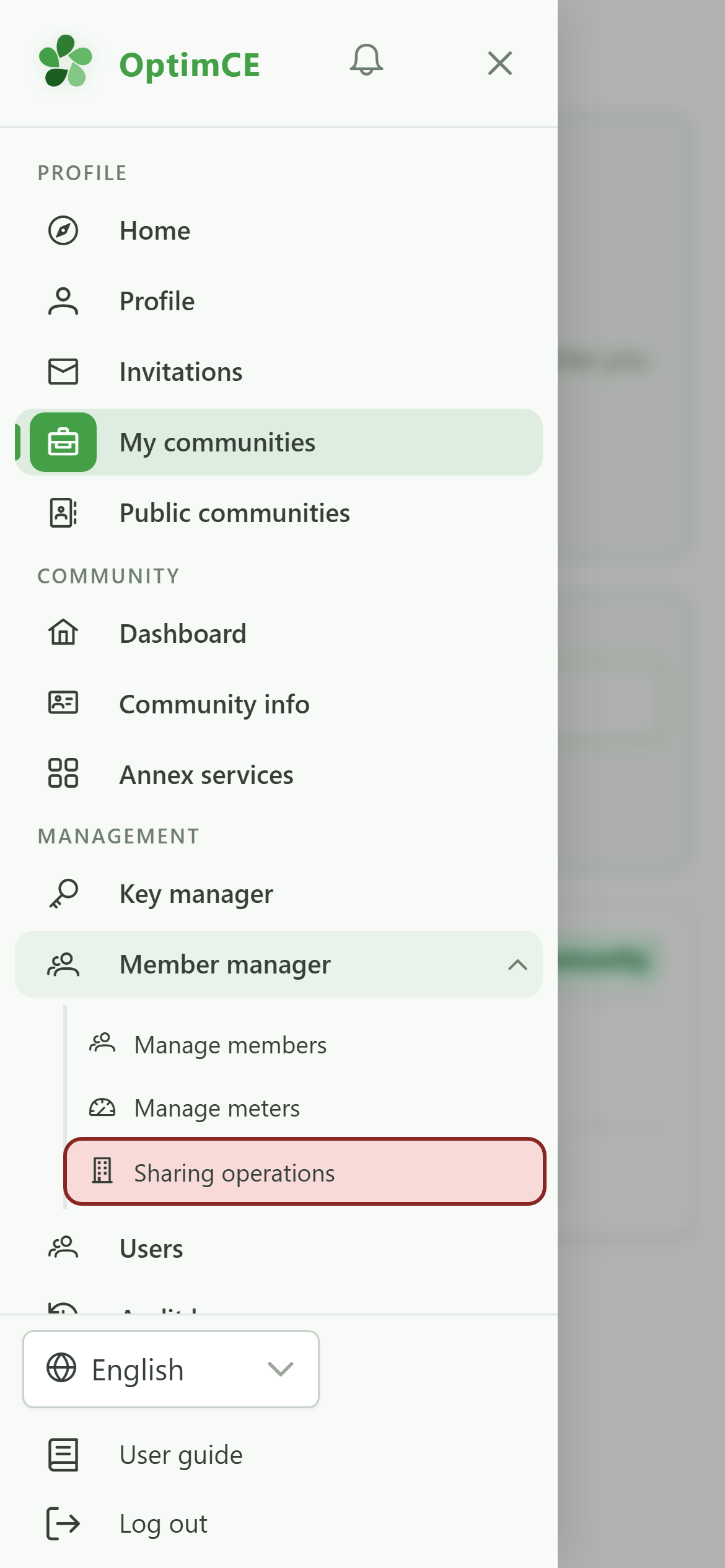
1 Open the sharing operations
Navigation
In the drawer, open "Members" then tap "Sharing operations".
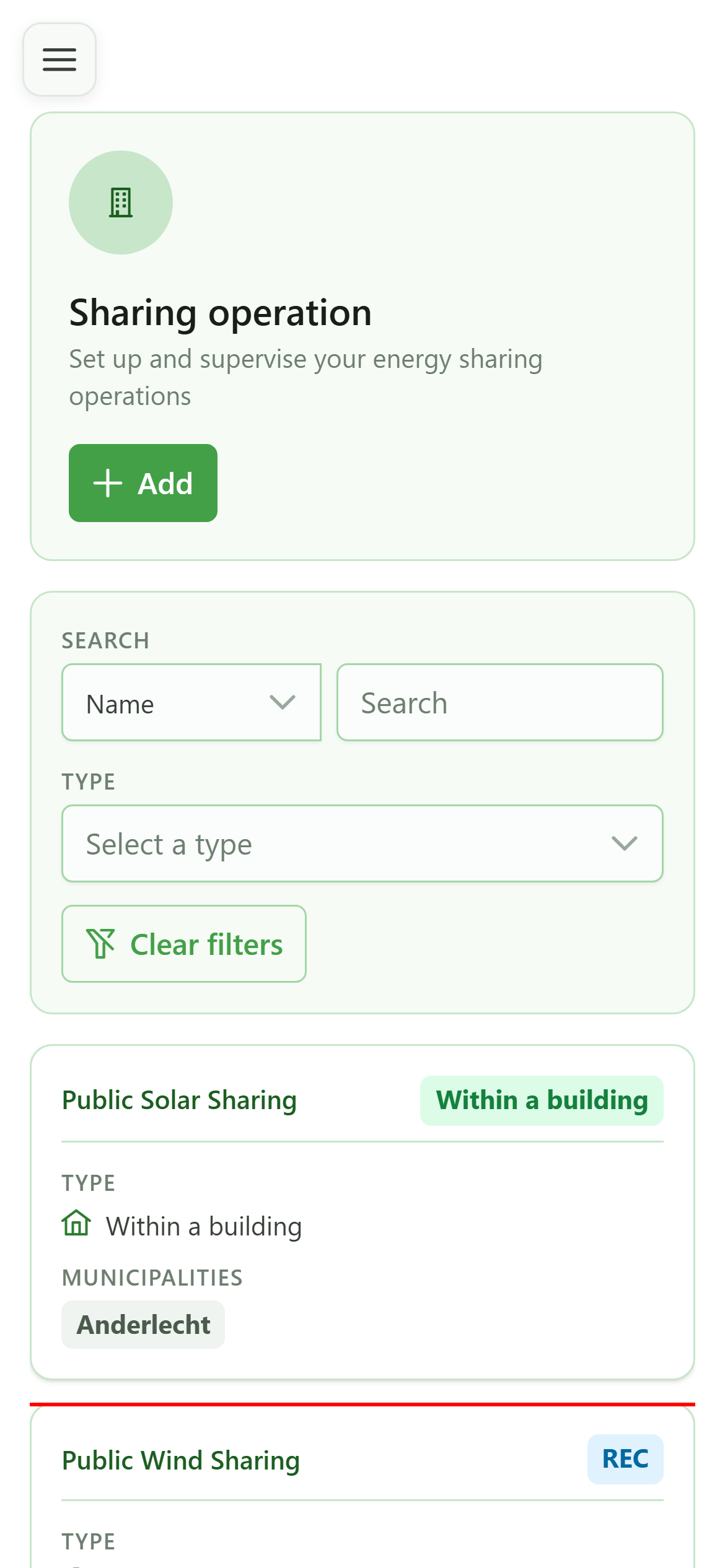
2 Open the sharing operation
Navigation
Tap the card of the sharing operation you want to edit to open its page.
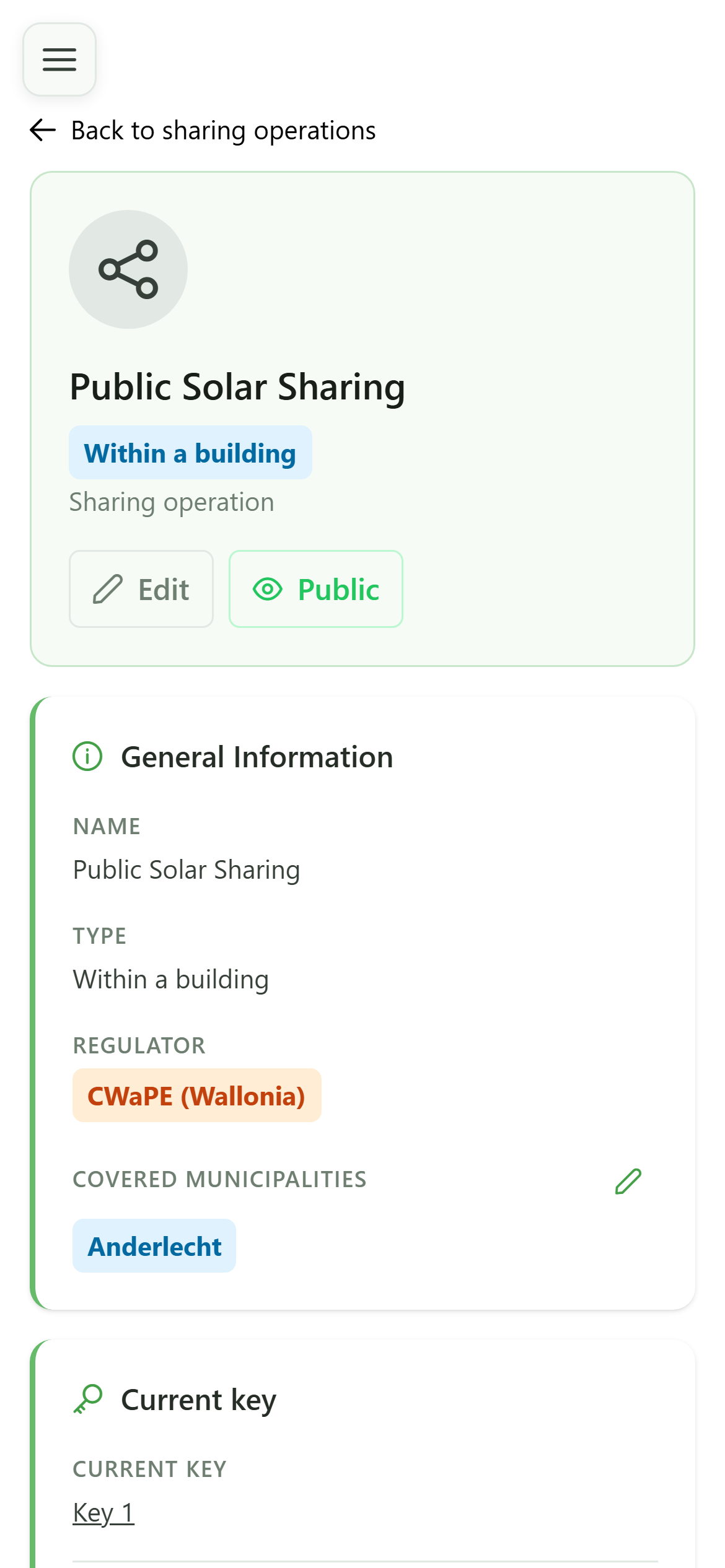
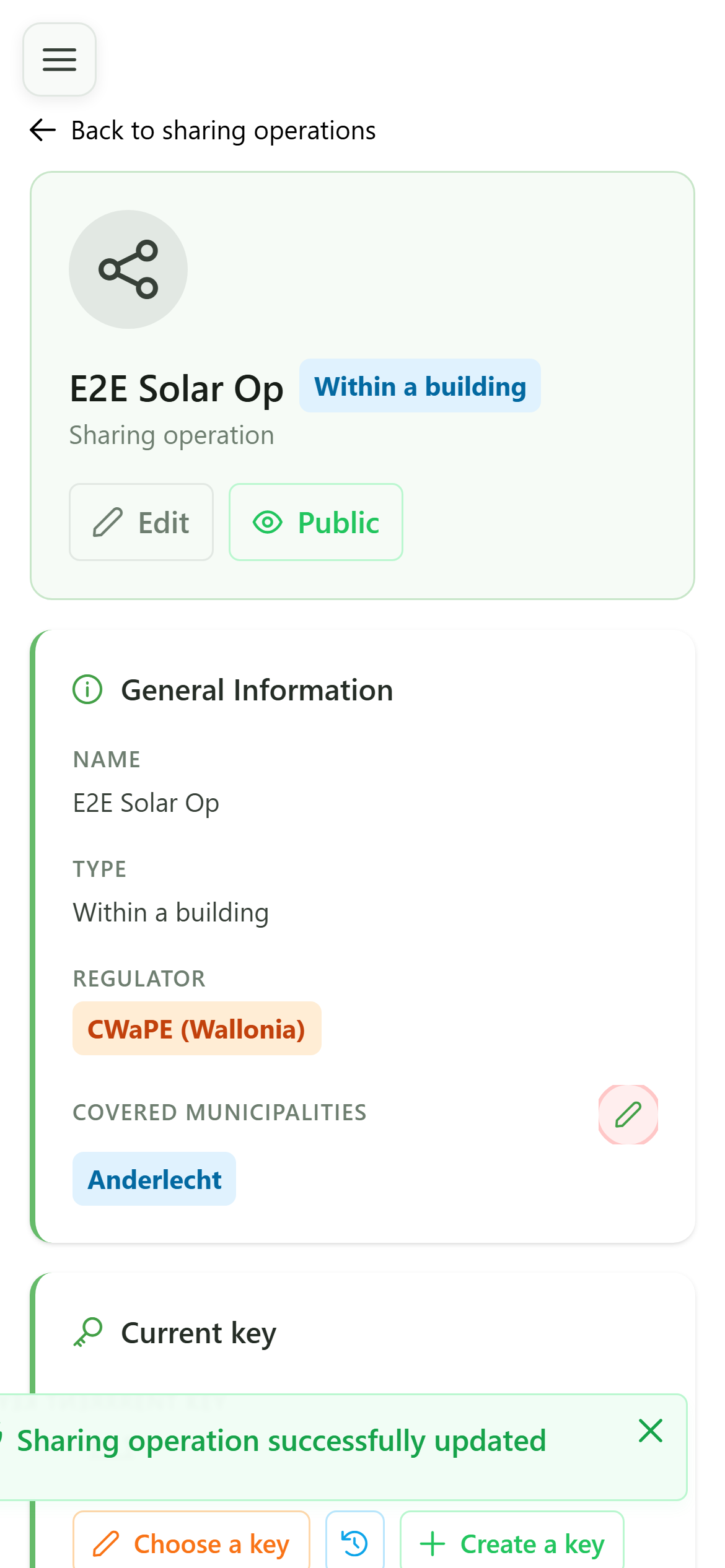
3 Operation detail
Editing an operation
The operation page shows its name, type, meters and covered municipalities. The pencils let you edit this information.
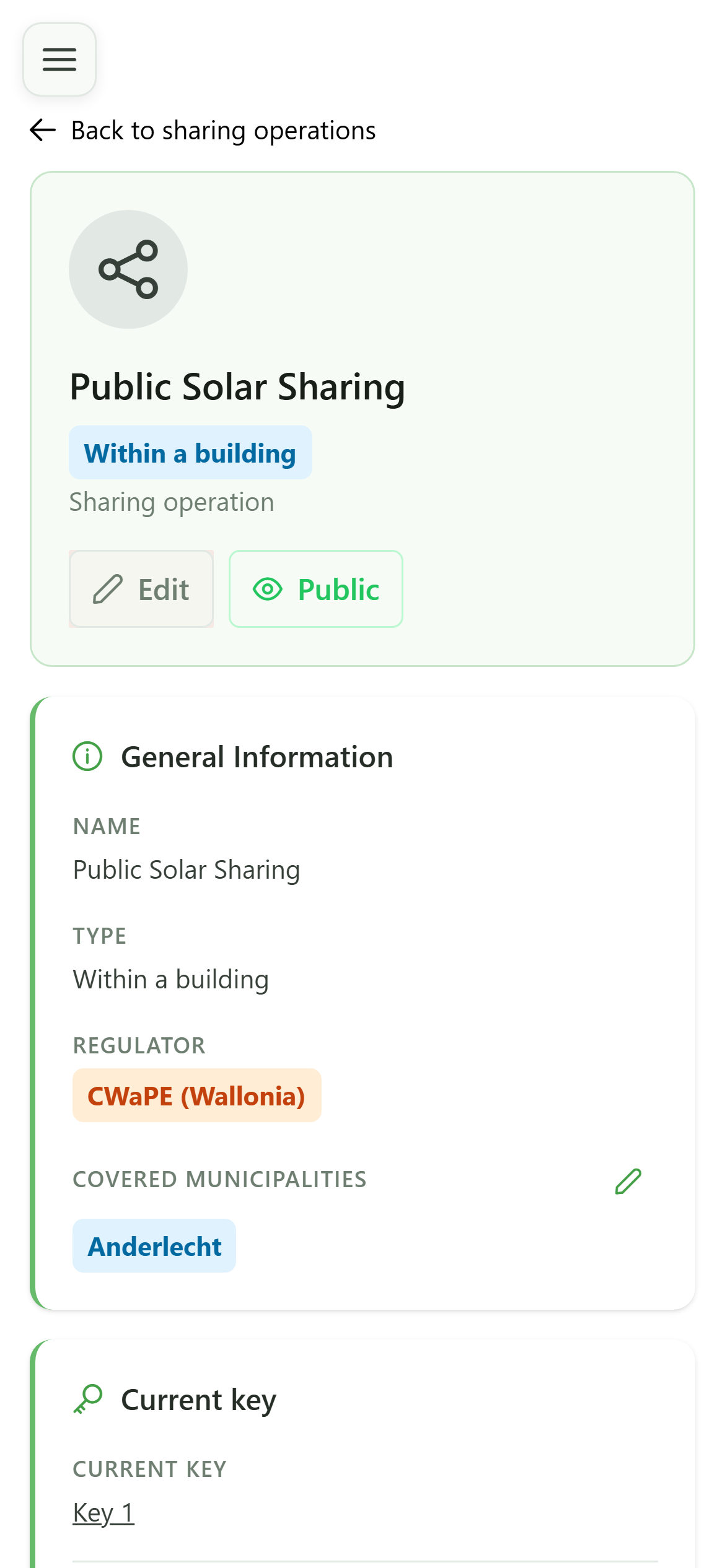
4 Open the edit form
Editing
Click "Edit" in the header — the form opens, pre-filled with the operation's current details.
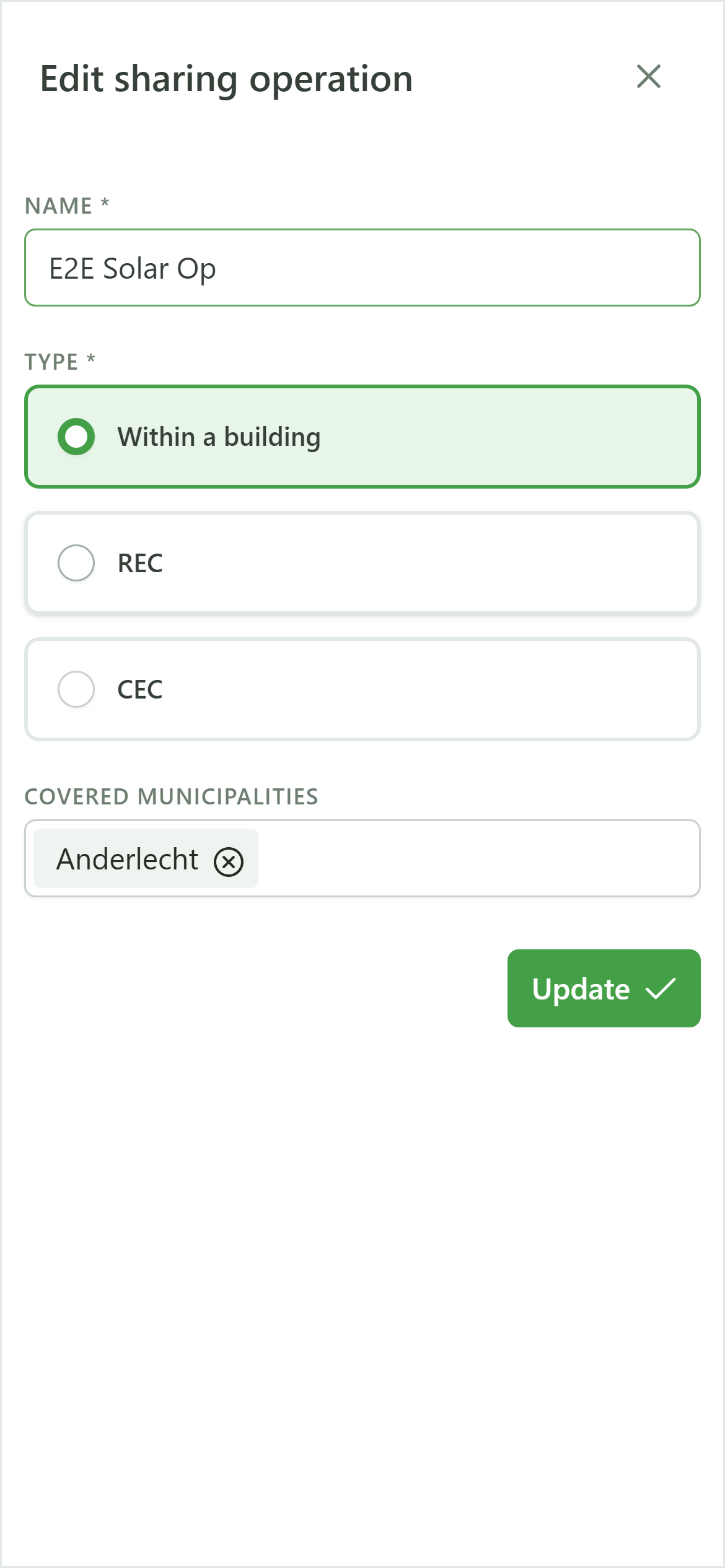
5 Rename the operation
Editing an operation
Change the operation's name. You can also adjust its type and municipalities here.
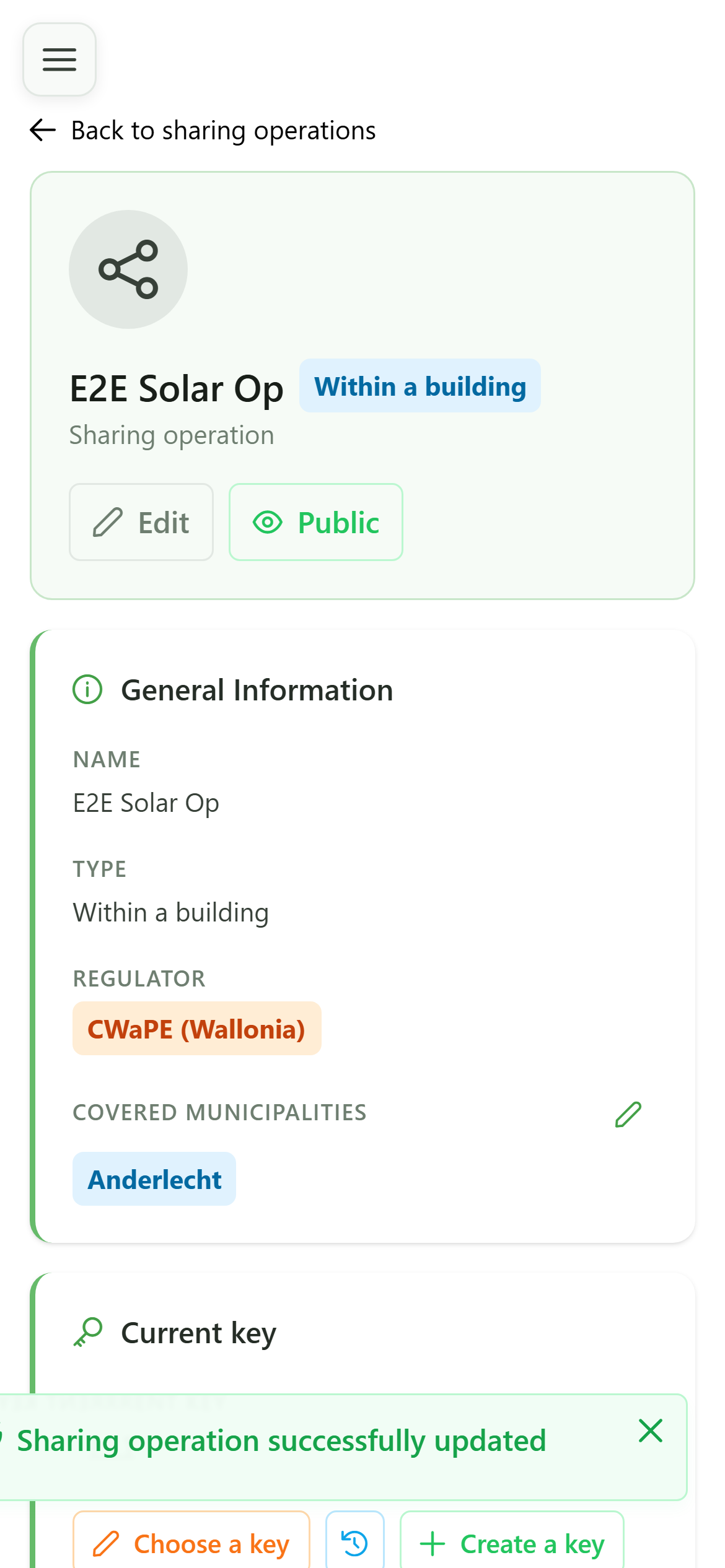
6 Name updated
Confirmation
Back on the page, the operation carries its new name.
7 Edit the municipalities
Covered municipalities
The pencil next to the municipalities opens the editor for the operation's covered municipalities.
8 Add a municipality
Covered municipalities
Type a municipality and pick it from the suggestions to add it to the operation's scope.
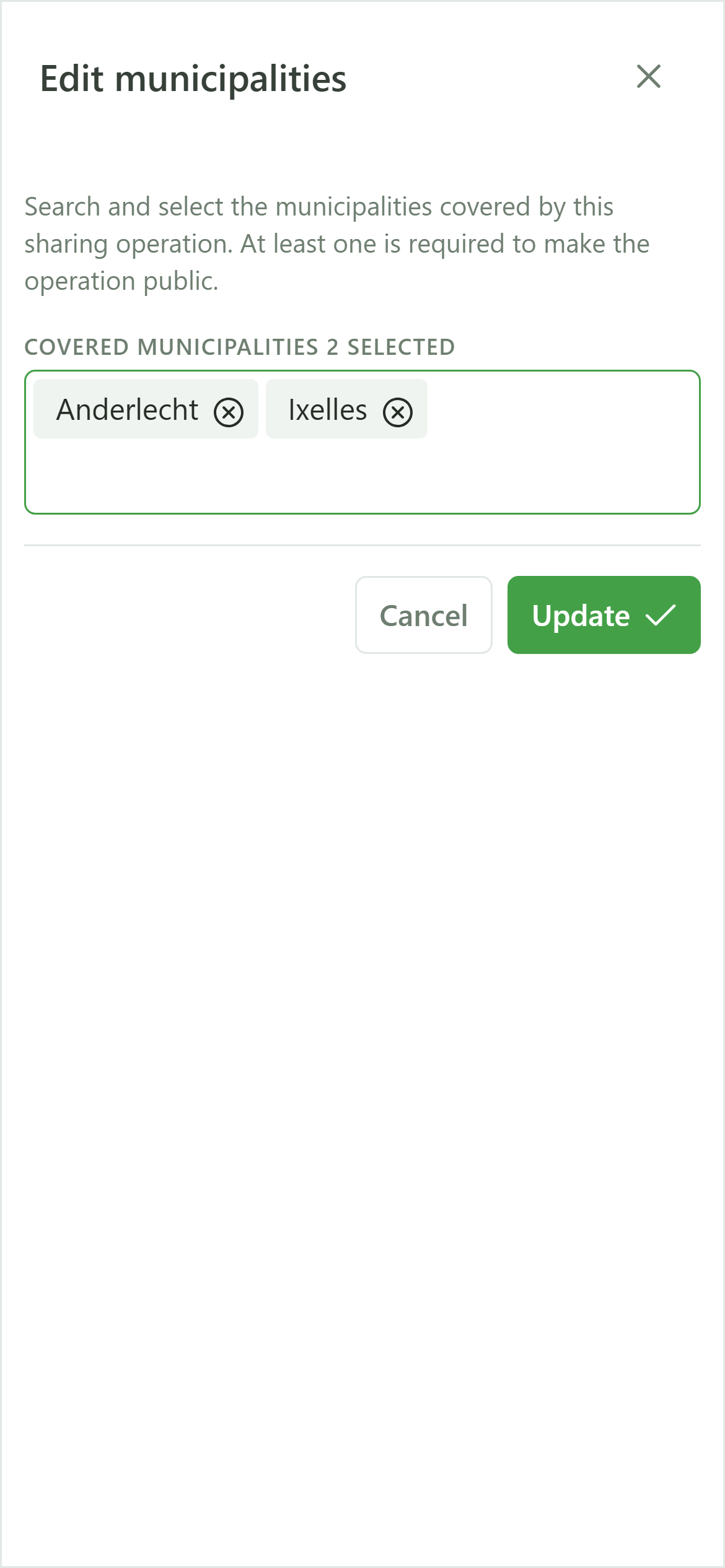
9 Municipality added
Confirmation
The municipality "Ixelles" now appears among the operation's covered municipalities.