Inspect a sharing operation
Guide utilisateur
User guide
1 Open an operation
Operations list
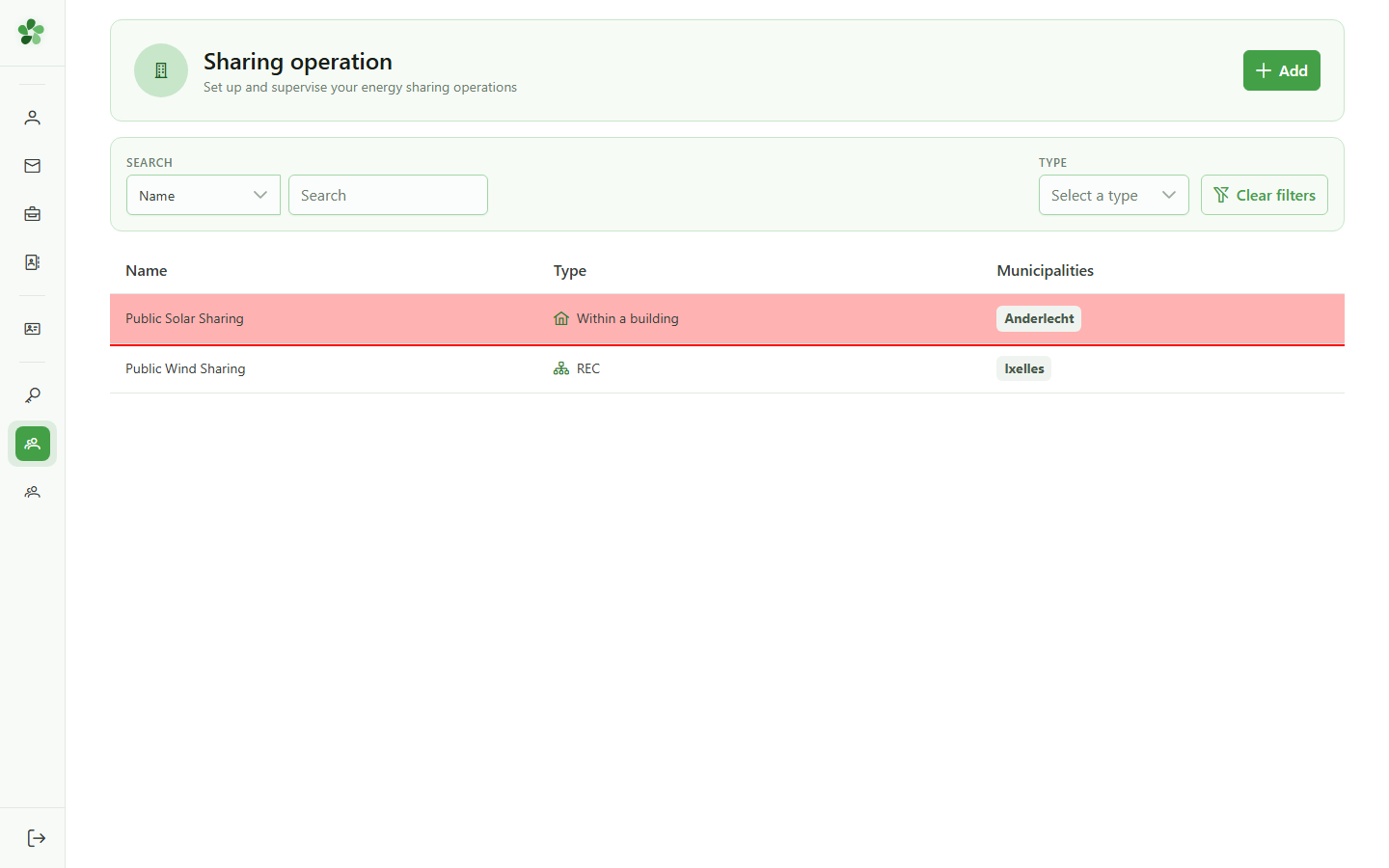
Click the first row of the table to open the sharing operation's detail page and inspect its configuration.
2 Operation identification
Operation detail
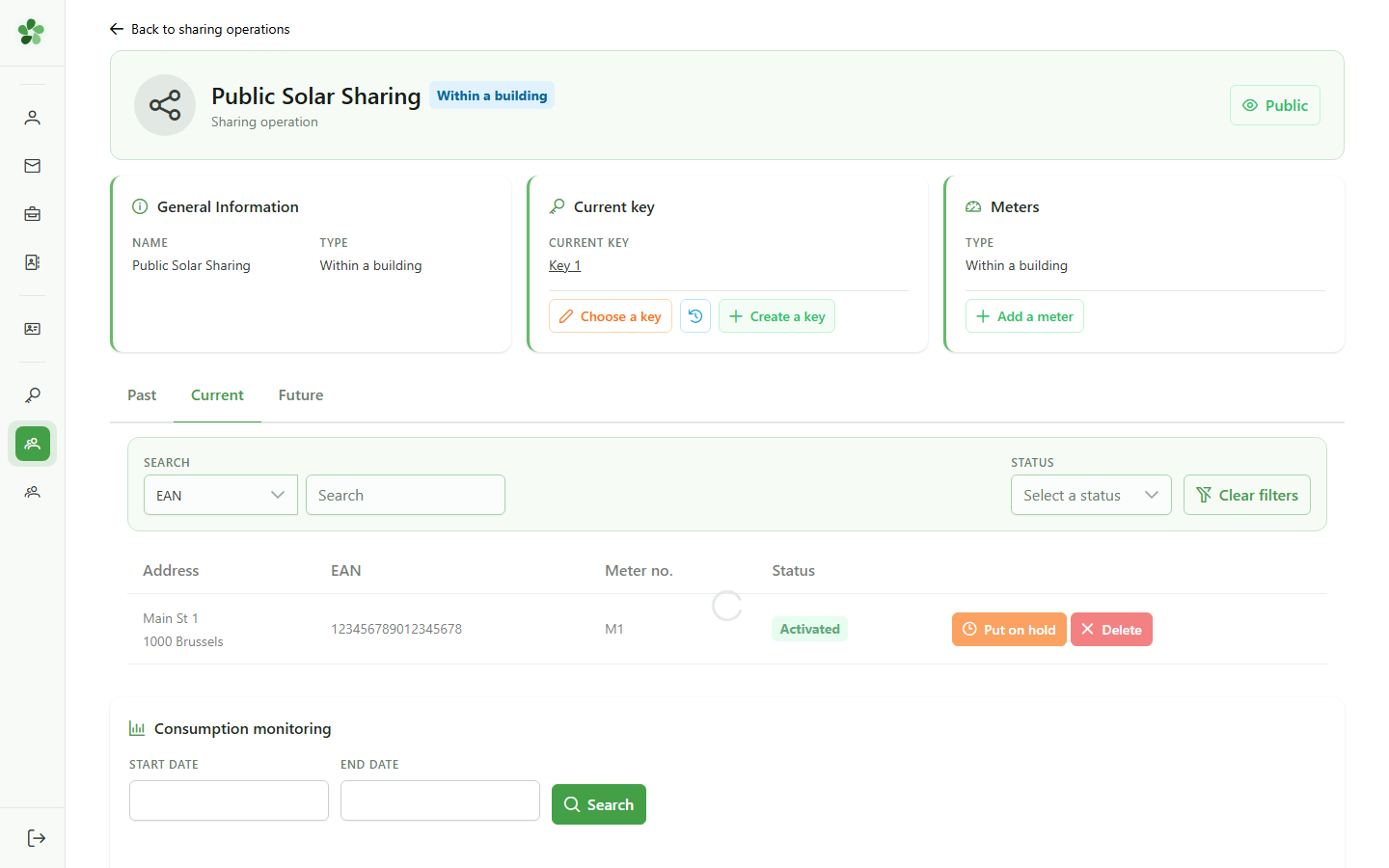
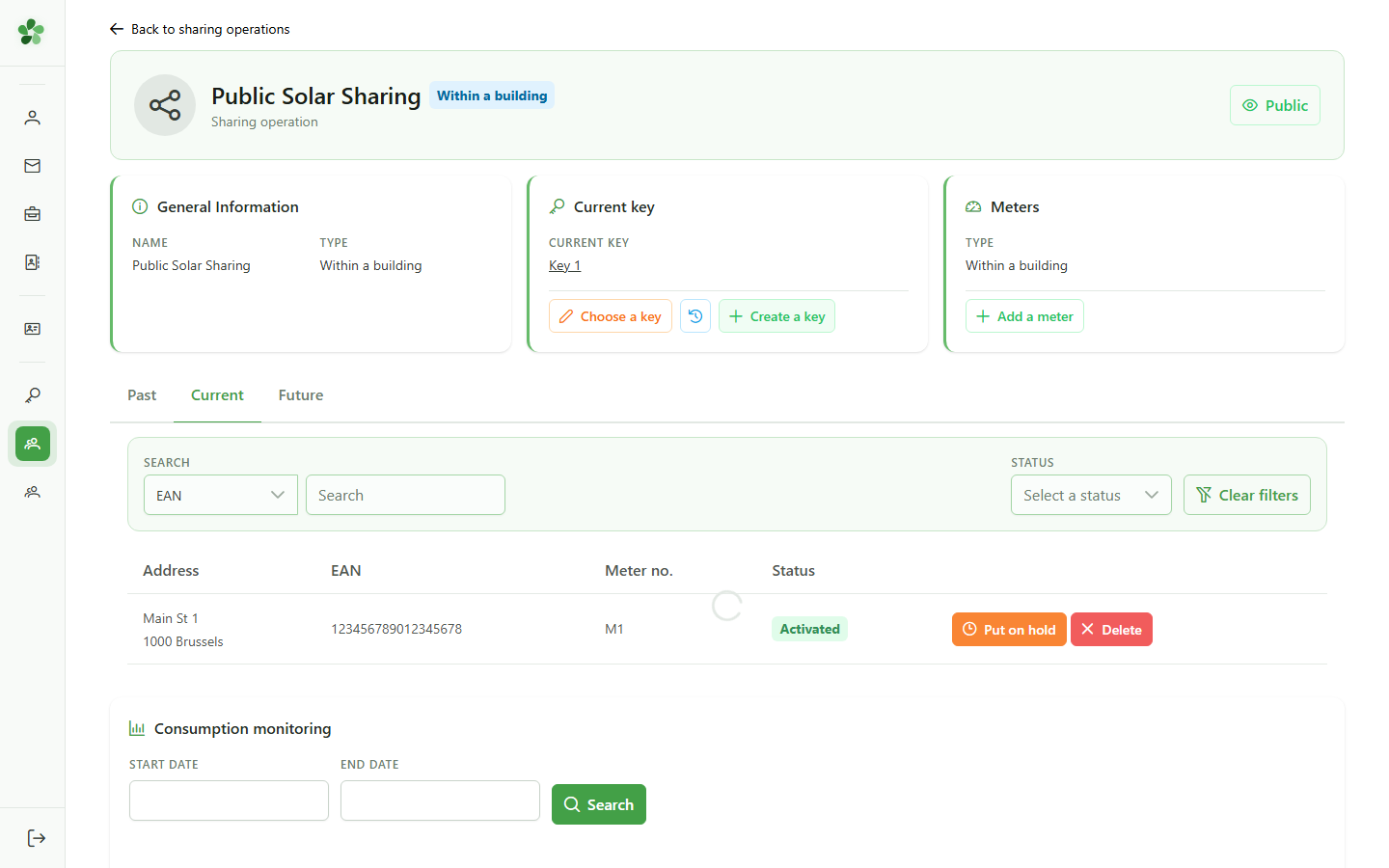
The detail page shows the sharing operation's name as configured. This name is the reference used in exports and reports.
3 Linked key
Allocation key
The "Key management" card shows the allocation key linked to this operation — it drives how the energy is shared between consumers.
Inspect a sharing operation
Guide utilisateur
User guide
1 Open an operation
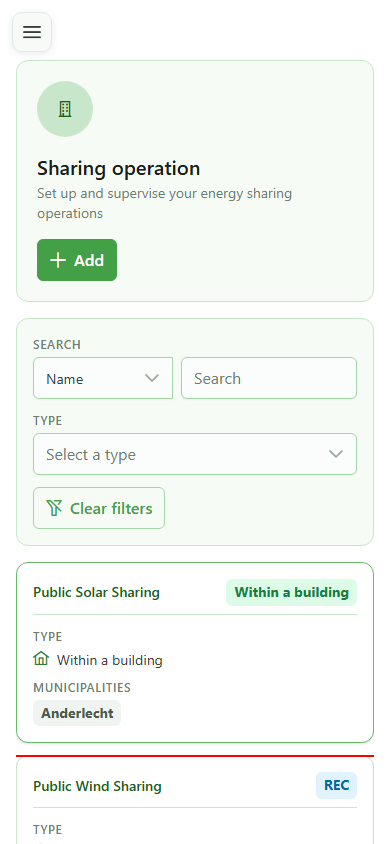
Operations list
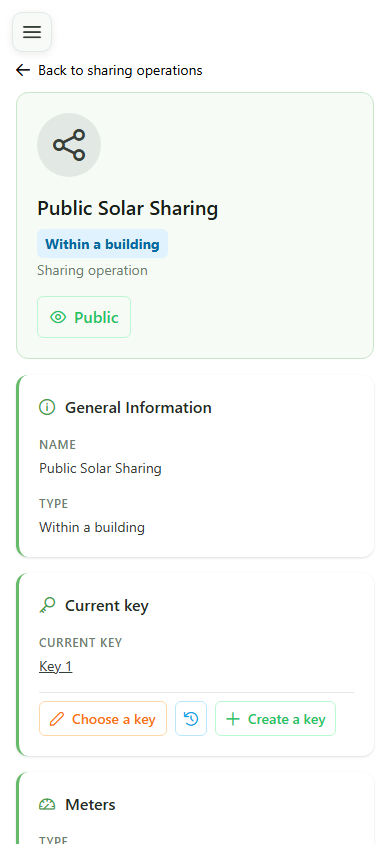
Tap the first card to open the sharing operation's detail page and inspect its configuration.
2 Operation identification
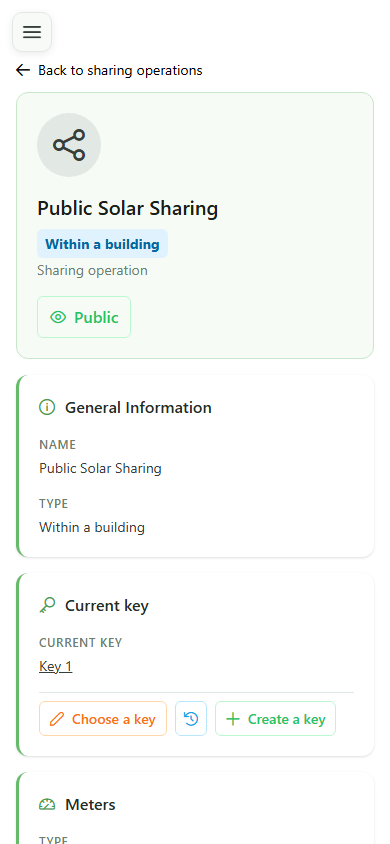
Operation detail
The detail page shows the sharing operation's name as configured. This name is the reference used in exports and reports.
3 Linked key
Allocation key
The "Key management" card shows the allocation key linked to this operation — it drives how the energy is shared between consumers.