Create a sharing operation
Guide utilisateur
User guide
1 Add an operation
Creating an operation
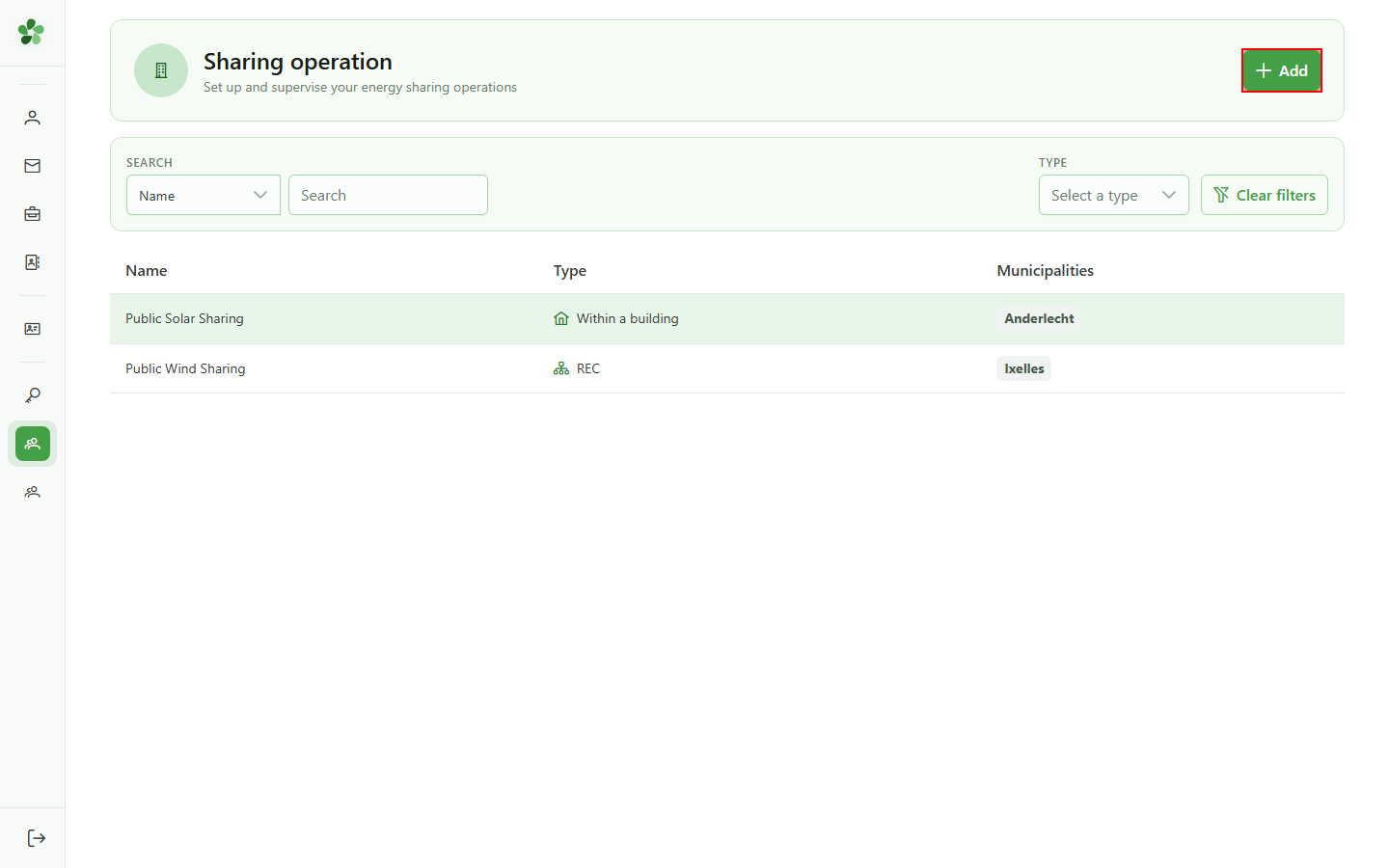
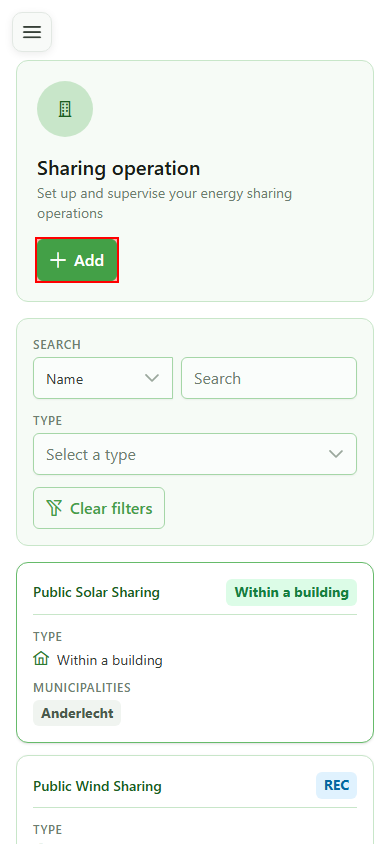
Click "Add" to open the dialog that creates a new sharing operation inside the active community.
2 Name the operation
Operation identification
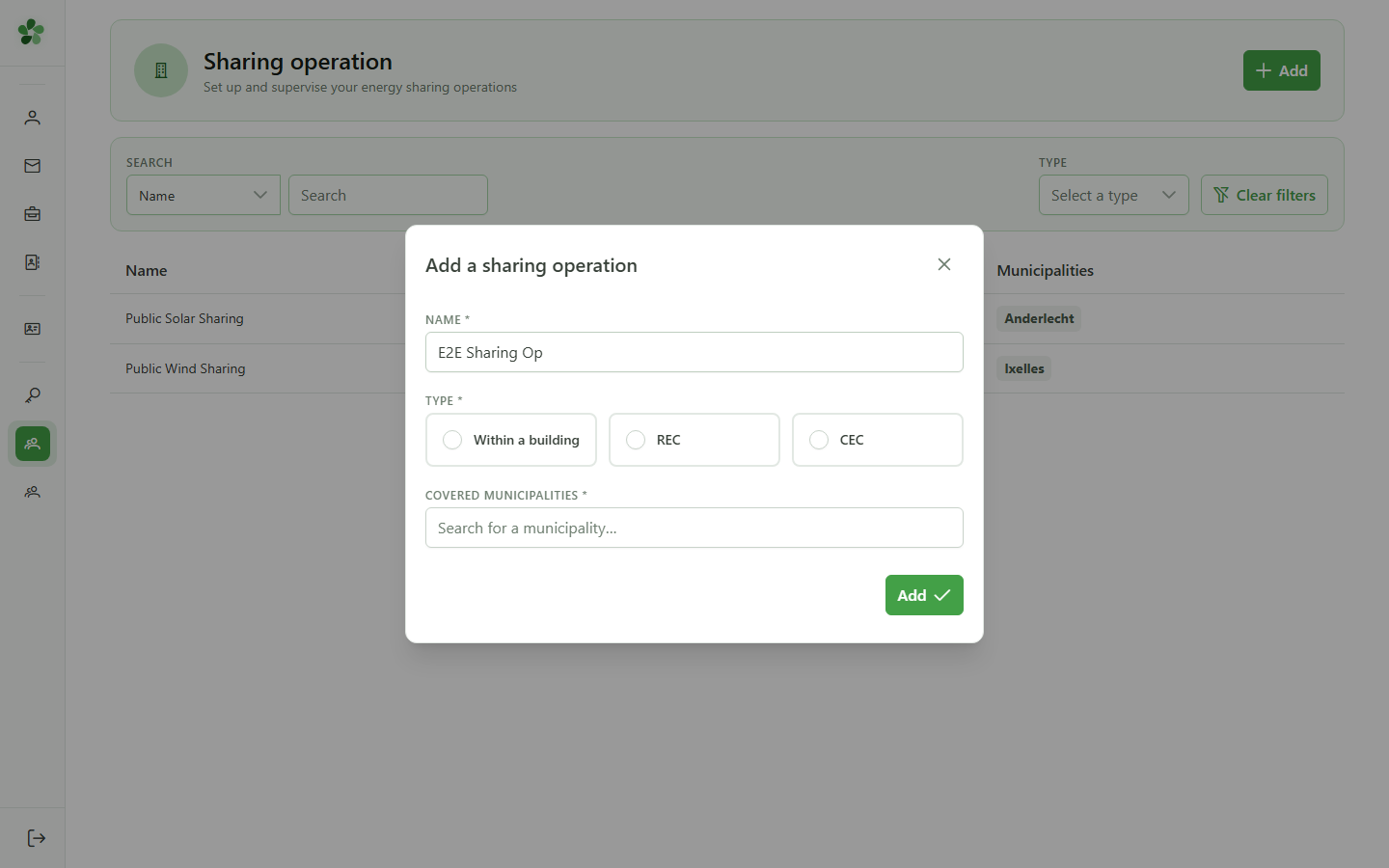
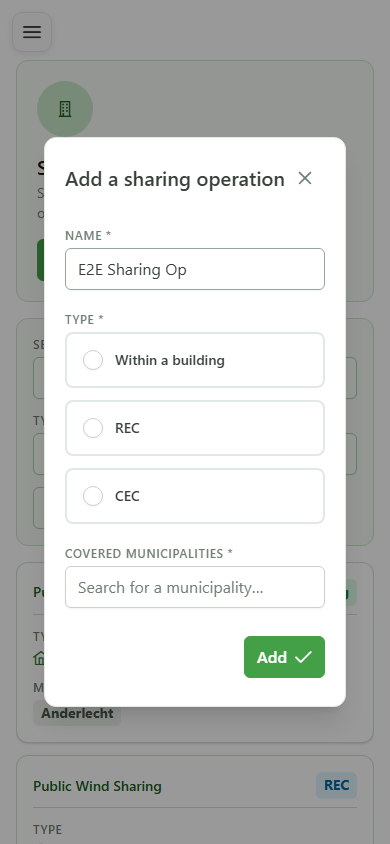
Type a meaningful name for the new sharing operation. This name appears in the list and in every reference to the operation.
3 Local type
Sharing type
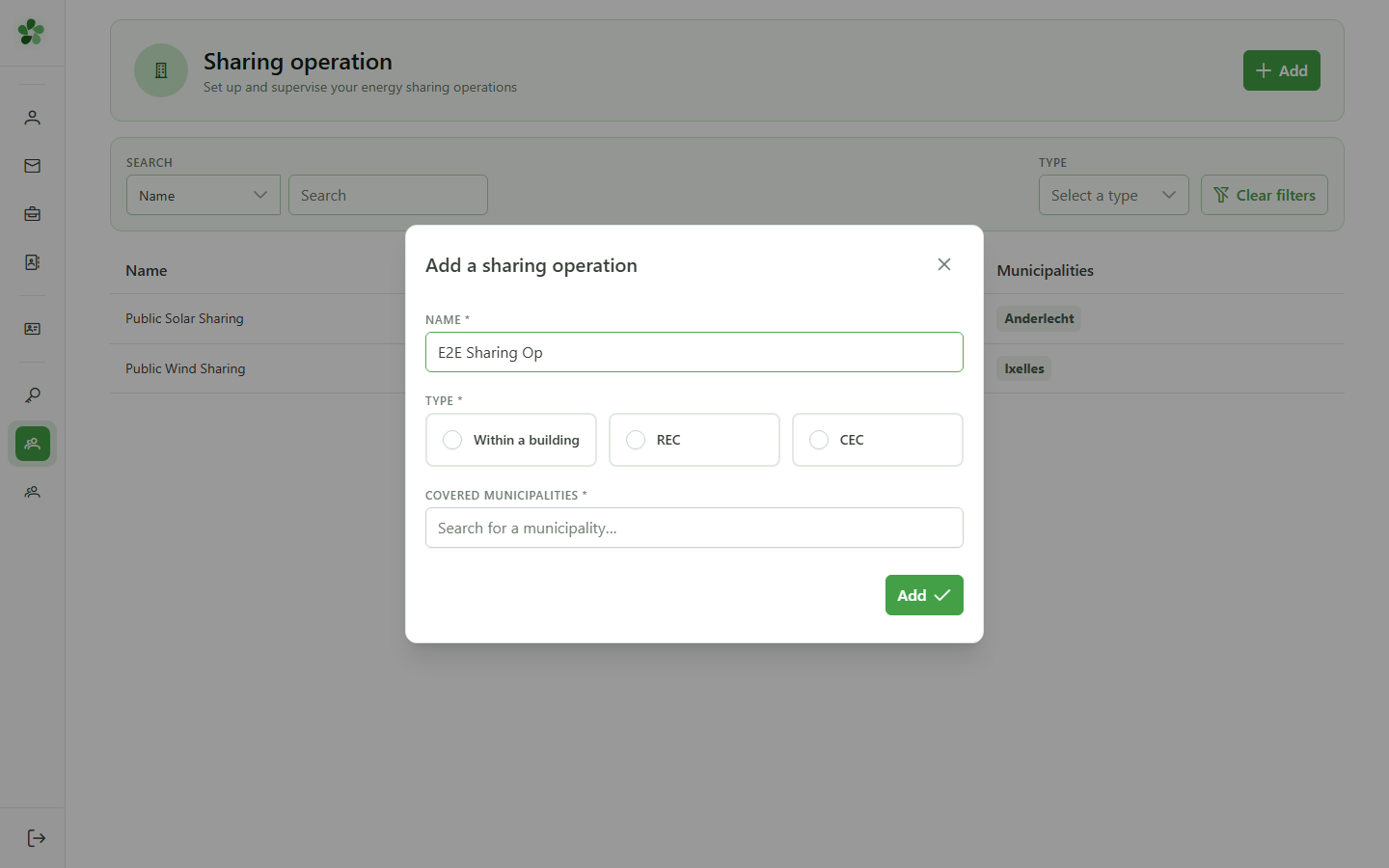
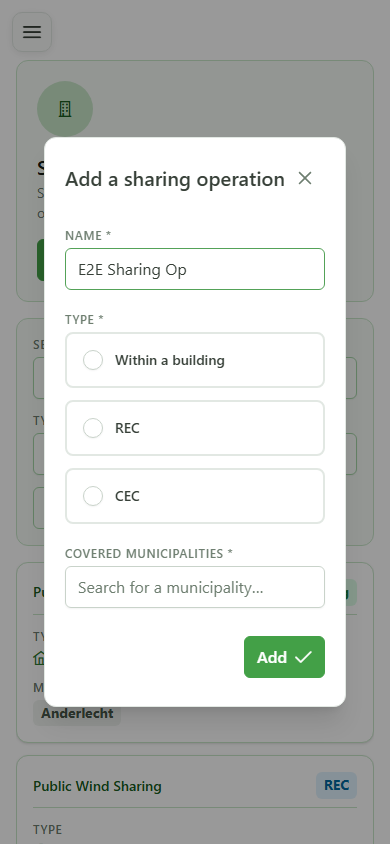
Pick the "Local" card to indicate that sharing happens inside a single building, as opposed to remote sharing across the public grid.
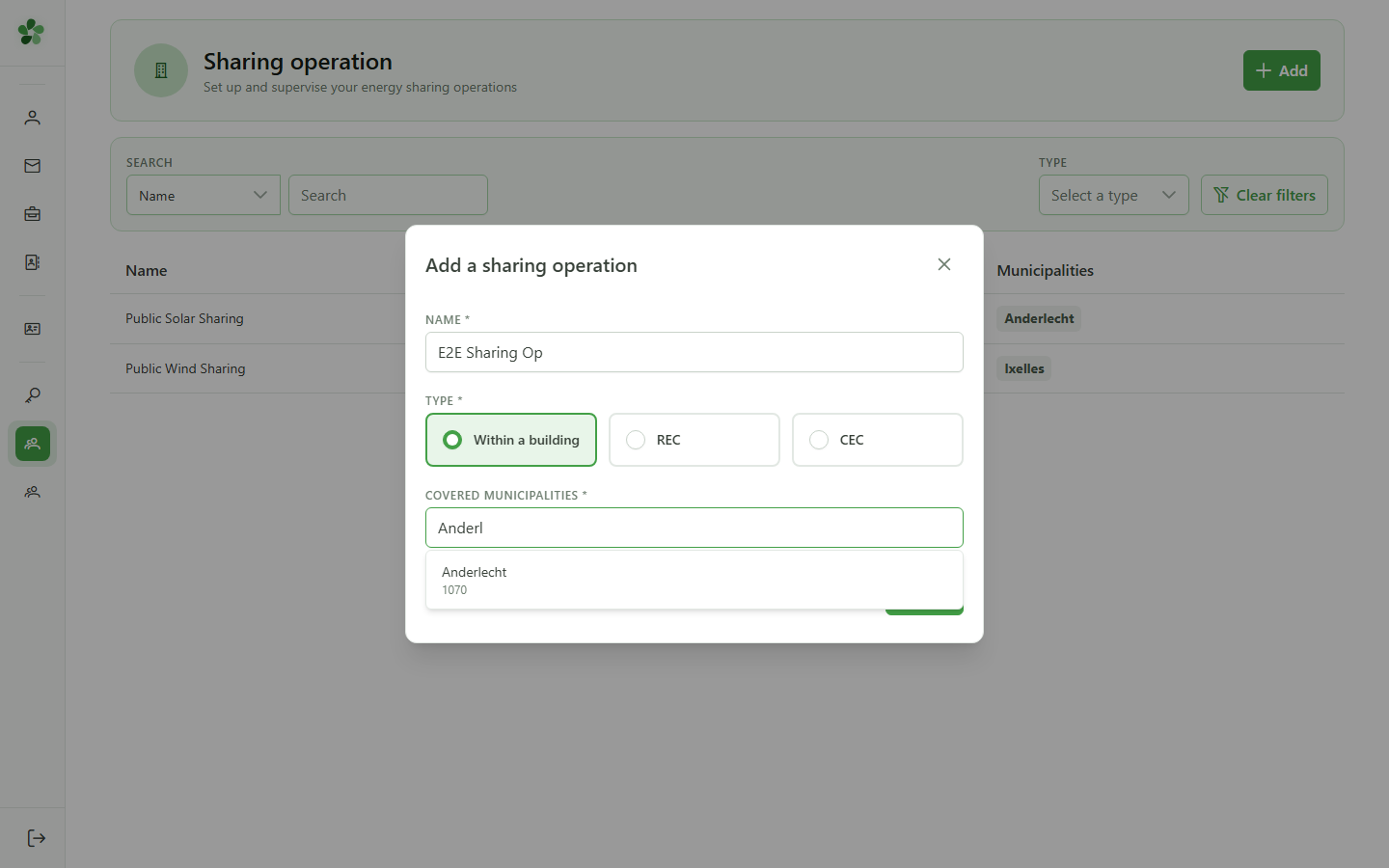
4 Type the municipality
Covered municipalities
Type the first letters of a municipality name (e.g. "Anderl") in the "Covered municipalities" field to open the list of matching suggestions.
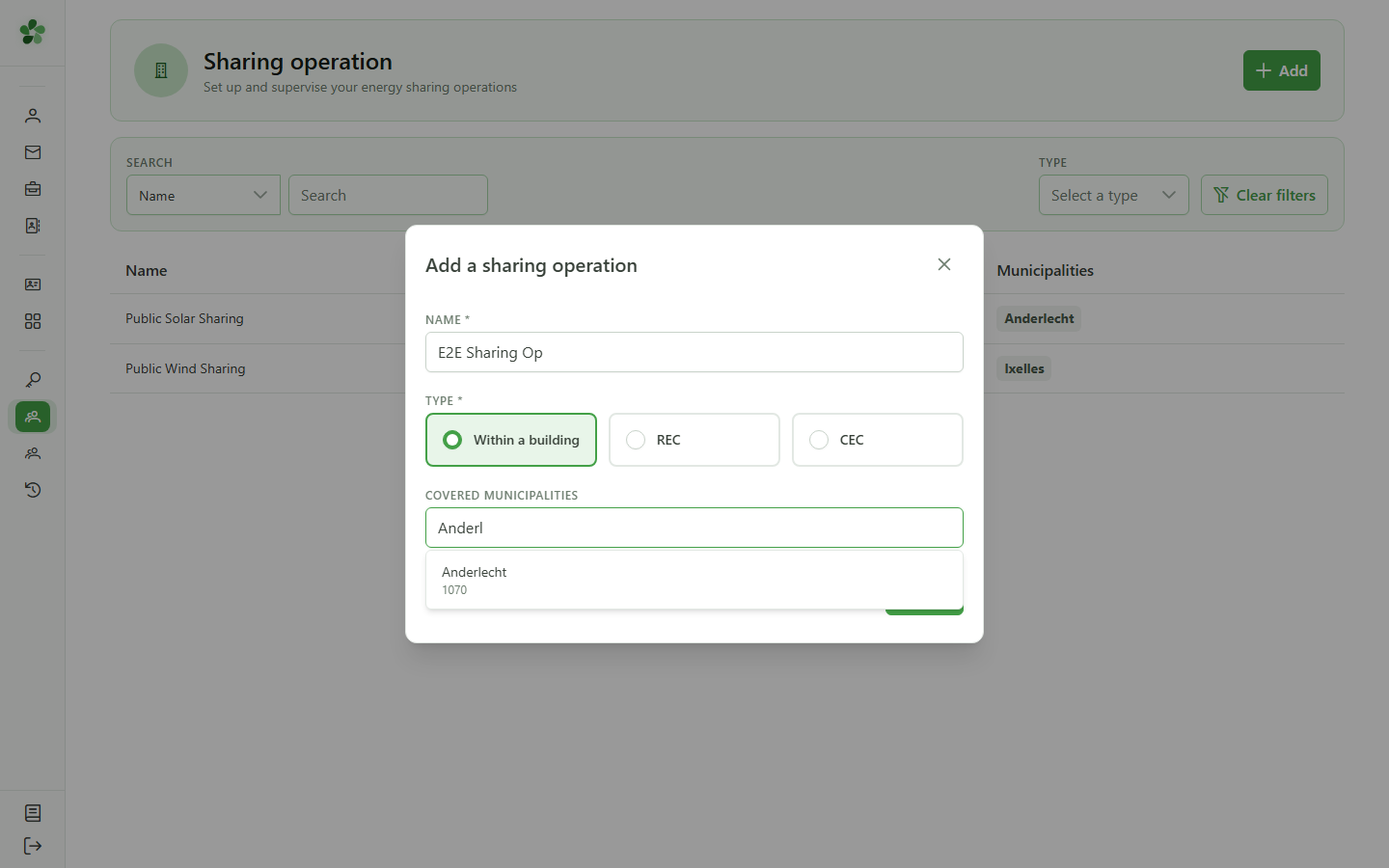
5 Select Anderlecht
Confirming the municipality
Click the first suggestion ("Anderlecht") to add it to the list of municipalities covered by the sharing operation.
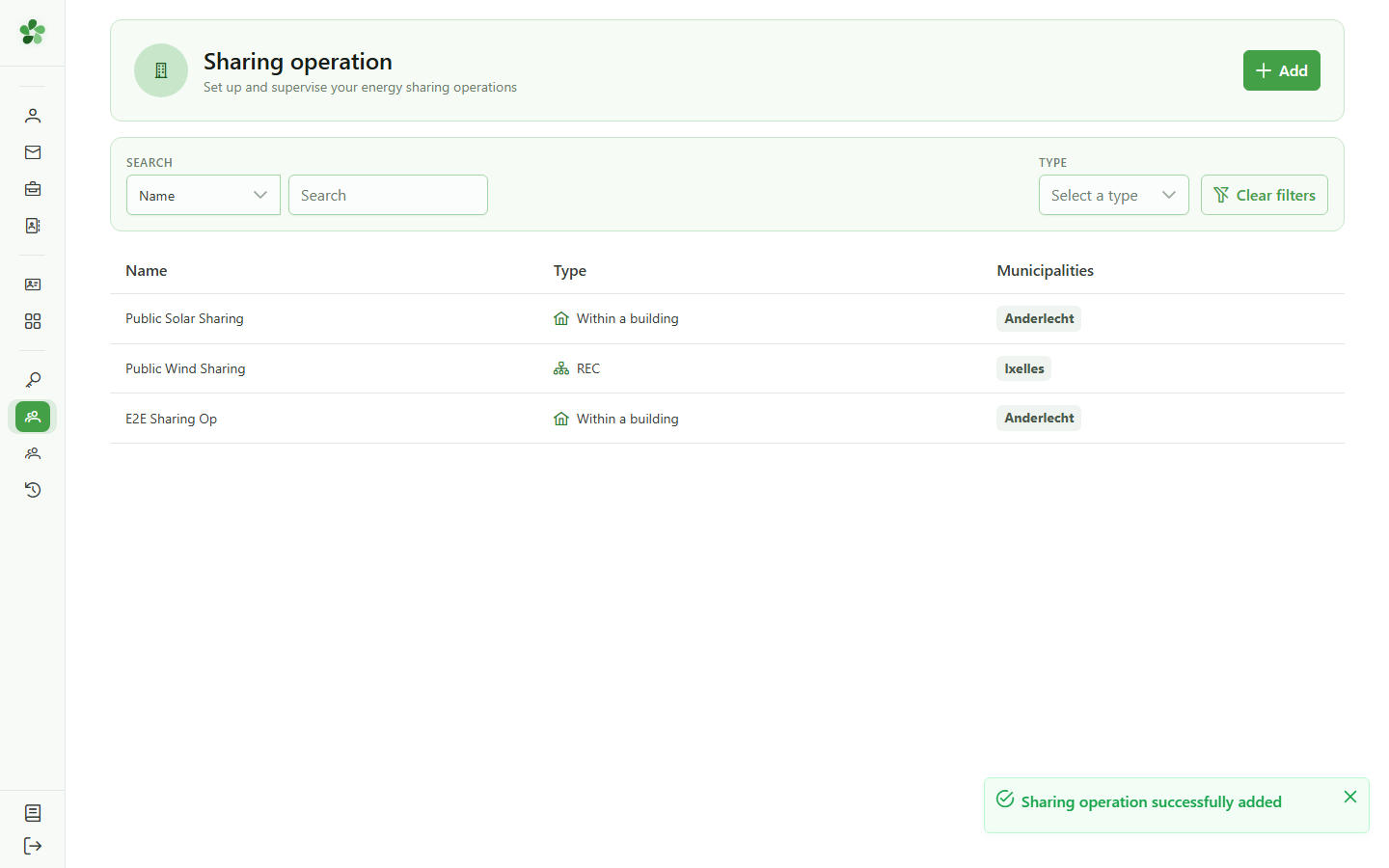
6 Operation created
Confirmation
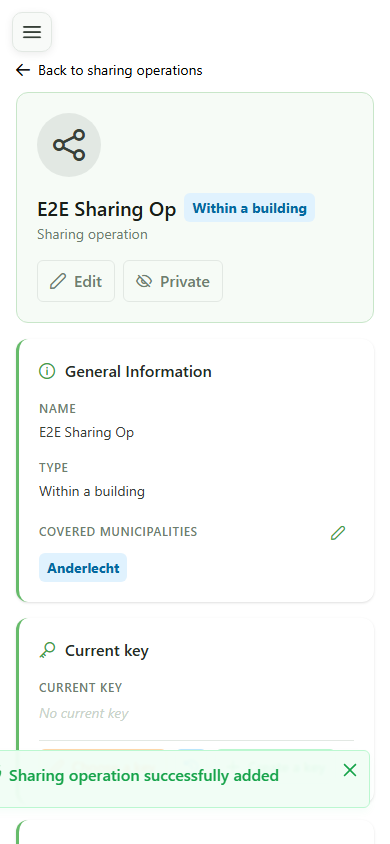
The new "E2E Sharing Op" shows up in the community's sharing operations list, ready to be edited and activated.
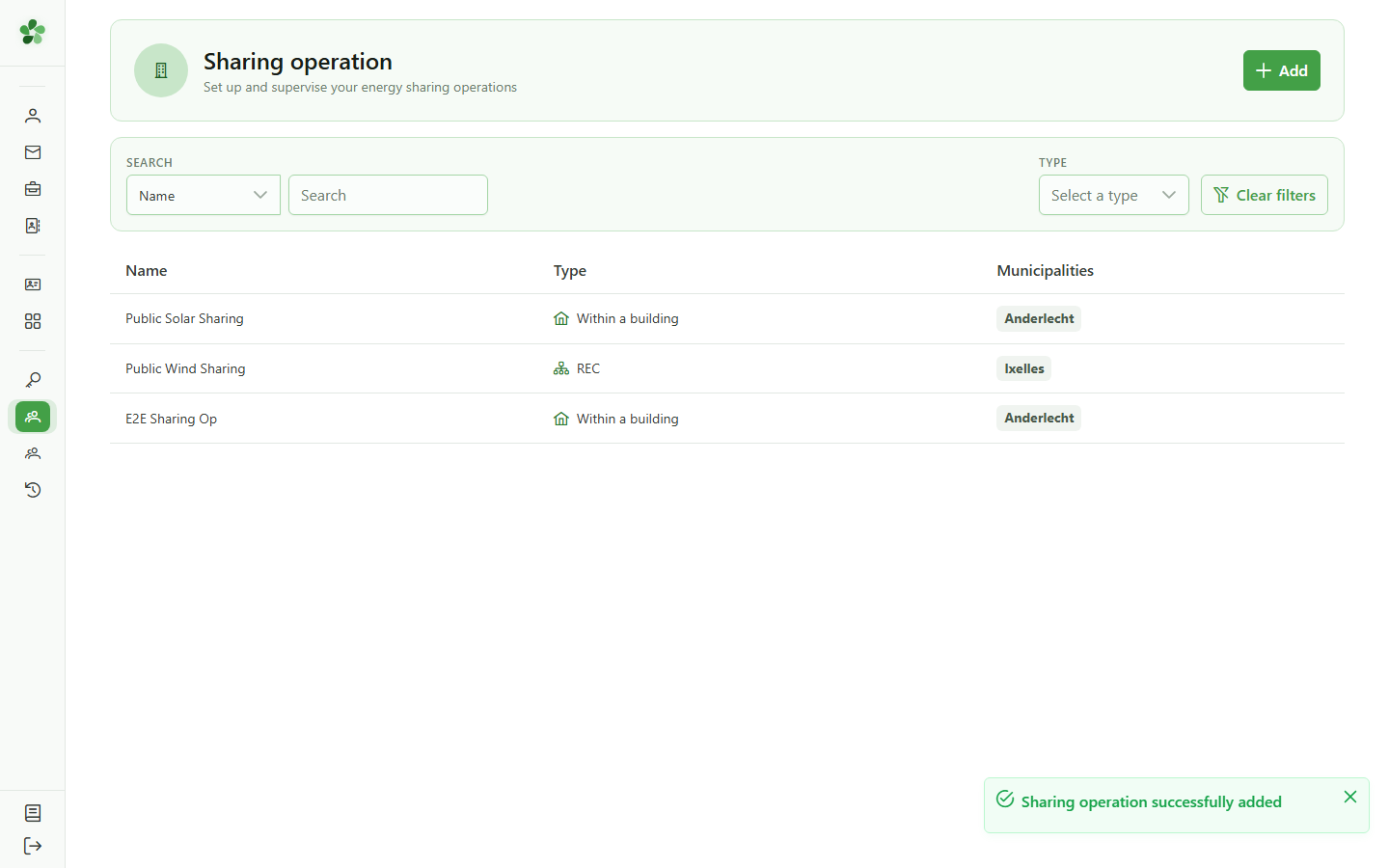
7 Open the detail
Opening the detail
Click the new operation's row to open its detail page and access the full set of parameters.
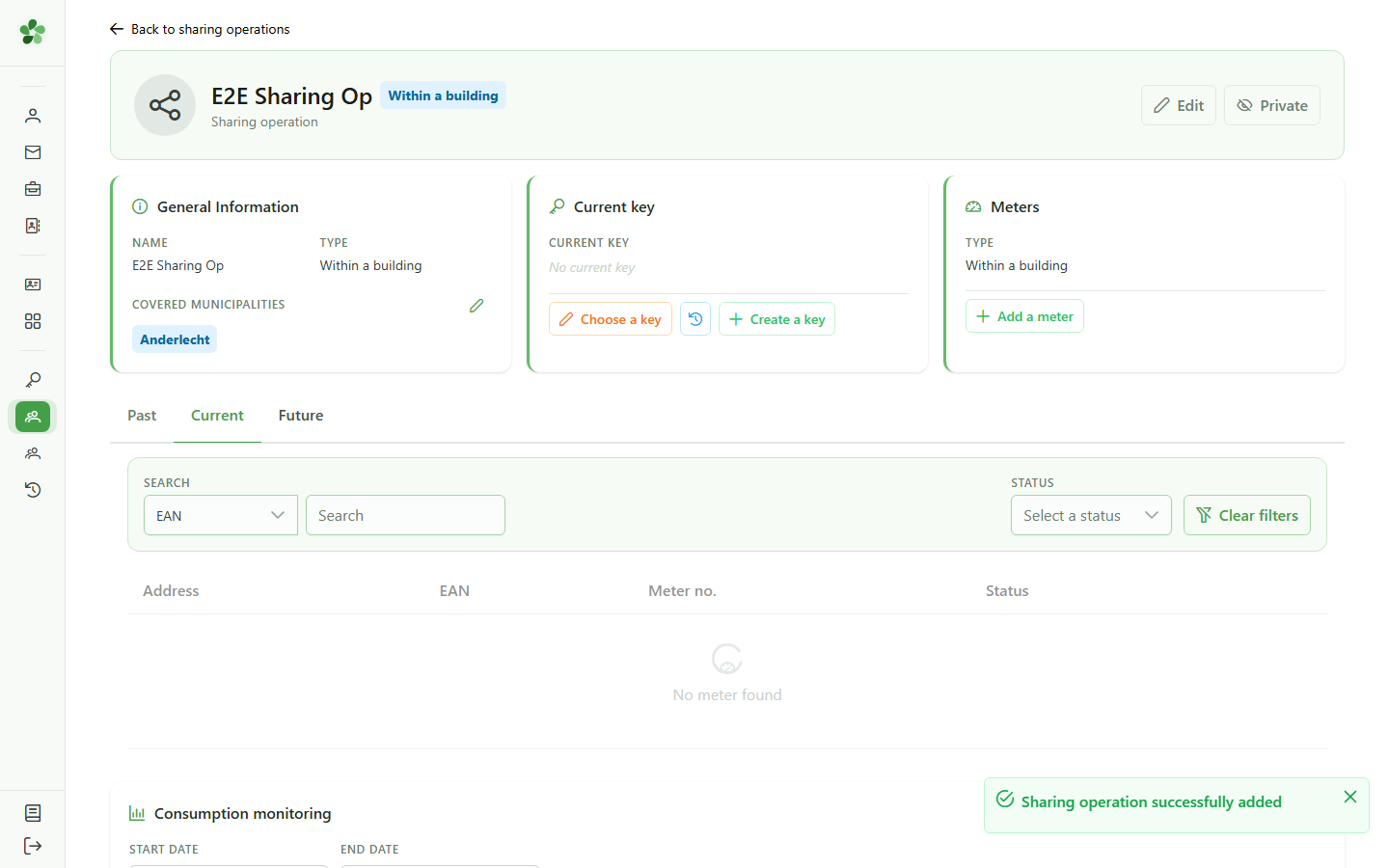
8 Operation name
Operation detail
The detail page header echoes the name of the operation you just created — it serves as the anchor across every view that references it.
Create a sharing operation
Guide utilisateur
User guide
1 Add an operation
Creating an operation
Click "Add" to open the dialog that creates a new sharing operation inside the active community.
2 Name the operation
Operation identification
Type a meaningful name for the new sharing operation. This name appears in the list and in every reference to the operation.
3 Local type
Sharing type
Pick the "Local" card to indicate that sharing happens inside a single building, as opposed to remote sharing across the public grid.
4 Type the municipality
Covered municipalities
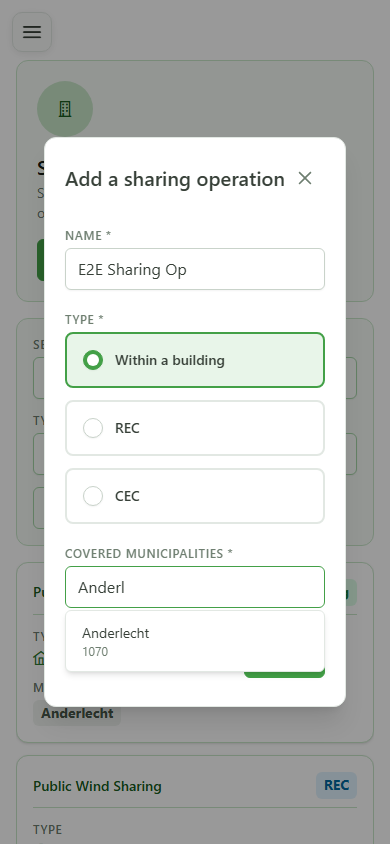
Type the first letters of a municipality name (e.g. "Anderl") in the "Covered municipalities" field to open the list of matching suggestions.
5 Select Anderlecht
Confirming the municipality
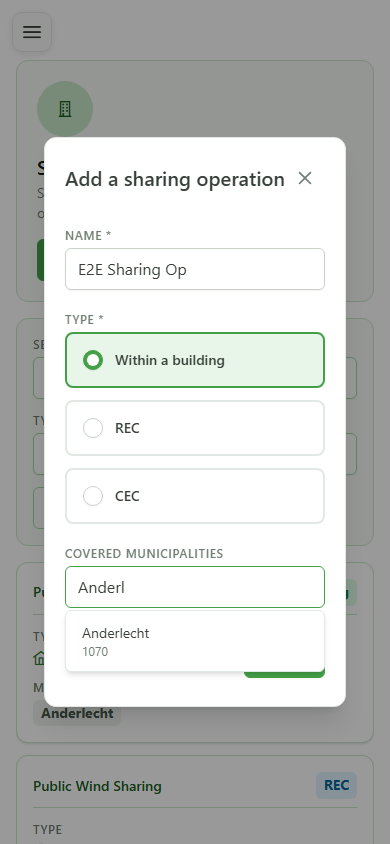
Click the first suggestion ("Anderlecht") to add it to the list of municipalities covered by the sharing operation.
6 Operation created
Confirmation
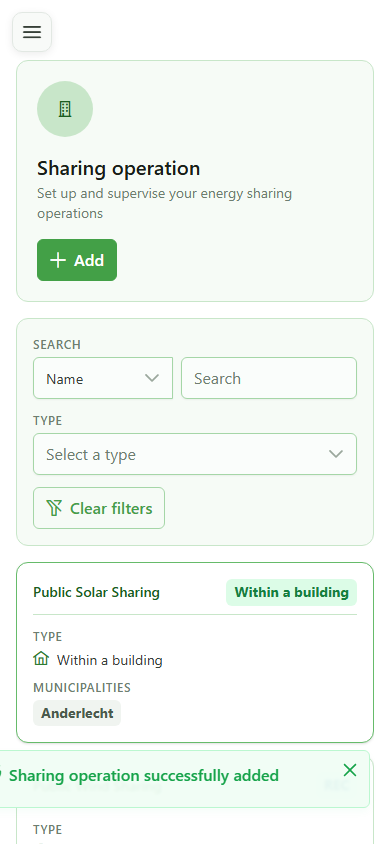
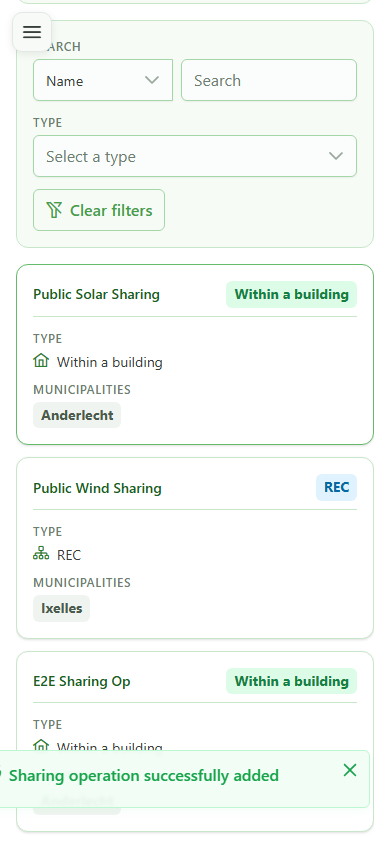
The new "E2E Sharing Op" shows up in the community's sharing operations list, ready to be edited and activated.
7 Open the detail
Opening the detail
Click the new operation's row to open its detail page and access the full set of parameters.
8 Operation name
Operation detail
The detail page header echoes the name of the operation you just created — it serves as the anchor across every view that references it.