Fix meter addresses
Guide utilisateur
User guide
Gebruikershandleiding
Benutzerhandbuch
1 Fix the addresses
Map coverage
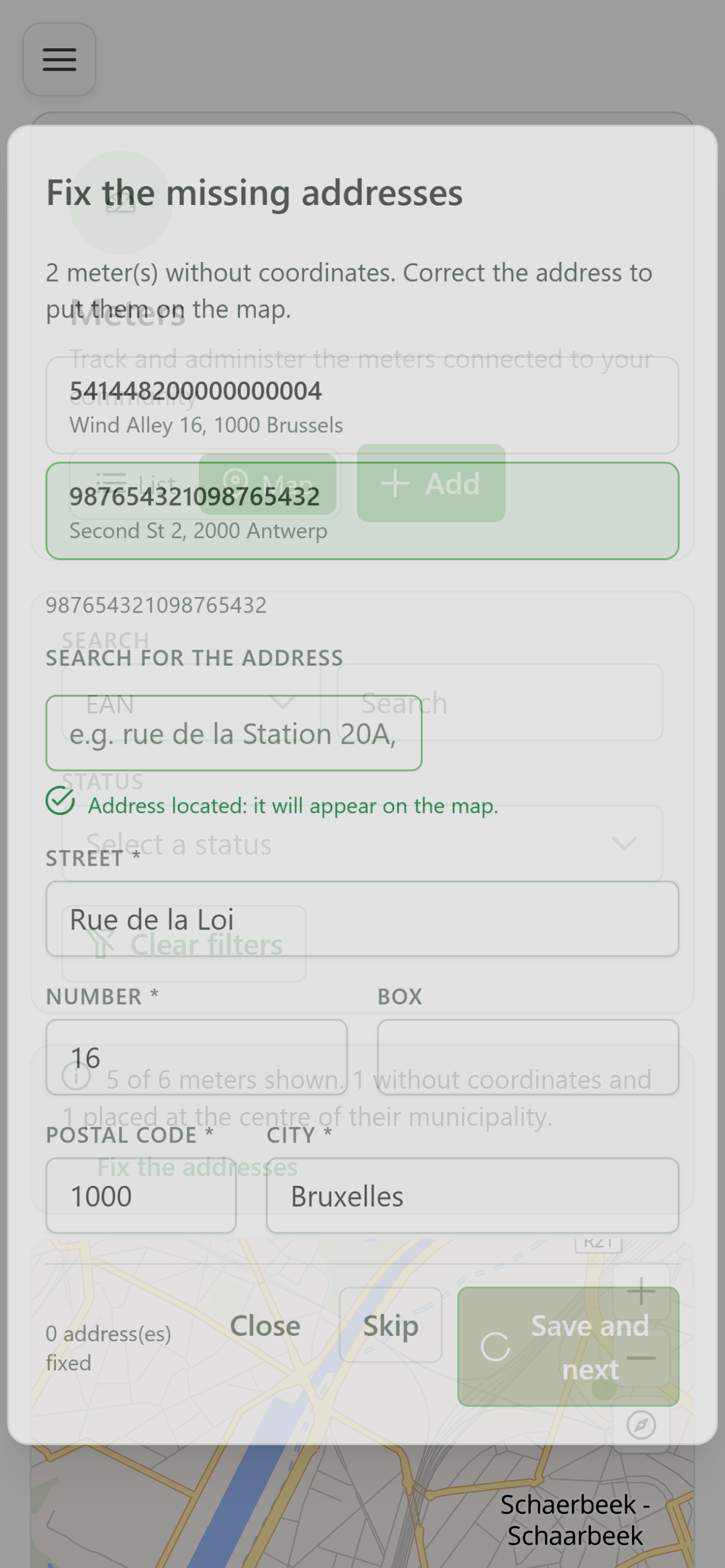
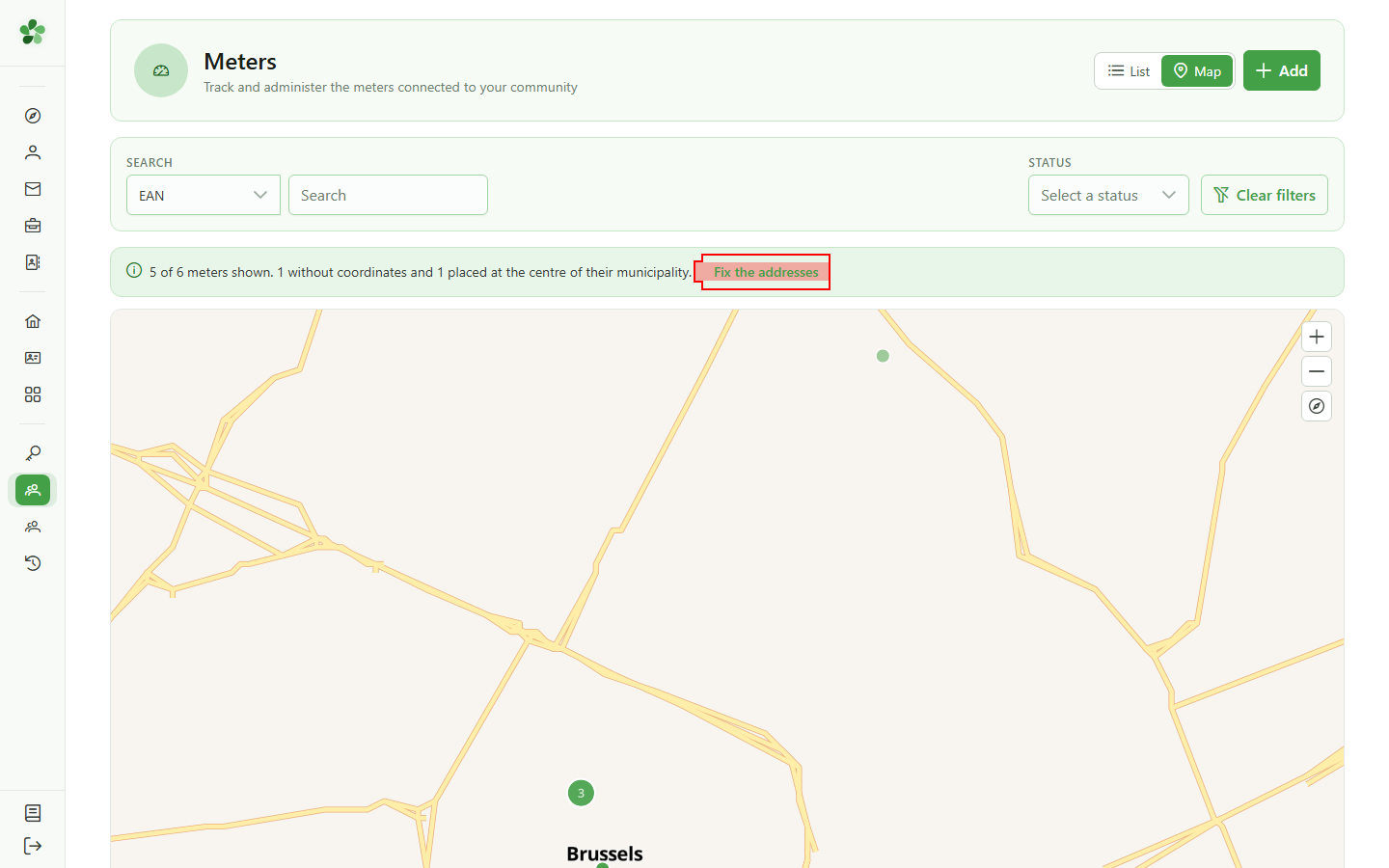
The banner above the map says how many meters are not on it yet. Click "Fix the addresses" to open the queue of meters to reposition.
2 The repair queue
Meters to reposition
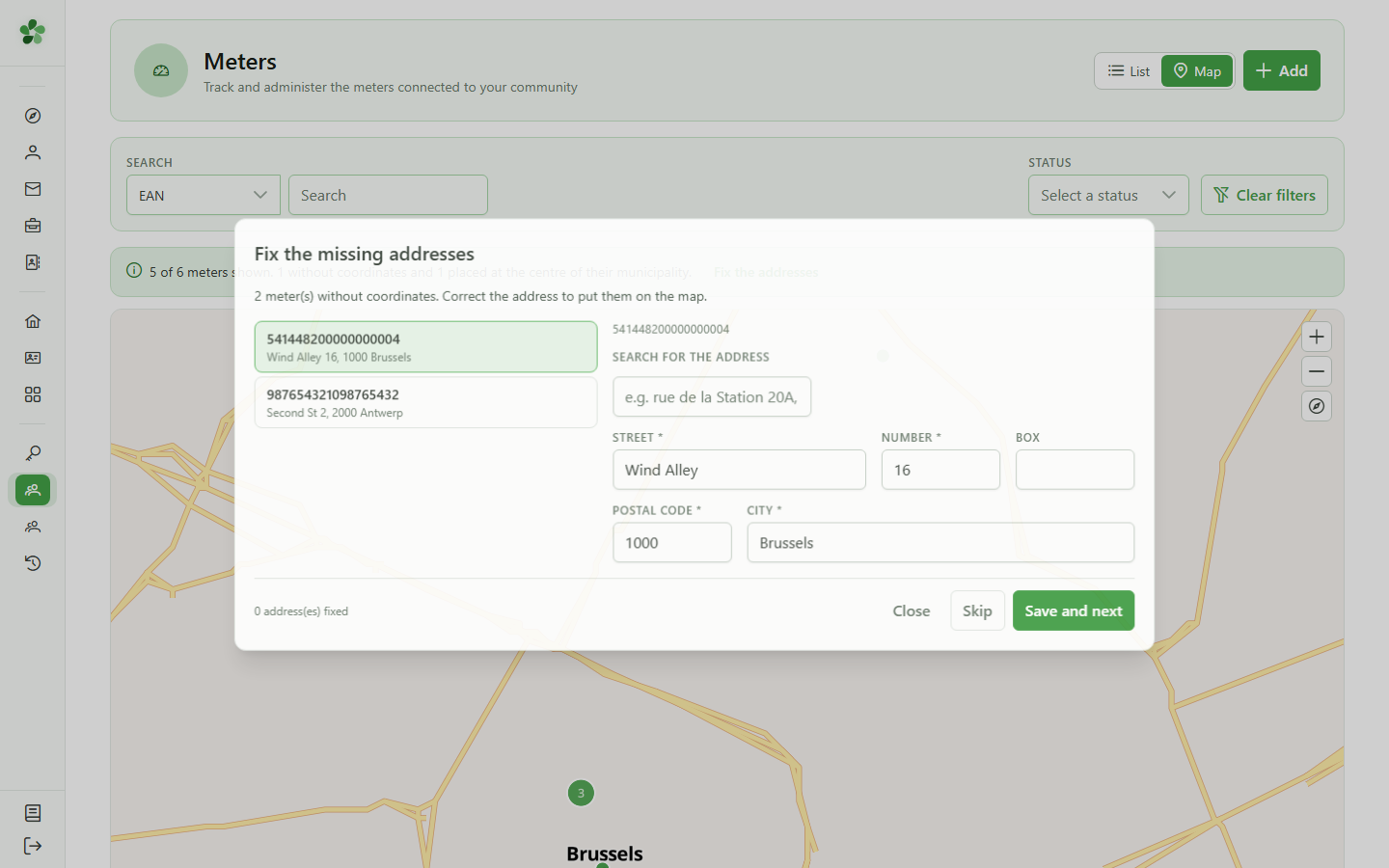
The dialog lists exactly the meters the map cannot place: those with no coordinates at all, and also those pinned only to the centre of their municipality.
3 Pick a meter
Selecting from the queue
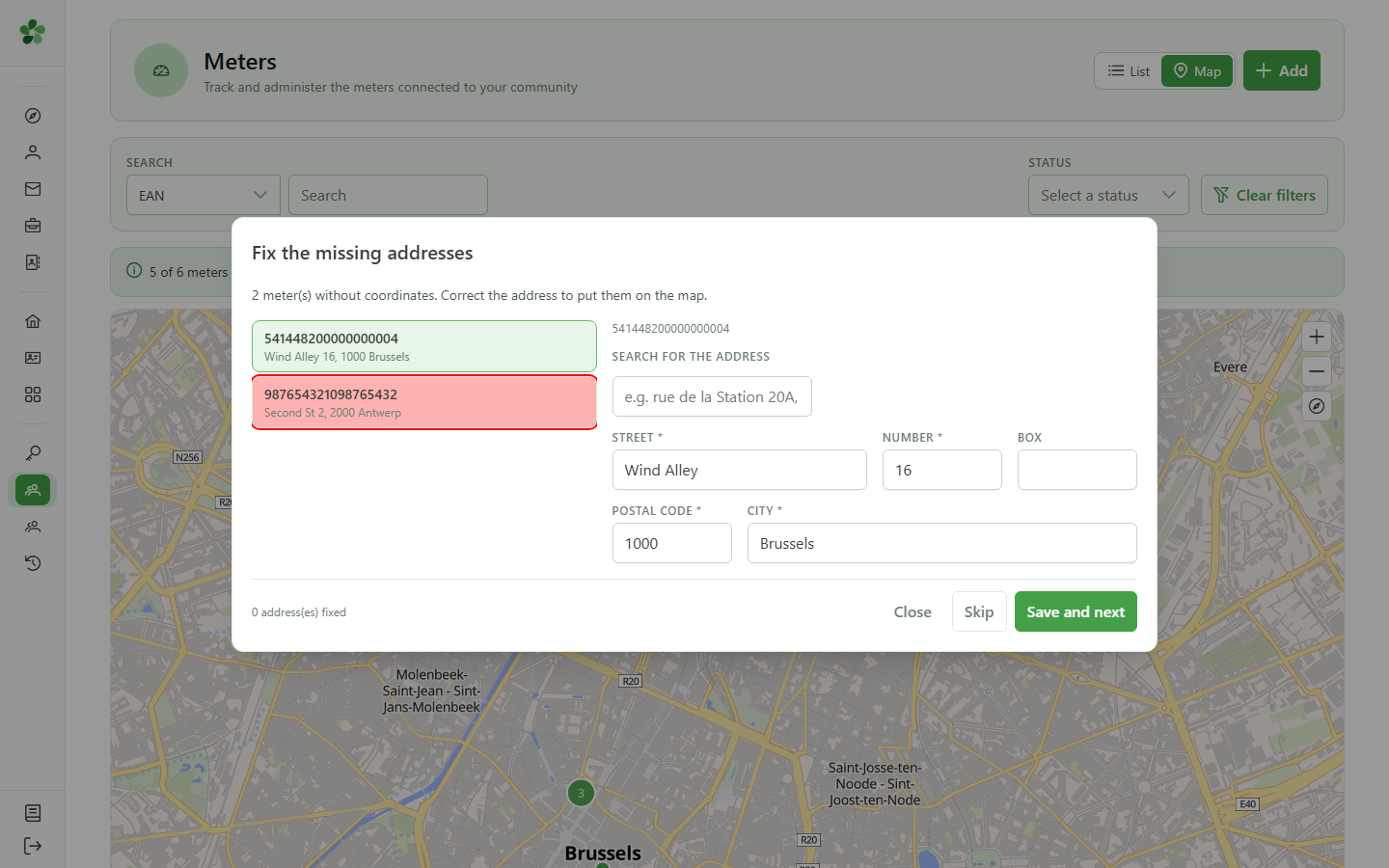
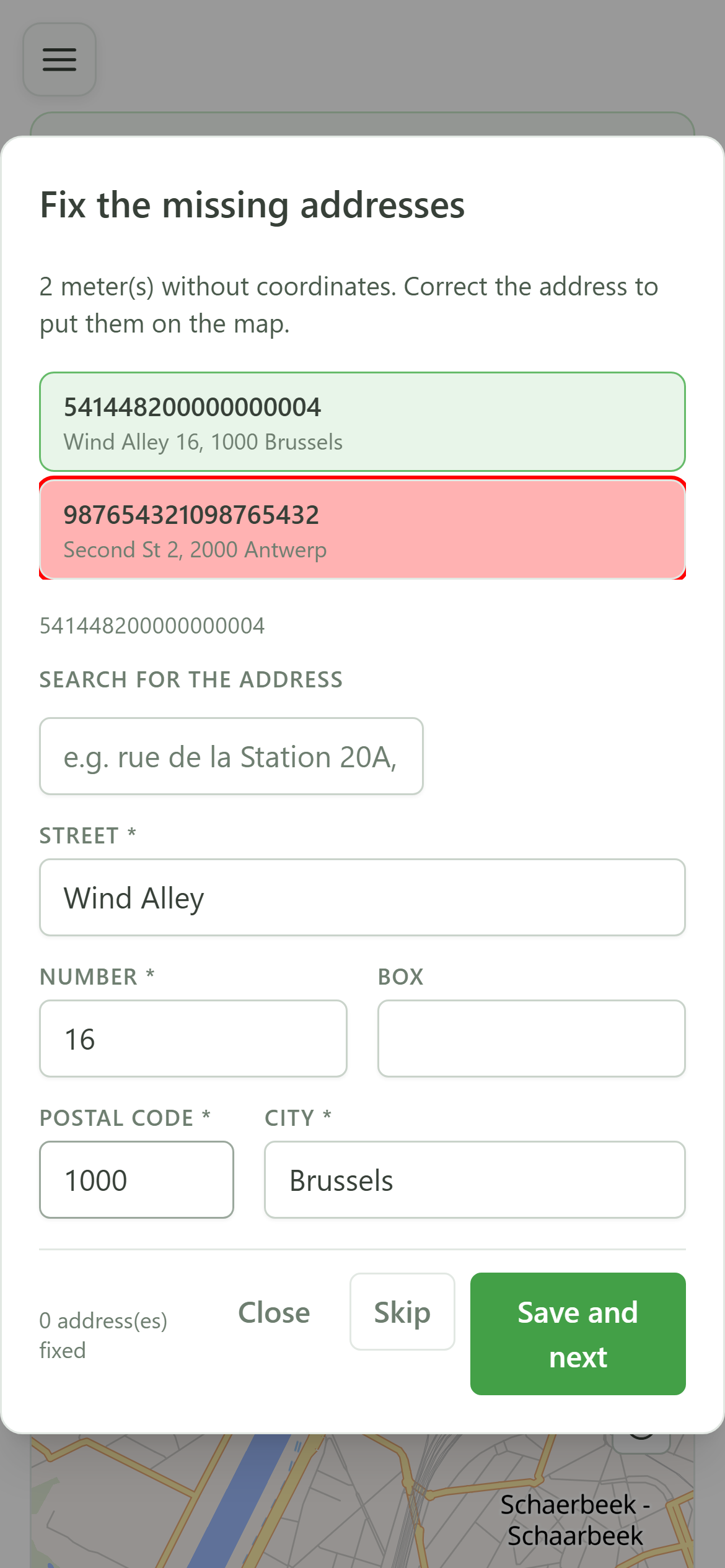
Click a row to load its address into the form on the right. Repairs are made one meter at a time.
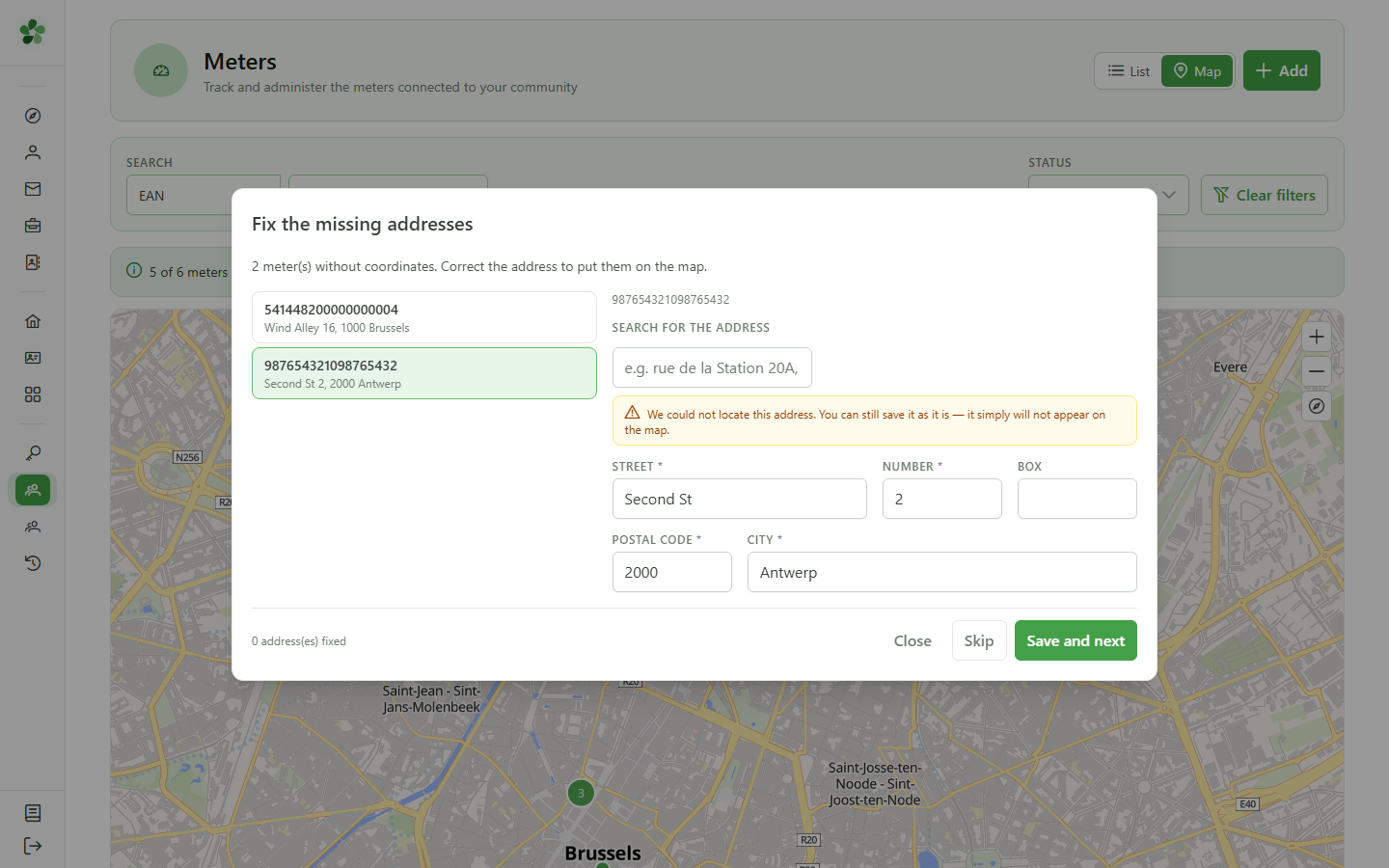
4 Address not found
Diagnosis
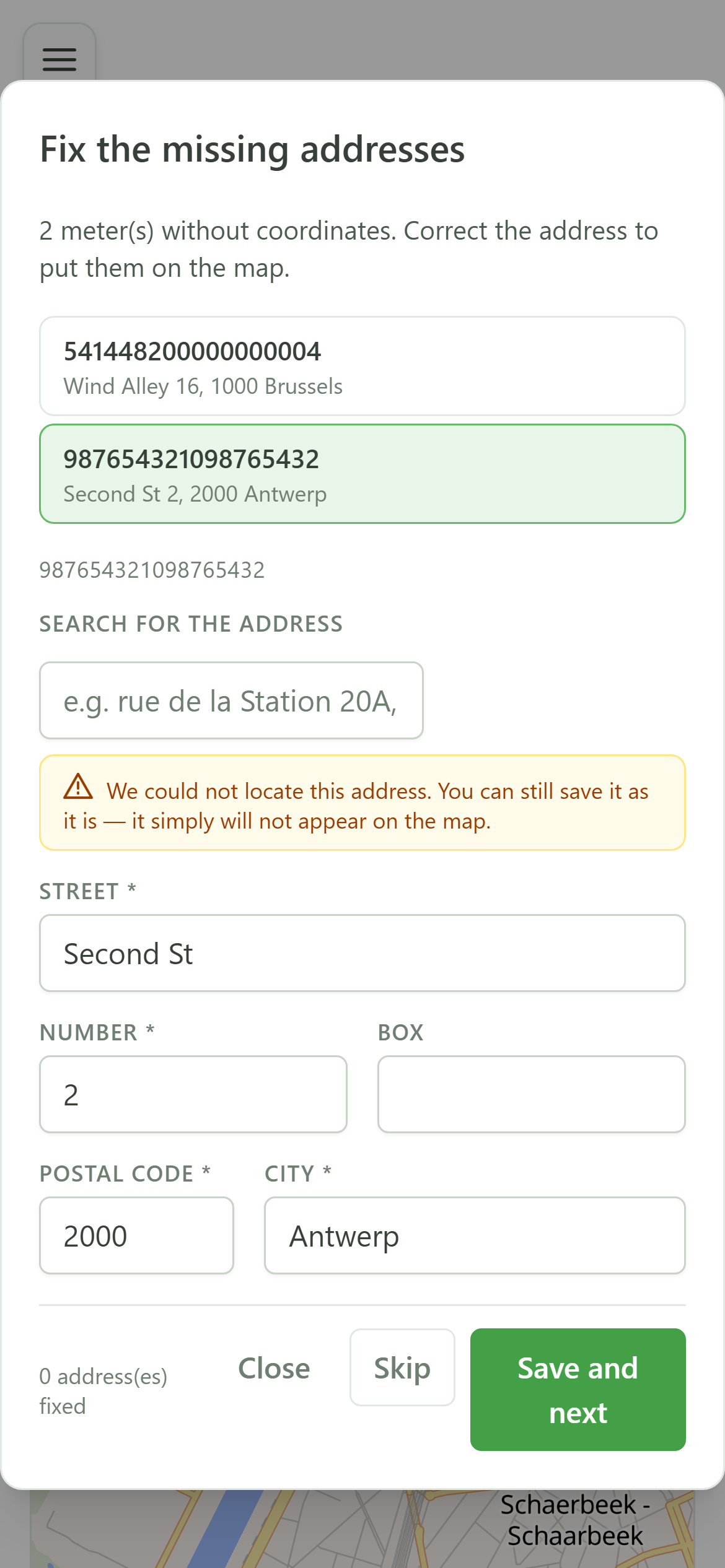
OptimCE queries the federal BeSt Address register. This address matches nothing there, which is why the meter is missing from the map.
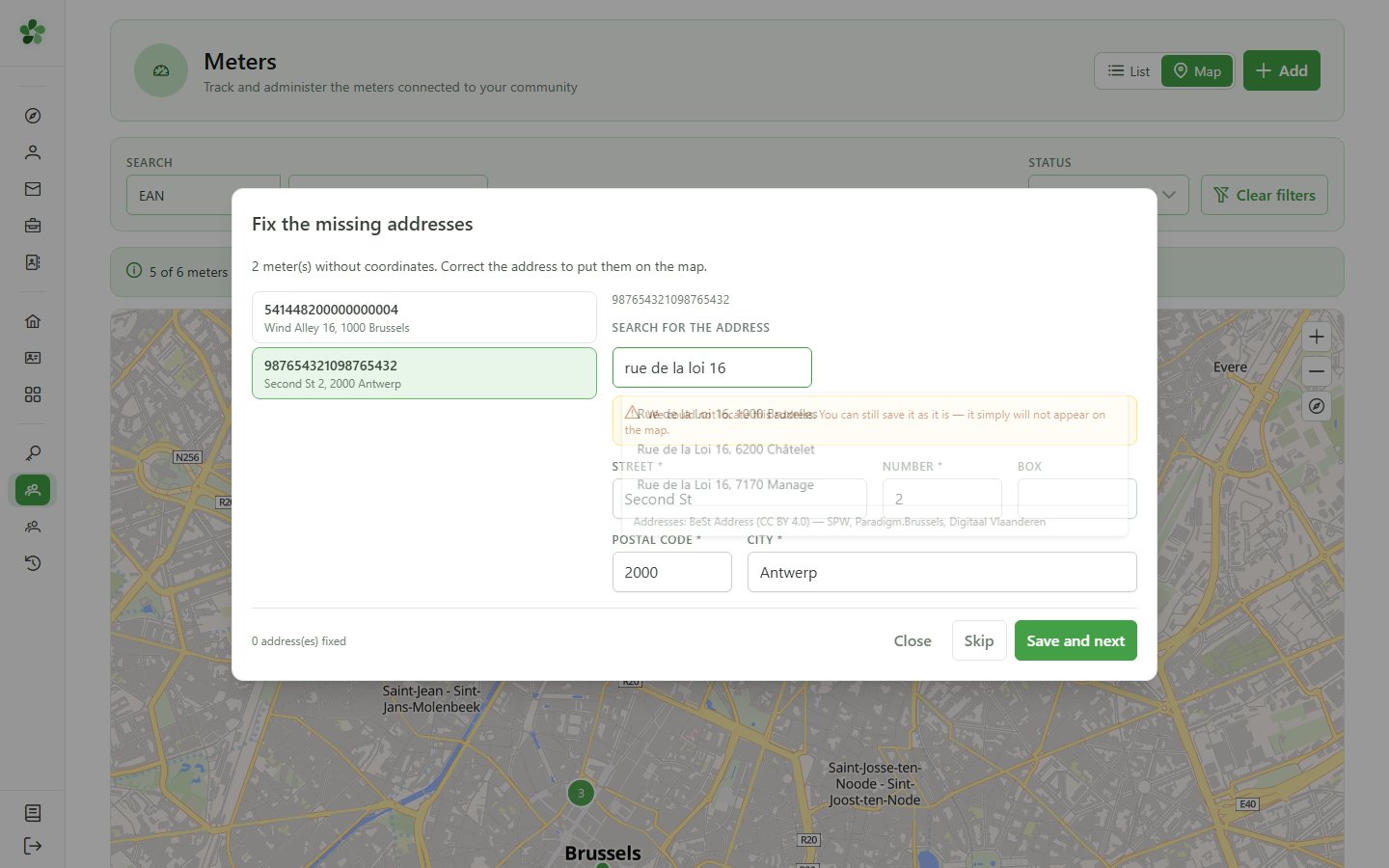
5 Search for the right address
BeSt Address register
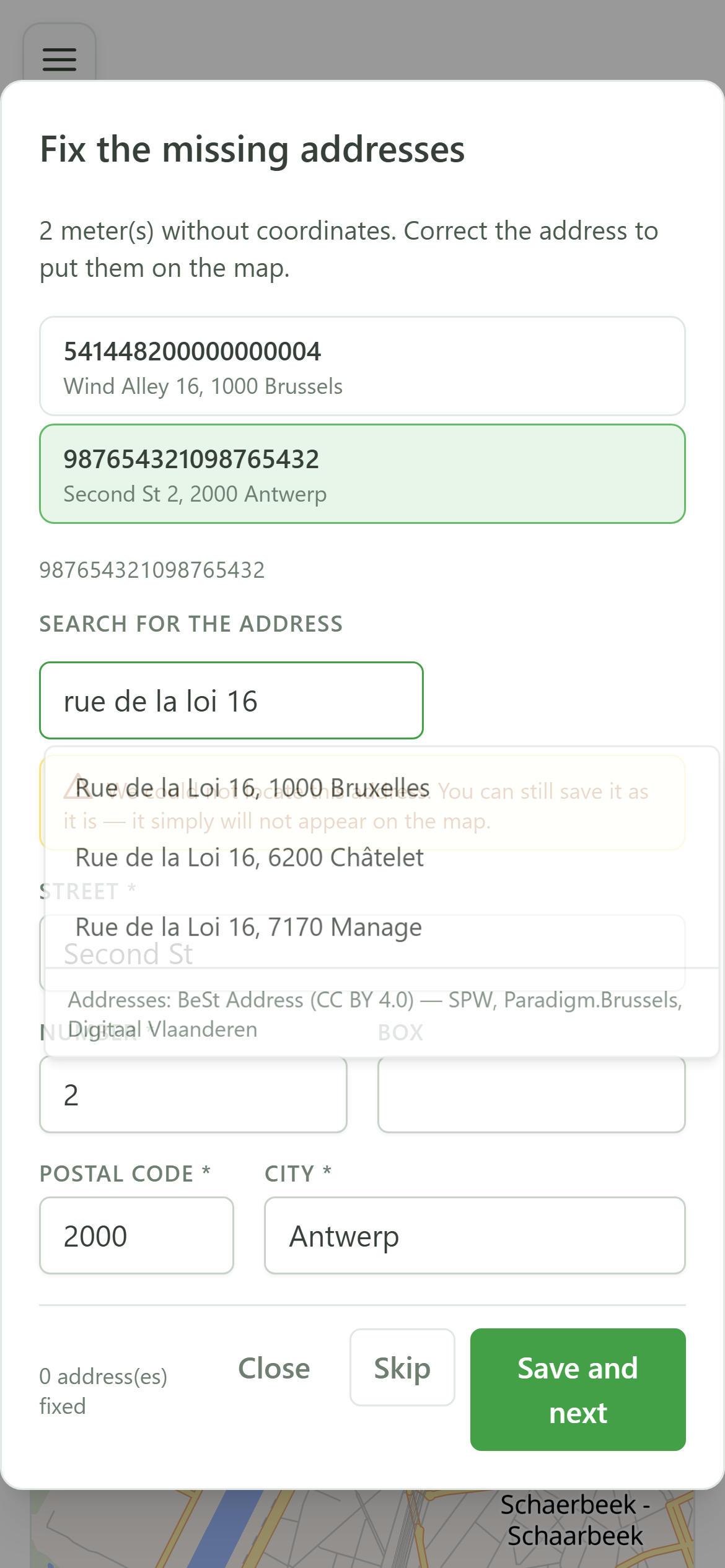
Type the first words of the real address. The suggestions come straight from the official Belgian address register.
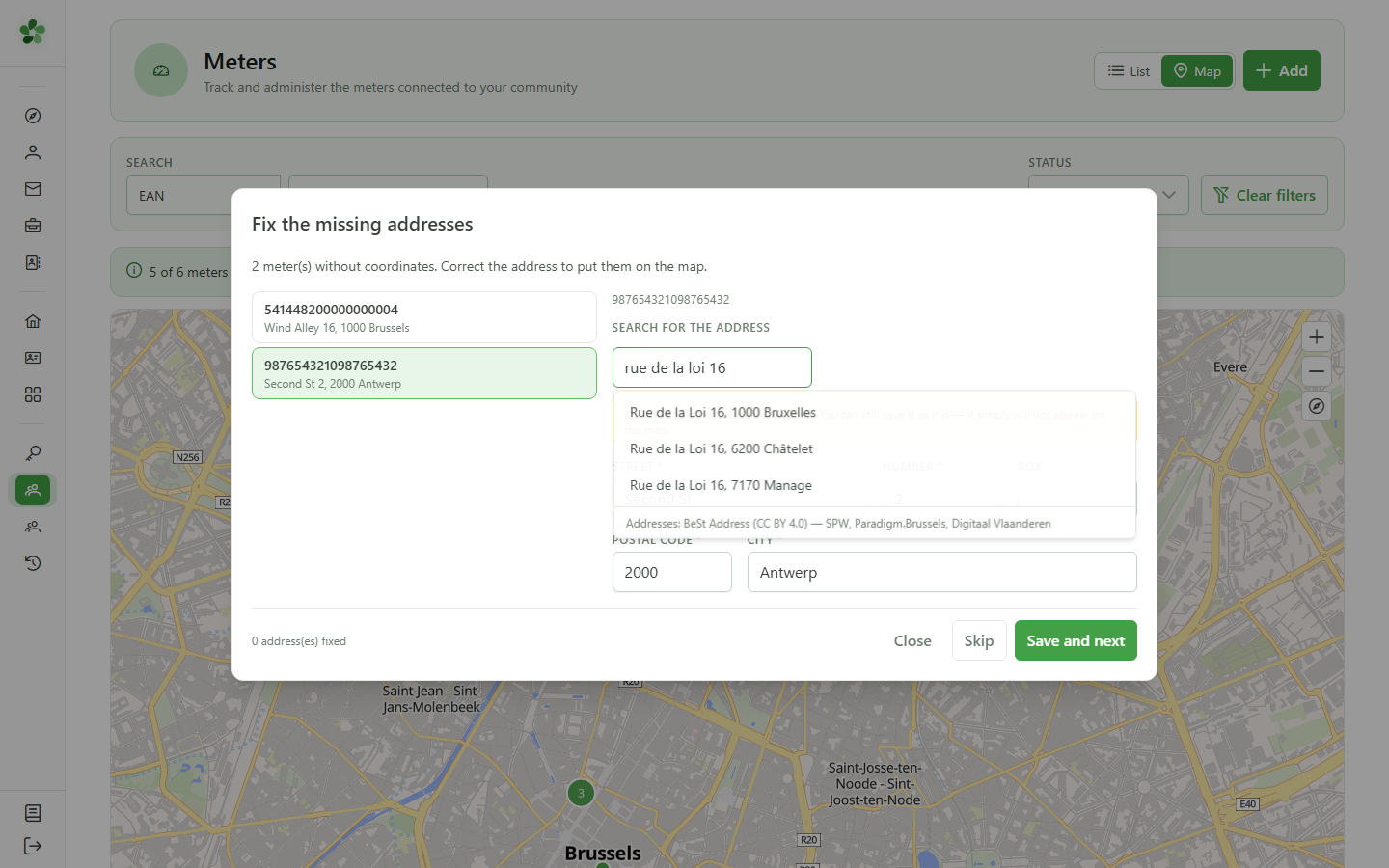
6 Choose the suggestion
Selecting the address
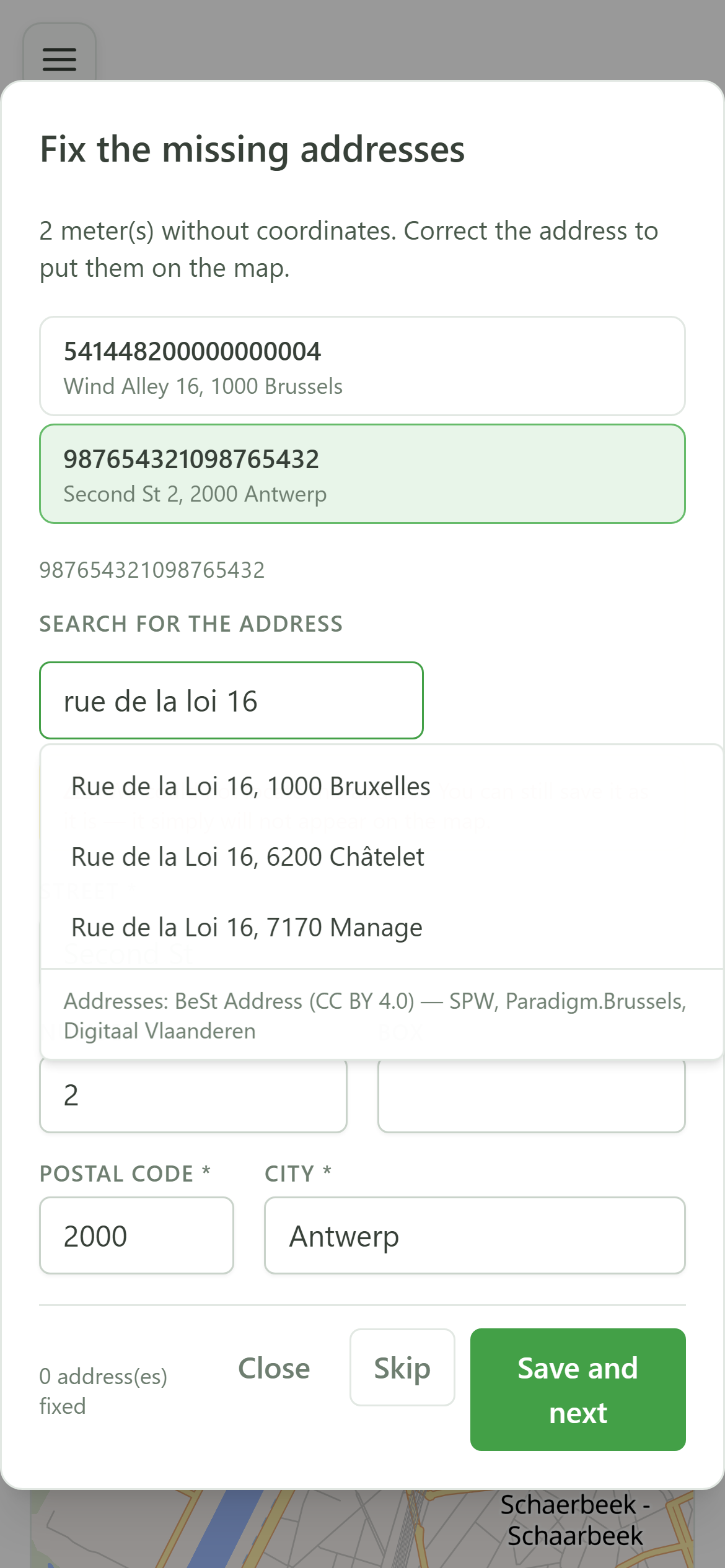
Click the matching suggestion. The five detailed fields are filled with the register's official spelling.
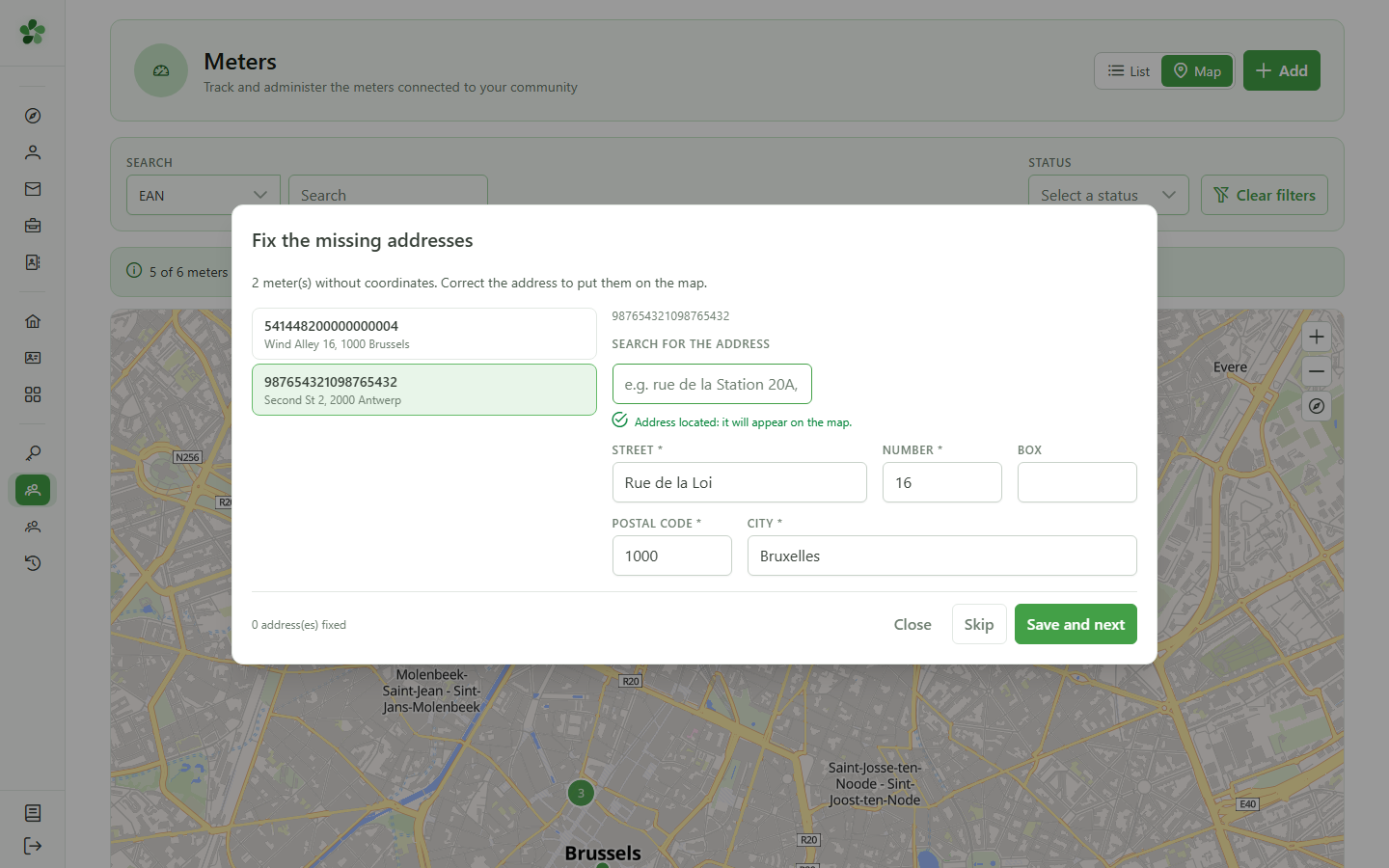
7 Address located
Confirmation
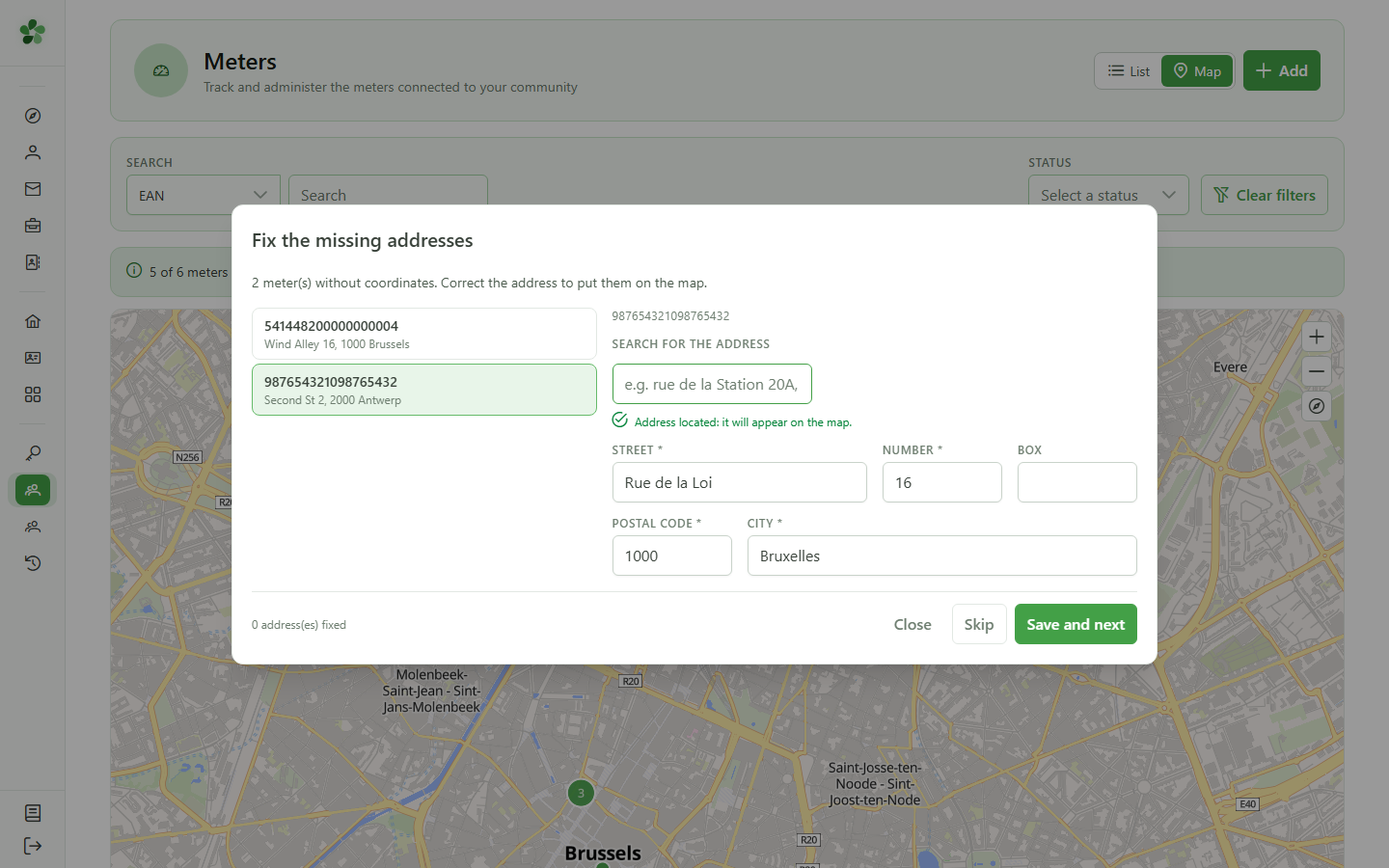
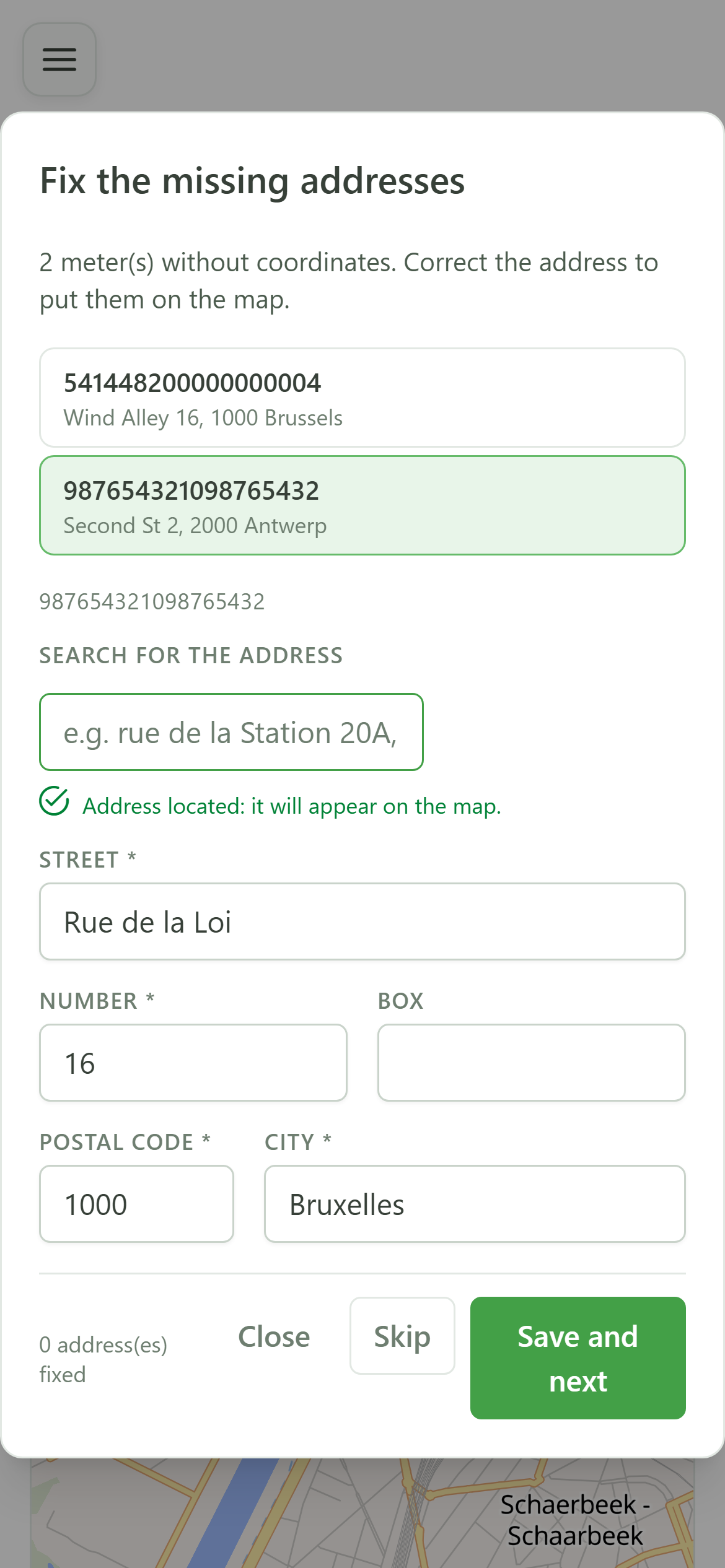
The green message confirms the address is precisely located: the meter will appear on the map once the repair is saved.
8 Save and continue
Applying the repair
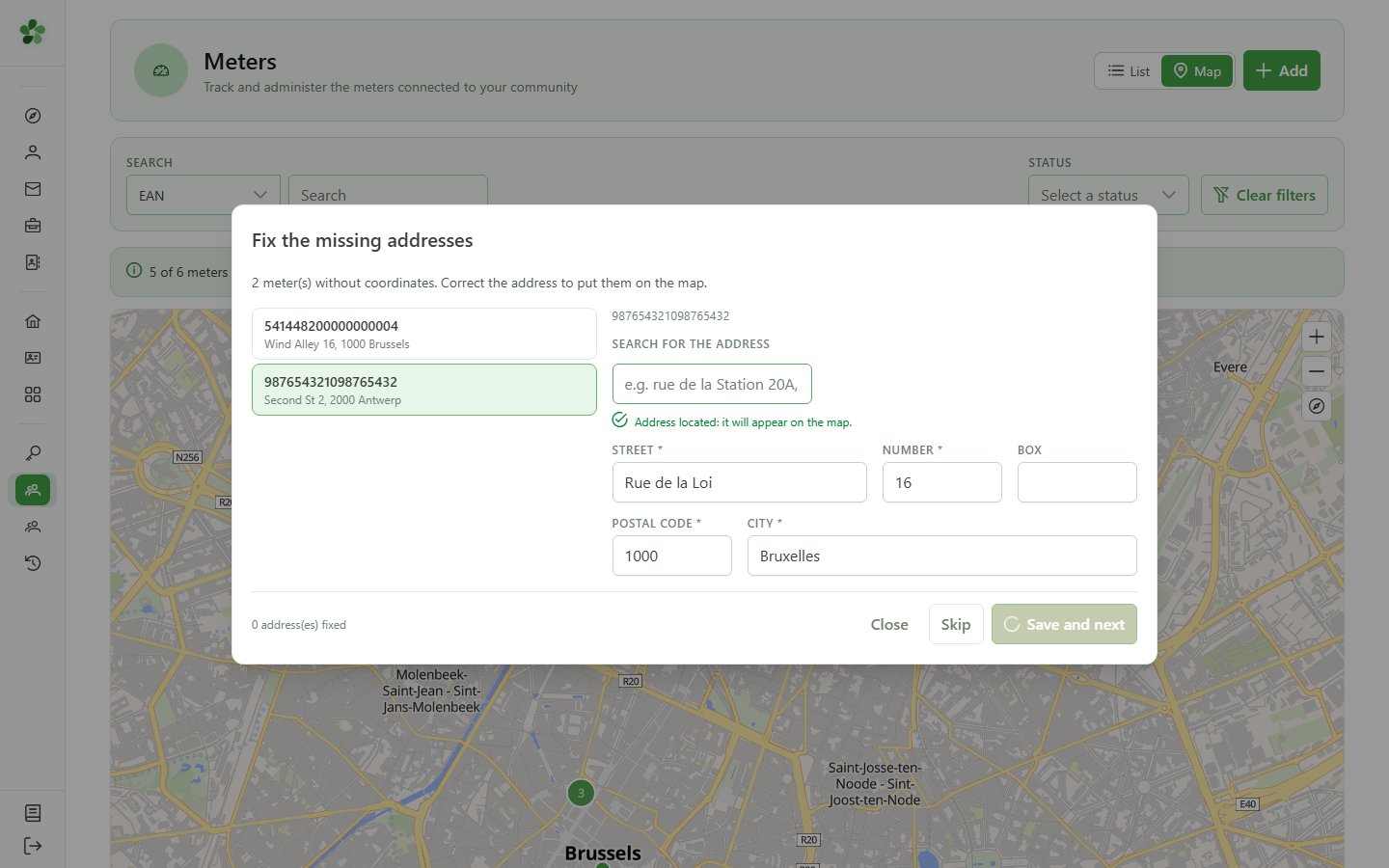
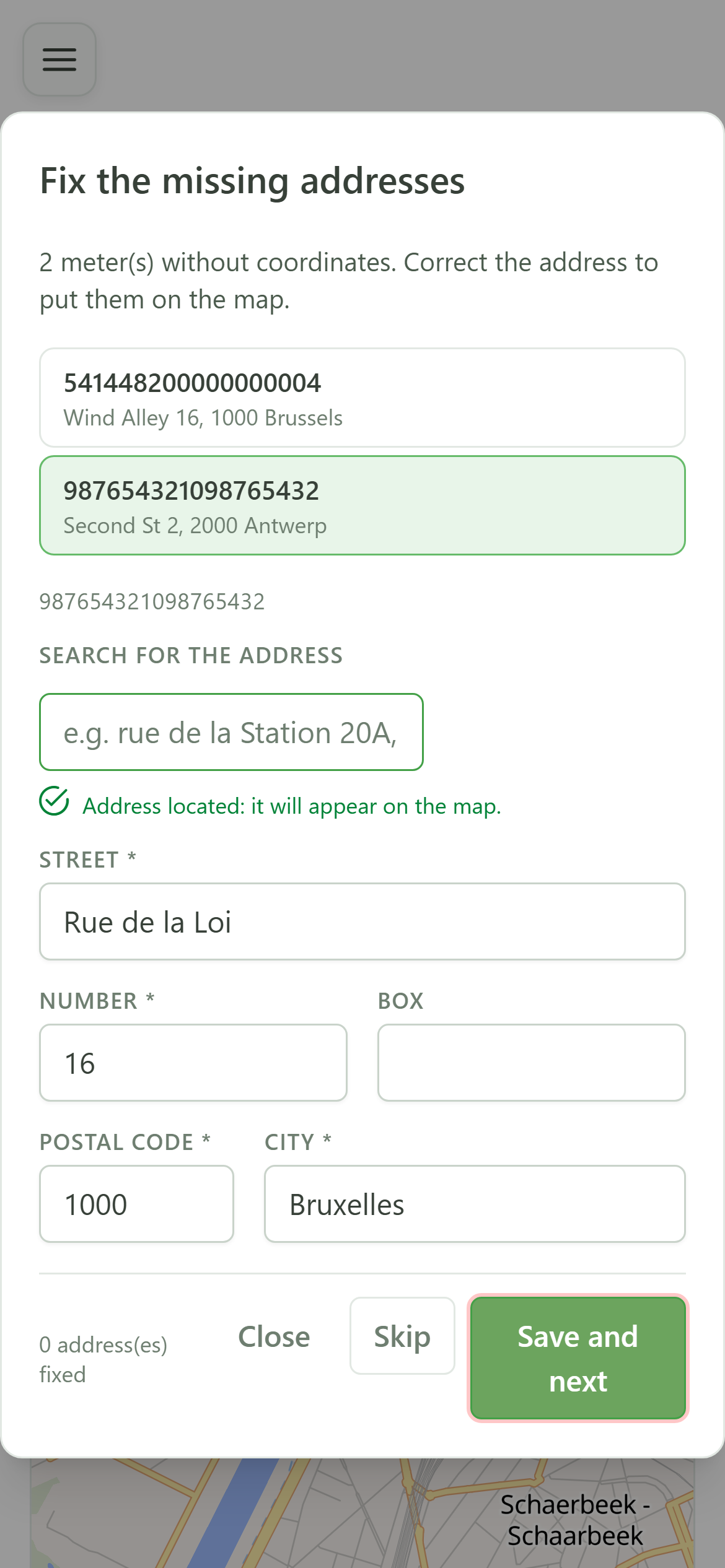
"Save and next" applies the fix and moves on to the next meter in the queue, without closing the dialog.
9 The map is up to date
Coverage after the repair
Back on the map, the banner has gone down: the repaired meter is now placed, and only the one pinned to its municipality centre remains.
Fix meter addresses
Guide utilisateur
User guide
Gebruikershandleiding
Benutzerhandbuch
1 Fix the addresses
Map coverage
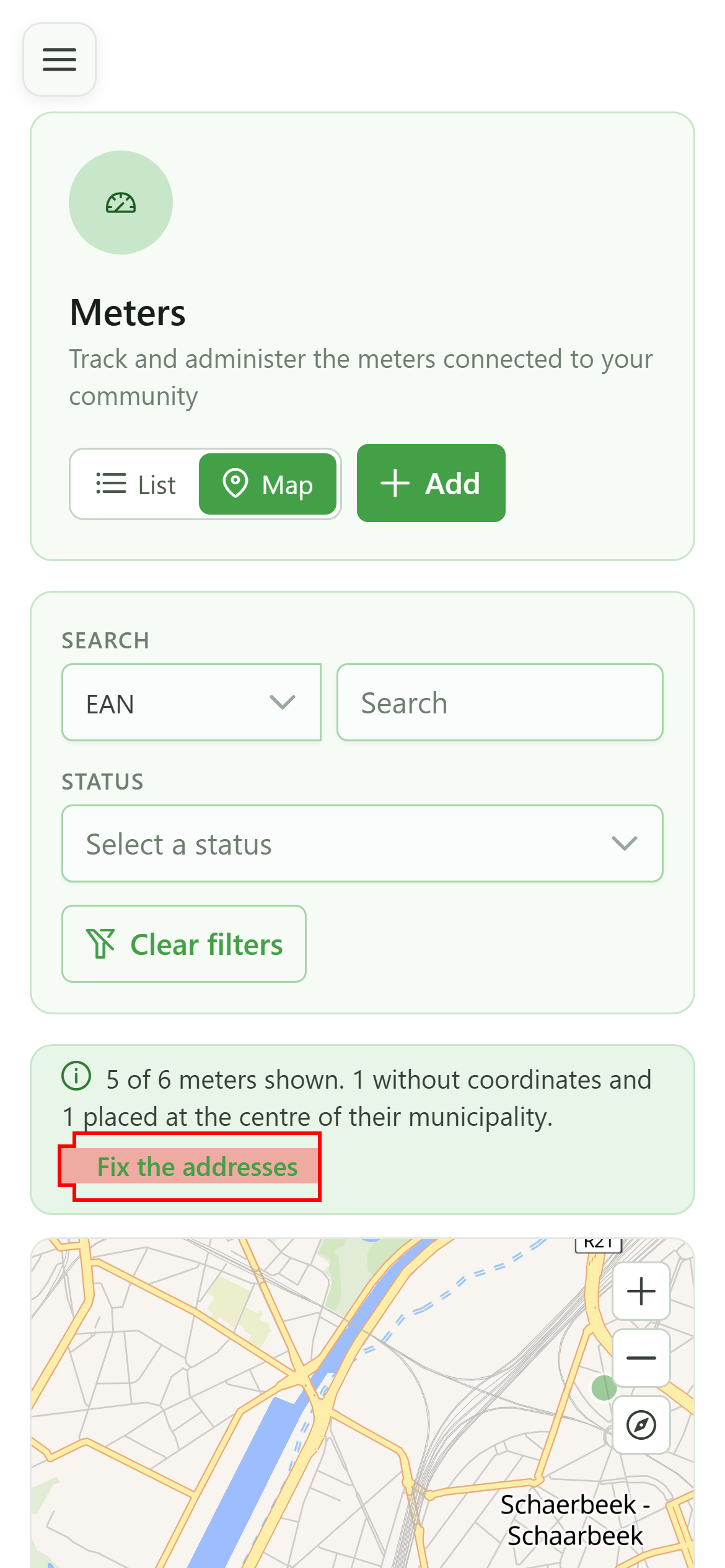
The banner above the map says how many meters are not on it yet. Click "Fix the addresses" to open the queue of meters to reposition.
2 The repair queue
Meters to reposition
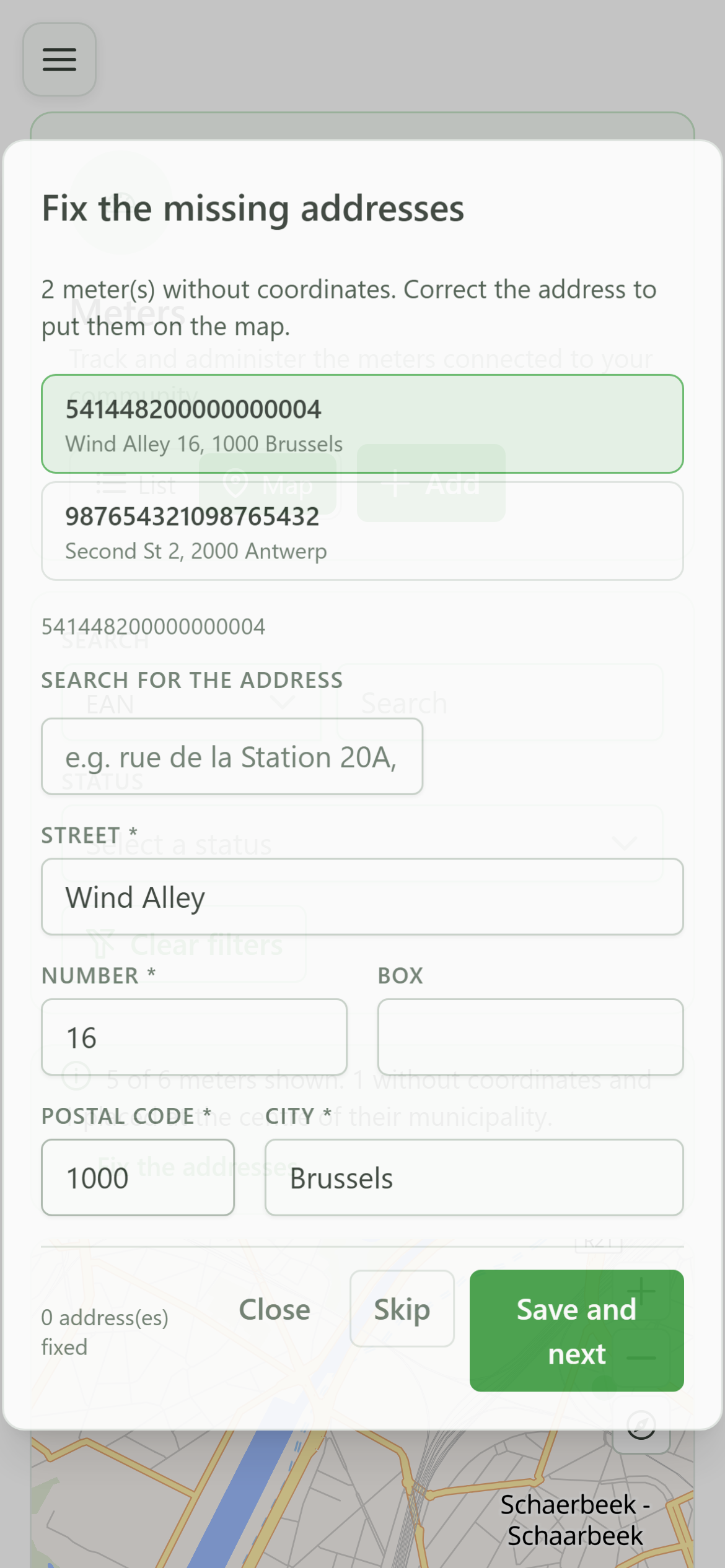
The dialog lists exactly the meters the map cannot place: those with no coordinates at all, and also those pinned only to the centre of their municipality.
3 Pick a meter
Selecting from the queue
Click a row to load its address into the form on the right. Repairs are made one meter at a time.
4 Address not found
Diagnosis
OptimCE queries the federal BeSt Address register. This address matches nothing there, which is why the meter is missing from the map.
5 Search for the right address
BeSt Address register
Type the first words of the real address. The suggestions come straight from the official Belgian address register.
6 Choose the suggestion
Selecting the address
Click the matching suggestion. The five detailed fields are filled with the register's official spelling.
7 Address located
Confirmation
The green message confirms the address is precisely located: the meter will appear on the map once the repair is saved.
8 Save and continue
Applying the repair
"Save and next" applies the fix and moves on to the next meter in the queue, without closing the dialog.
9 The map is up to date
Coverage after the repair
Back on the map, the banner has gone down: the repaired meter is now placed, and only the one pinned to its municipality centre remains.