See my operation's production
Guide utilisateur
User guide
Gebruikershandleiding
Benutzerhandbuch
1 Open Live data
Navigation
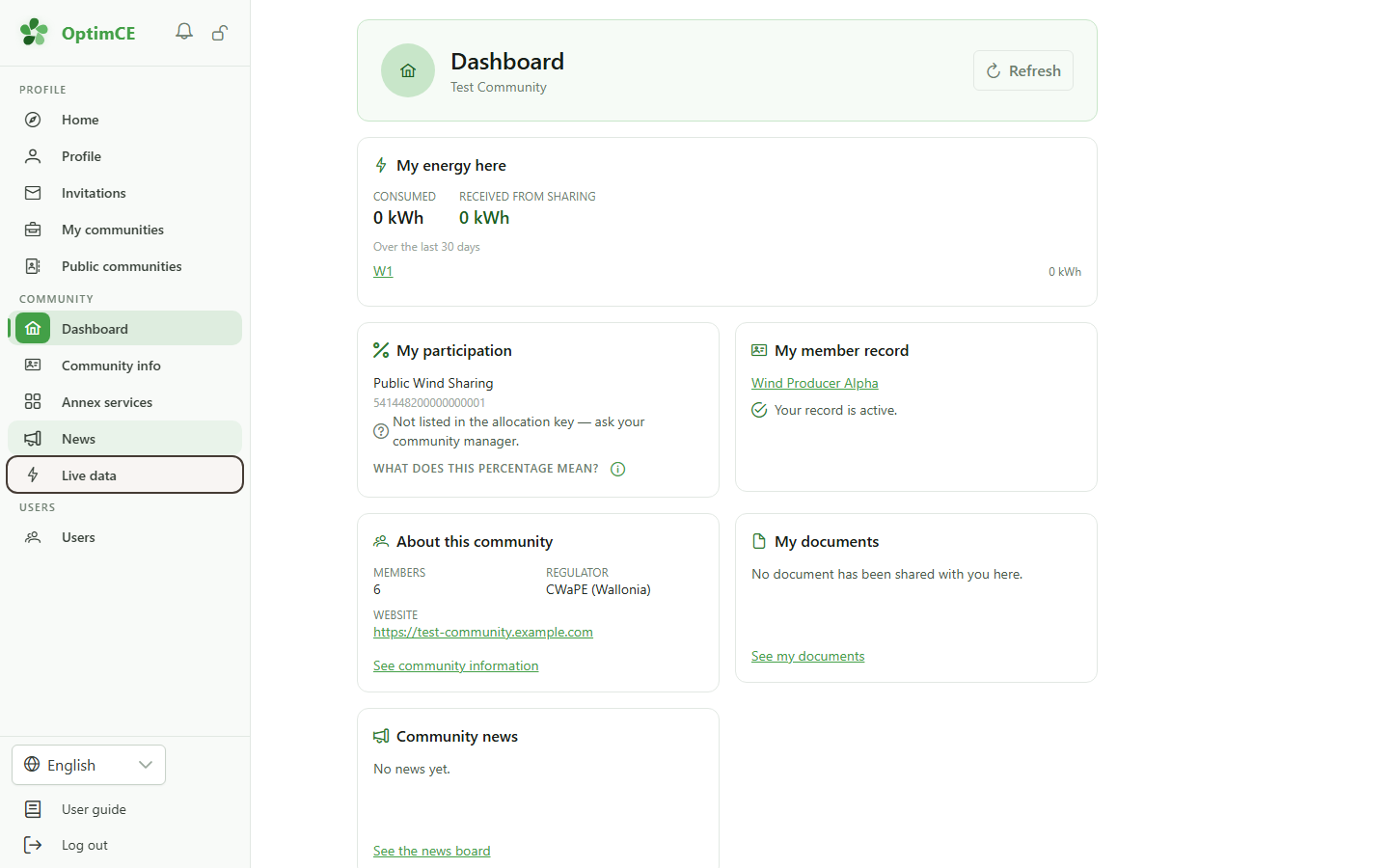
In the sidebar, click "Live data". The link appears as soon as your community is subscribed to the module.
2 The production of your sharing operation
Live data
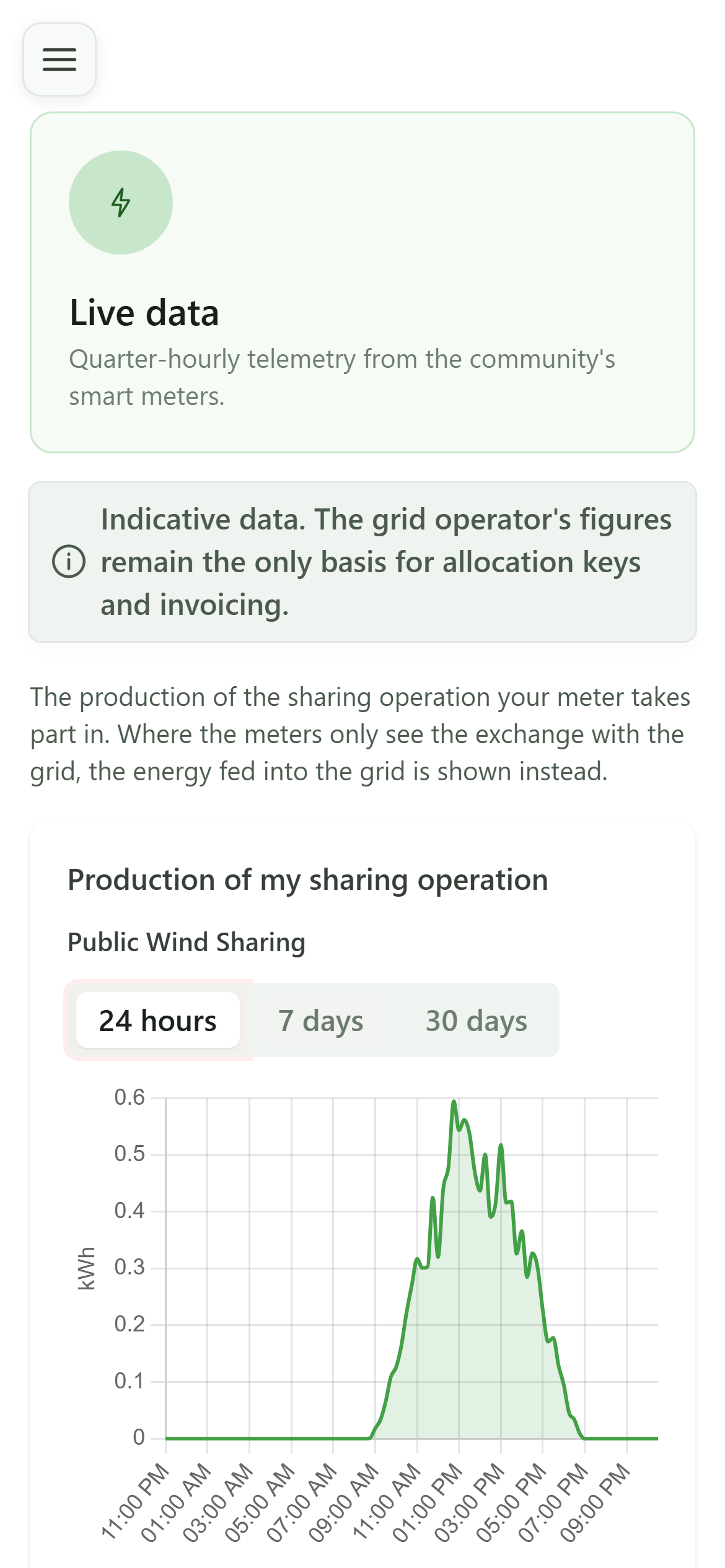
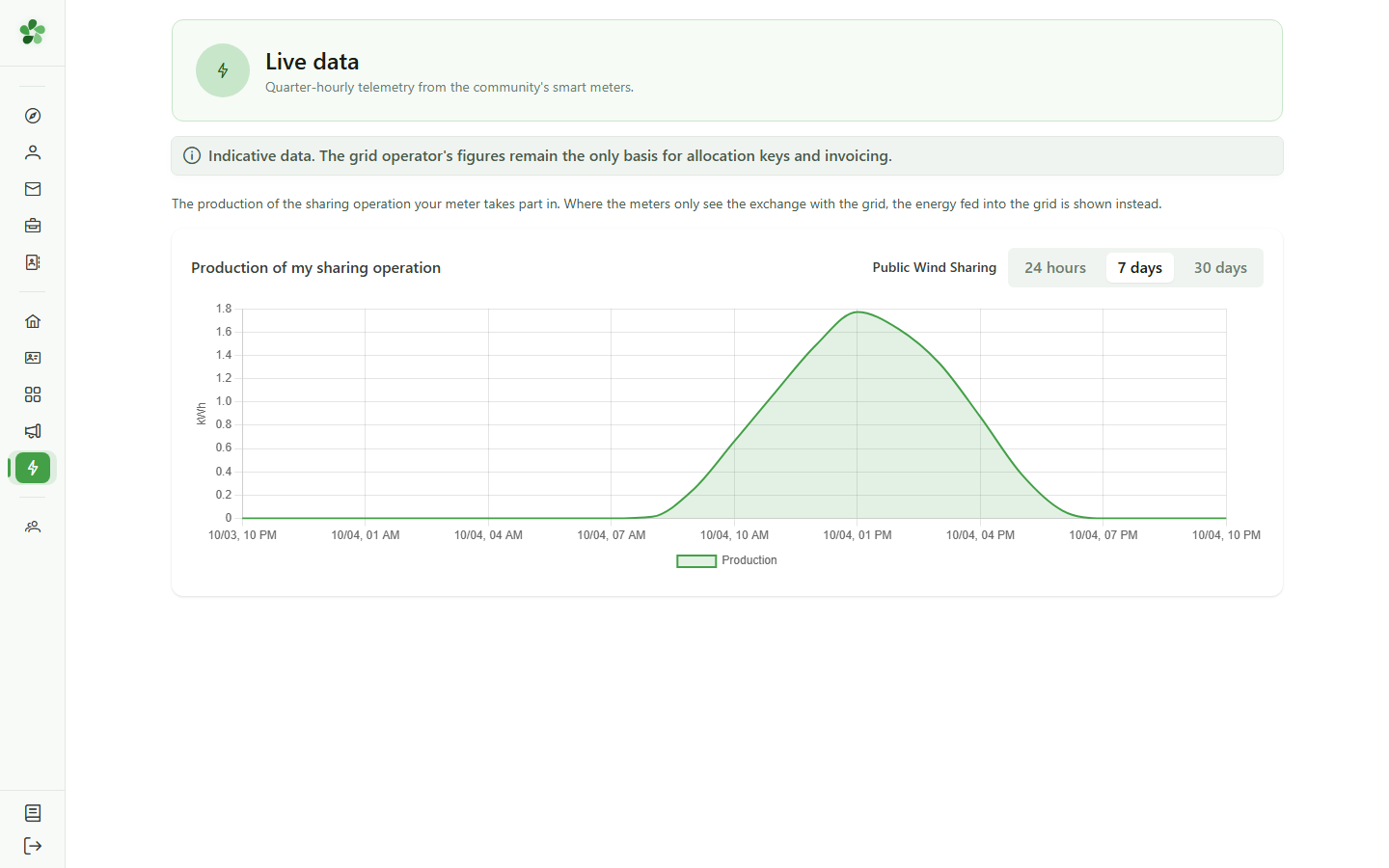
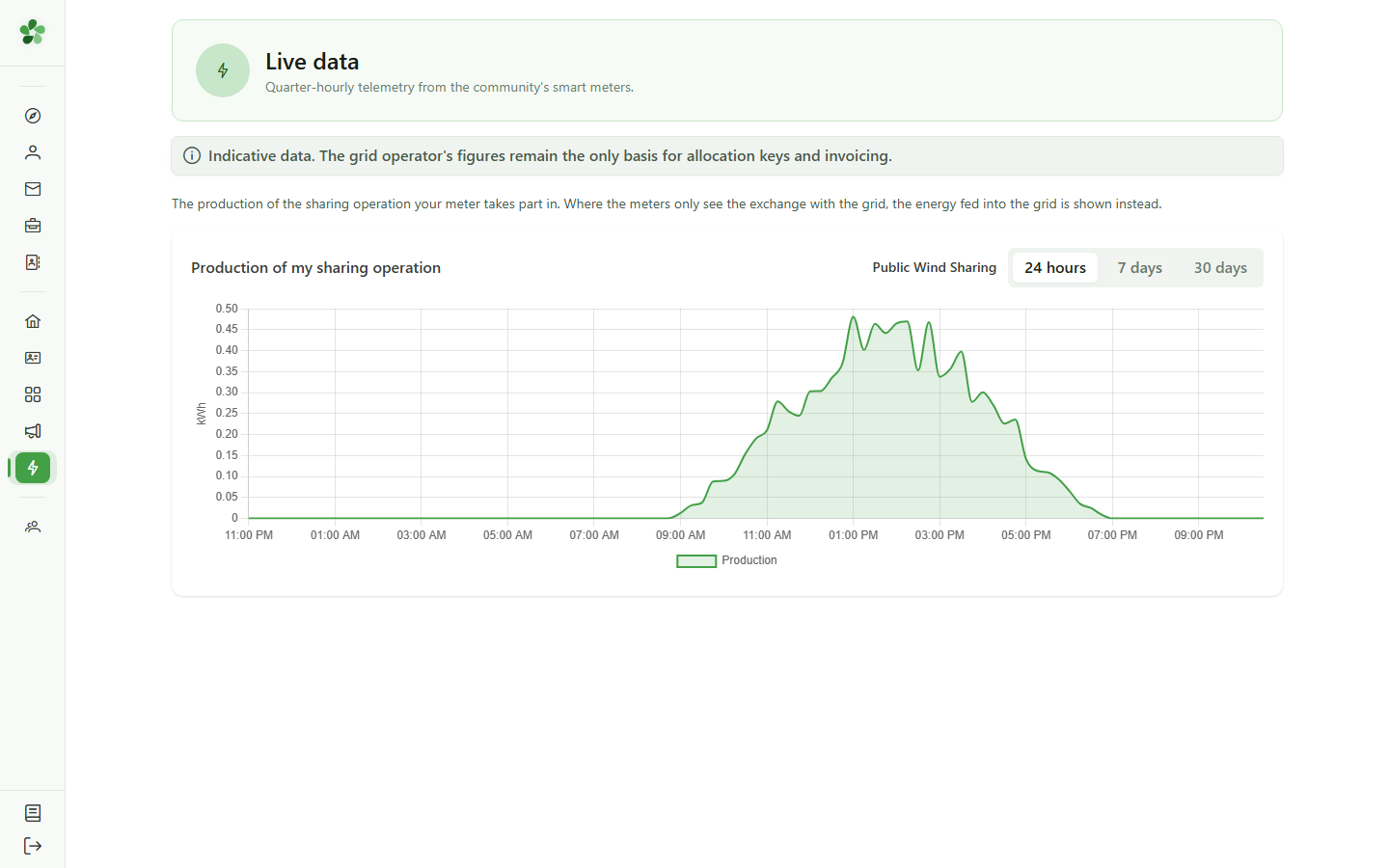
The page shows the production of the sharing operation your meter takes part in, quarter-hour by quarter-hour. These figures are indicative: the grid operator's data remains the reference for allocation and invoicing.
3 Choose the period
Live data
Show the last 24 hours (per quarter-hour), 7 days (per hour) or 30 days (per day).
See my operation's production
Guide utilisateur
User guide
Gebruikershandleiding
Benutzerhandbuch
1 Open Live data
Navigation
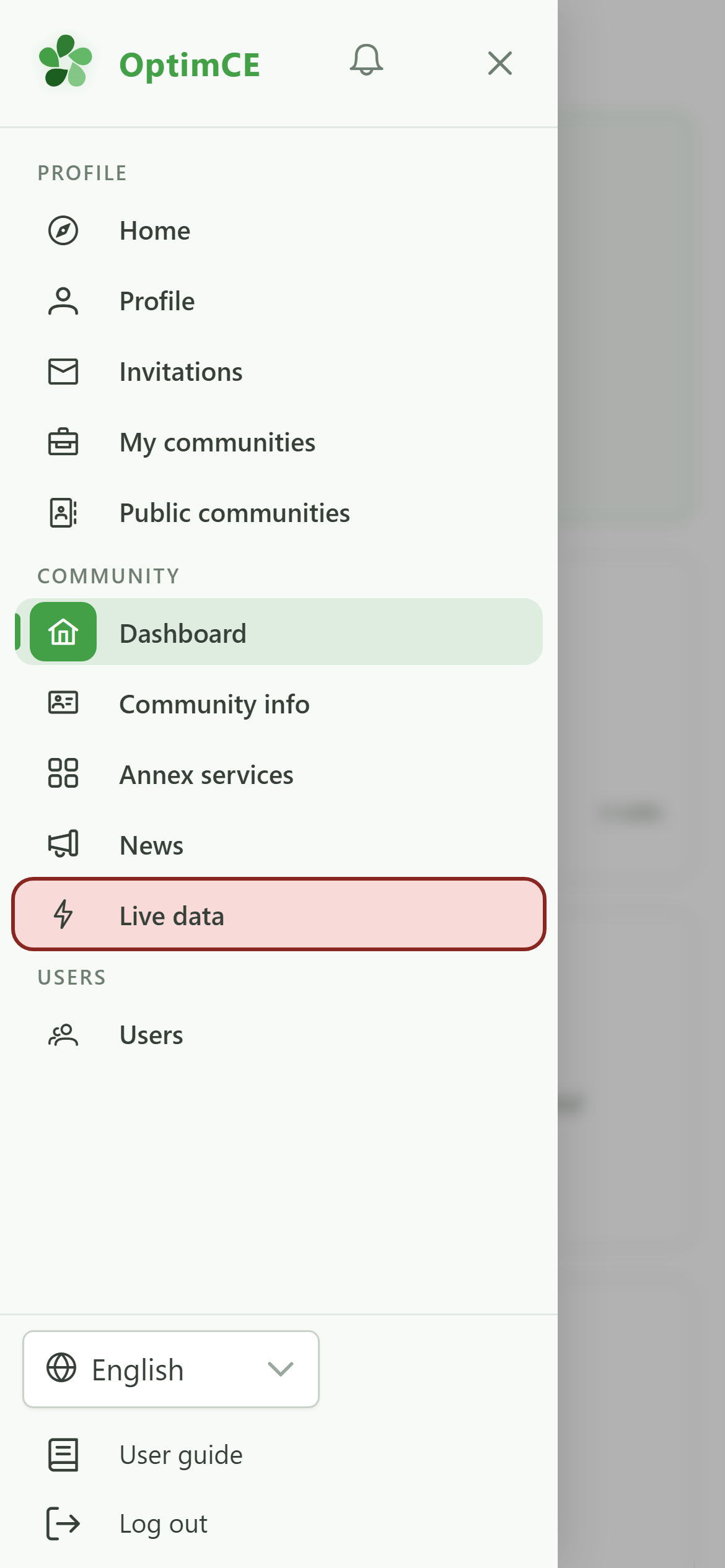
Tap the menu icon to open the drawer, then "Live data". The link appears as soon as your community is subscribed to the module.
2 The production of your sharing operation
Live data
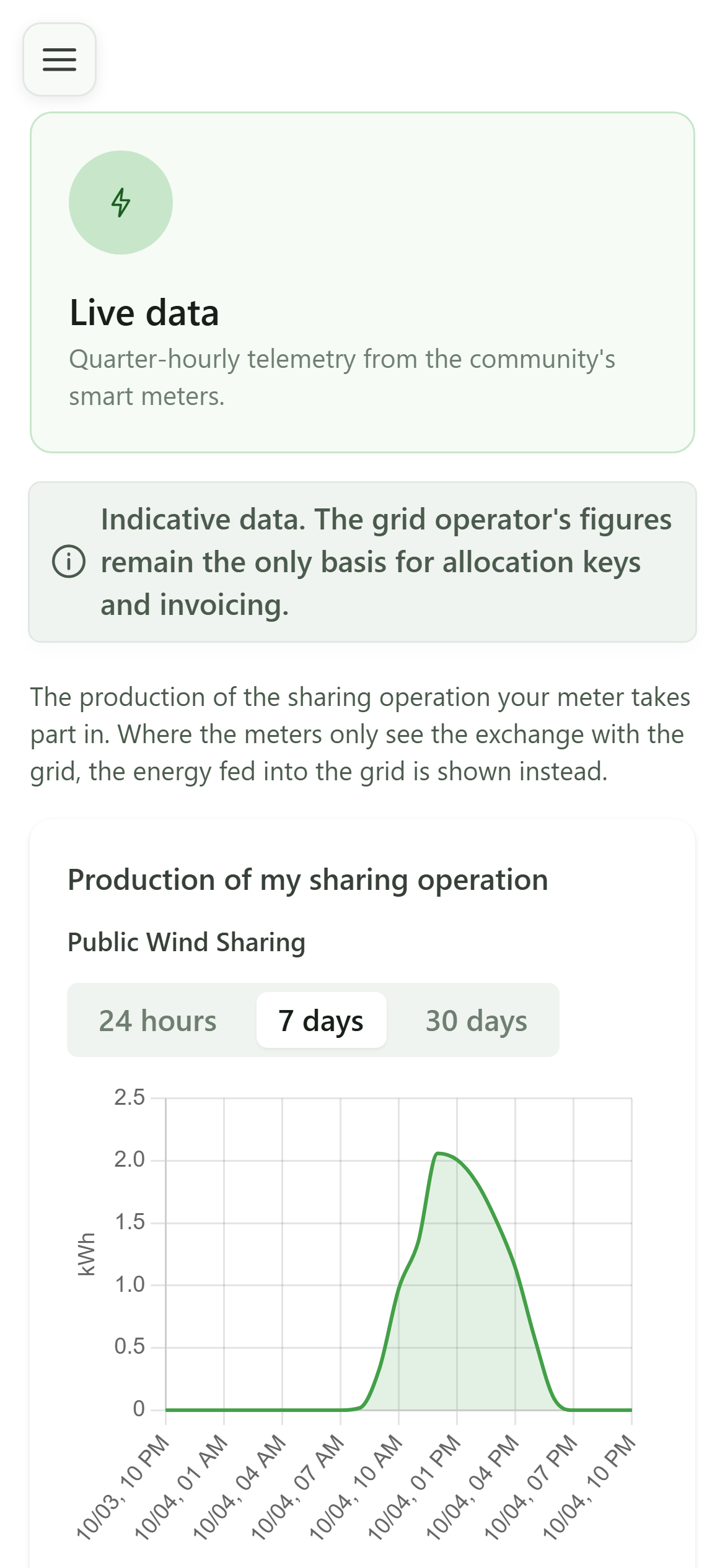
The page shows the production of the sharing operation your meter takes part in, quarter-hour by quarter-hour. These figures are indicative: the grid operator's data remains the reference for allocation and invoicing.
3 Choose the period
Live data
Show the last 24 hours (per quarter-hour), 7 days (per hour) or 30 days (per day).