See what has been filed about you
Guide utilisateur
User guide
Gebruikershandleiding
Benutzerhandbuch
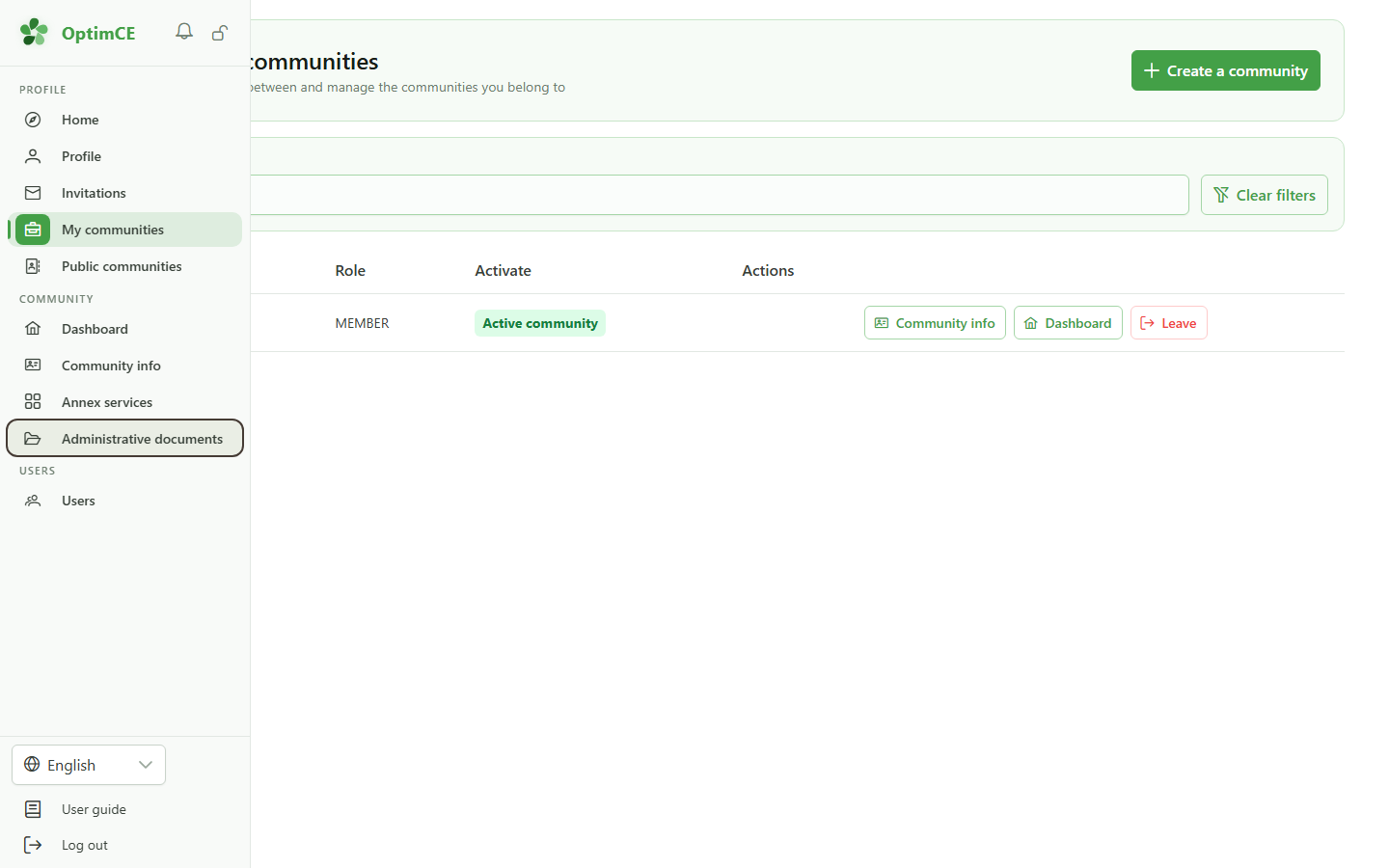
1 Open the administrative documents
Navigation
In the sidebar, click "Administrative documents".
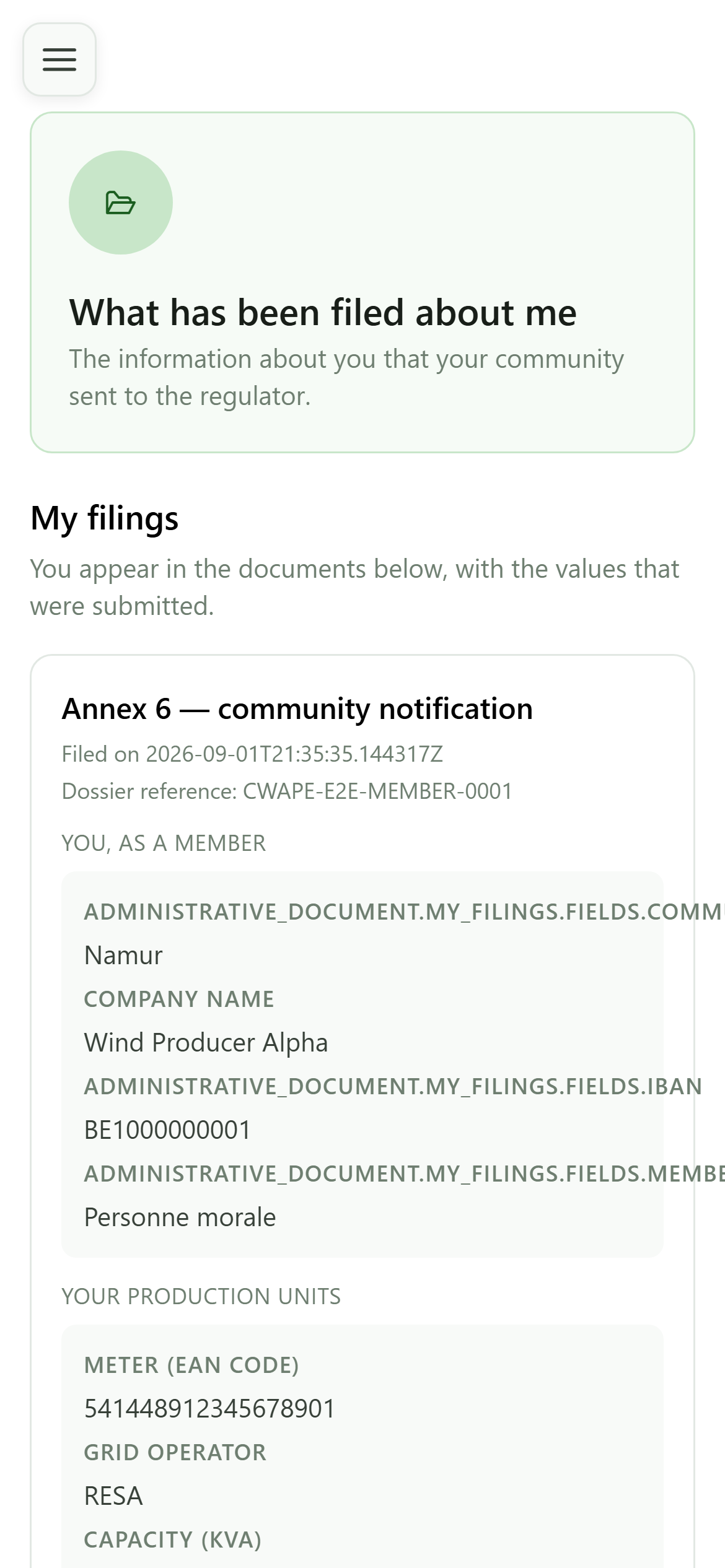
2 What has been filed about me
Administrative documents
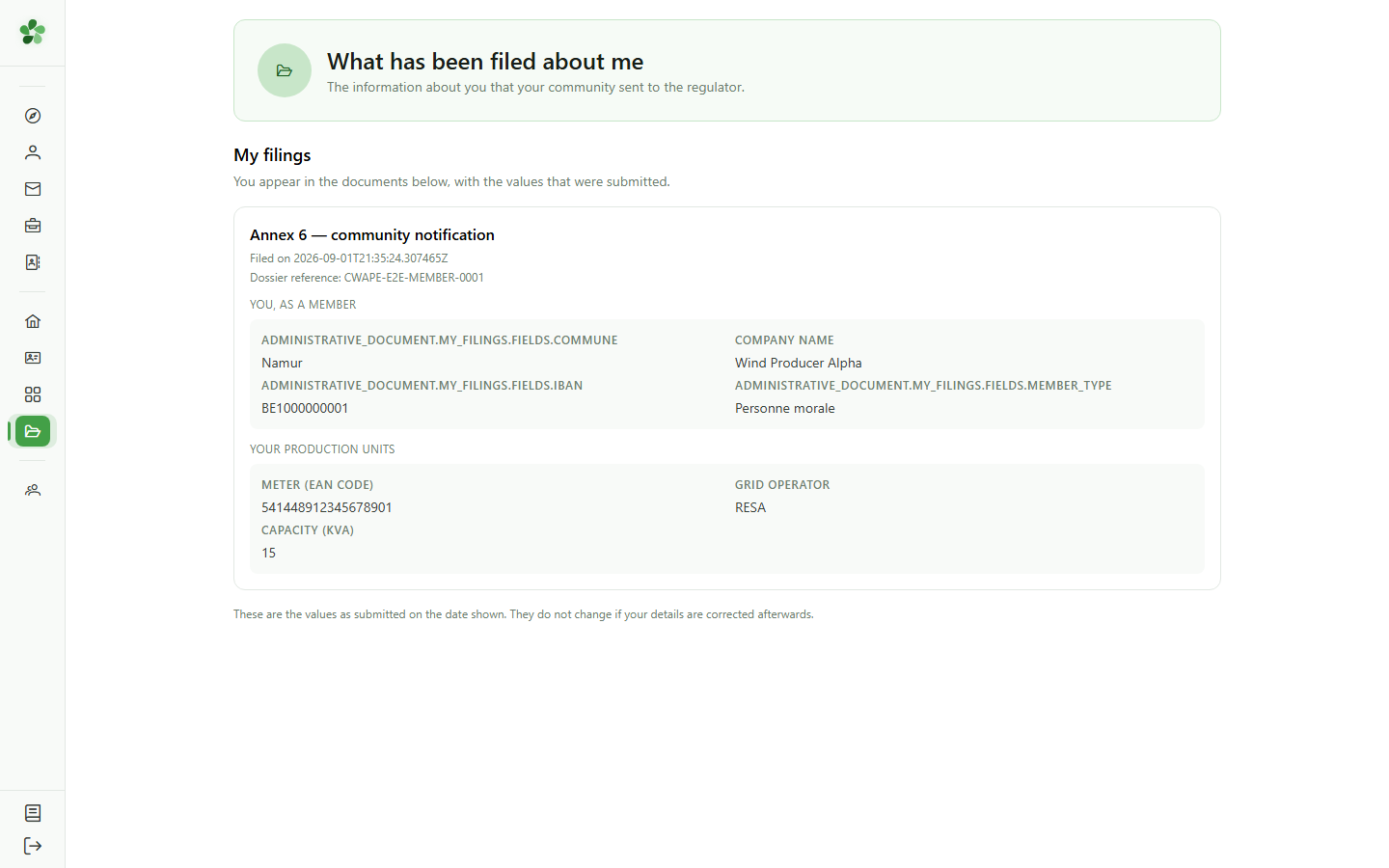
As a member you do not see the community's dossiers: you only see the information about you that was sent to the regulator, and in which document.
3 The values that were sent
My filings
Every block shows the values exactly as they were frozen at filing time. A later correction in the CRM does not rewrite what was already submitted — the date shown is what counts.
See what has been filed about you
Guide utilisateur
User guide
Gebruikershandleiding
Benutzerhandbuch
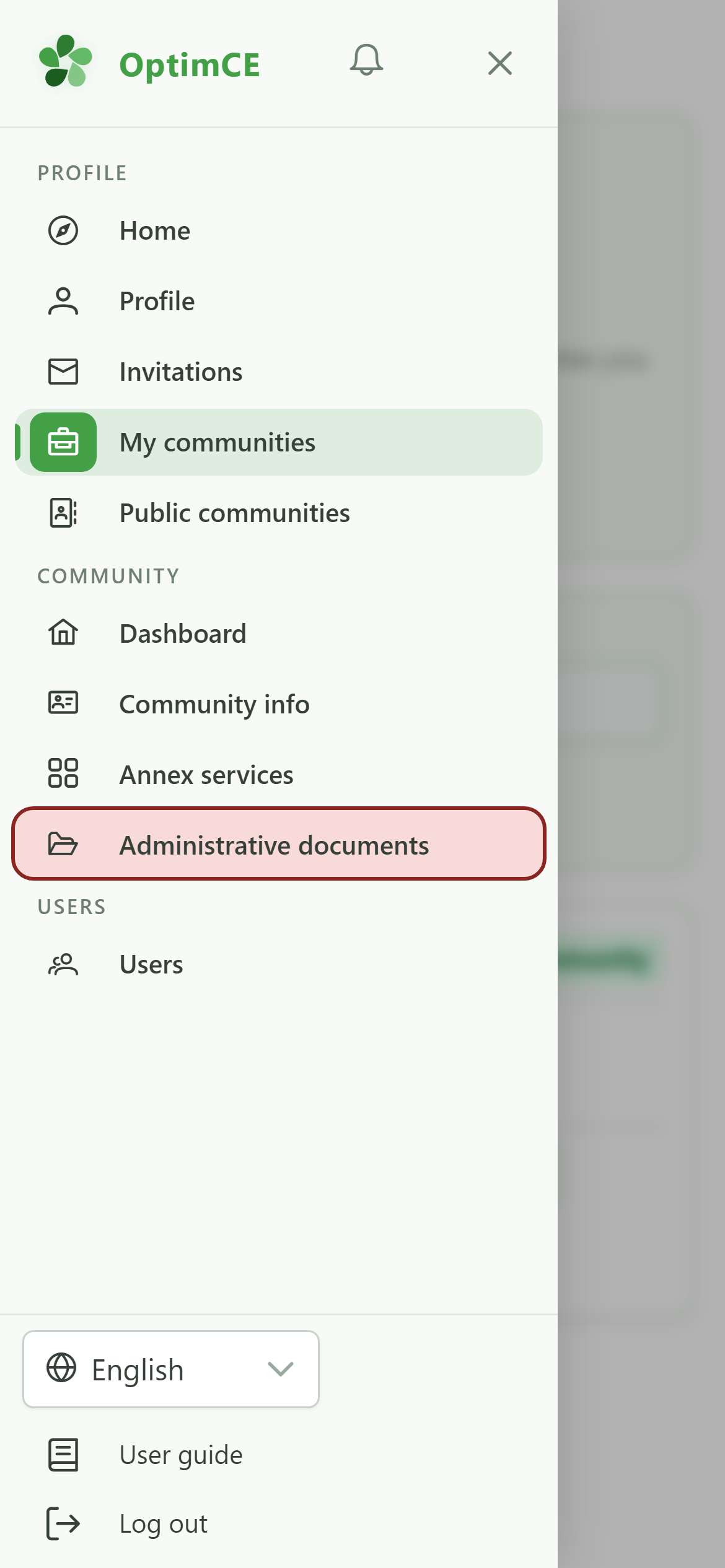
1 Open the administrative documents
Navigation
Tap the menu icon to open the drawer, then "Administrative documents".
2 What has been filed about me
Administrative documents
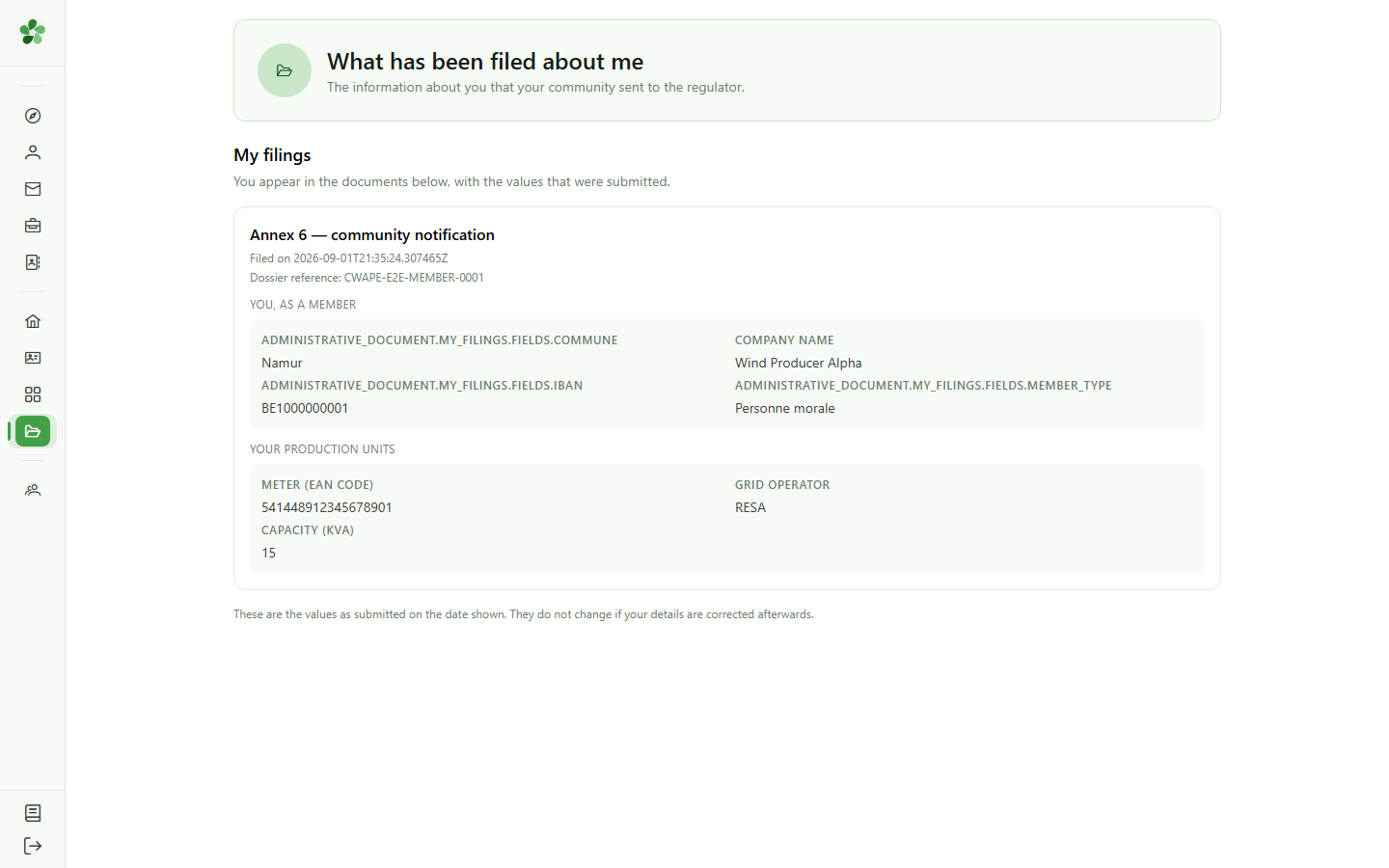
As a member you do not see the community's dossiers: you only see the information about you that was sent to the regulator, and in which document.
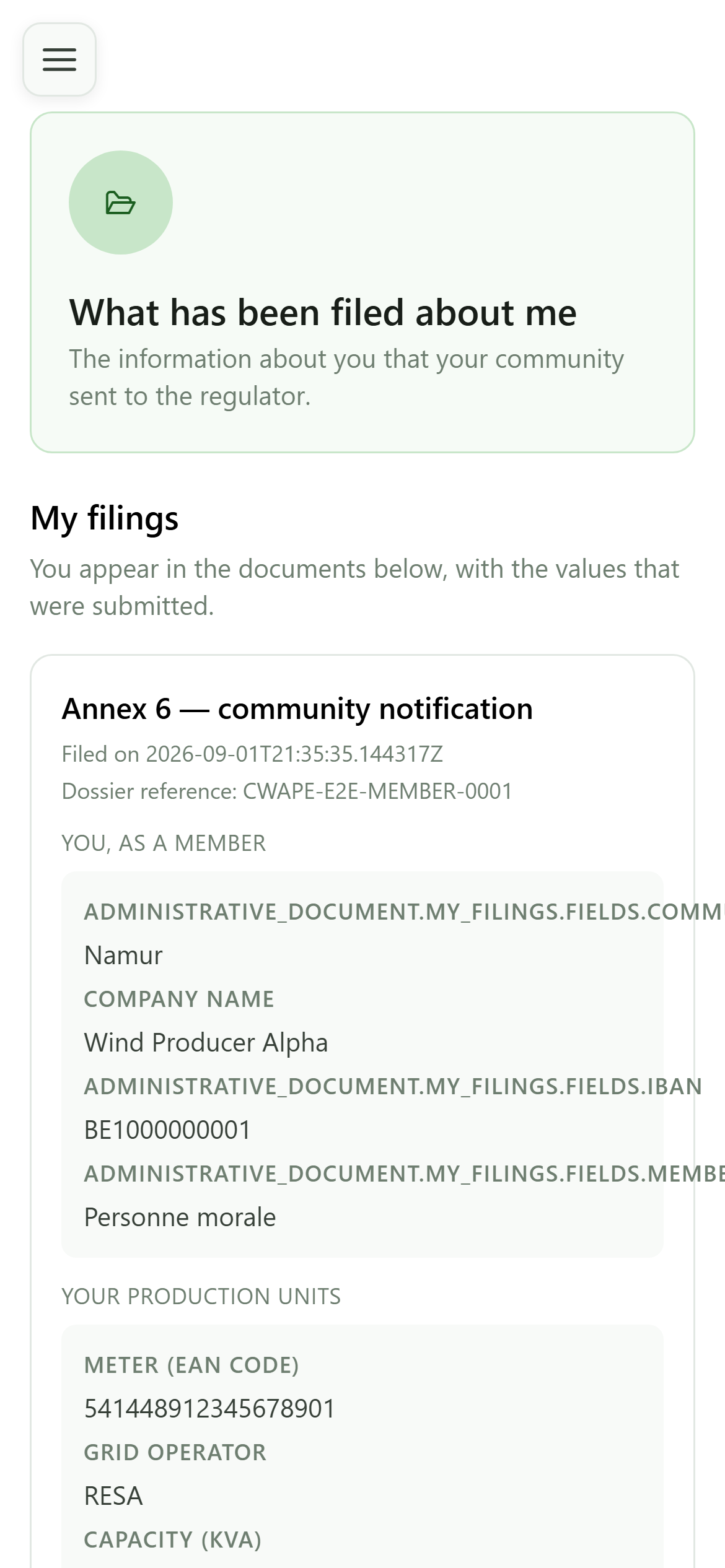
3 The values that were sent
My filings
Every block shows the values exactly as they were frozen at filing time. A later correction in the CRM does not rewrite what was already submitted — the date shown is what counts.